Does your email keep working when the primary server fails? Domains, software, networking, costs and recovery, with real Postfix/Dovecot trials, raw observations and a separate 24-hour model.
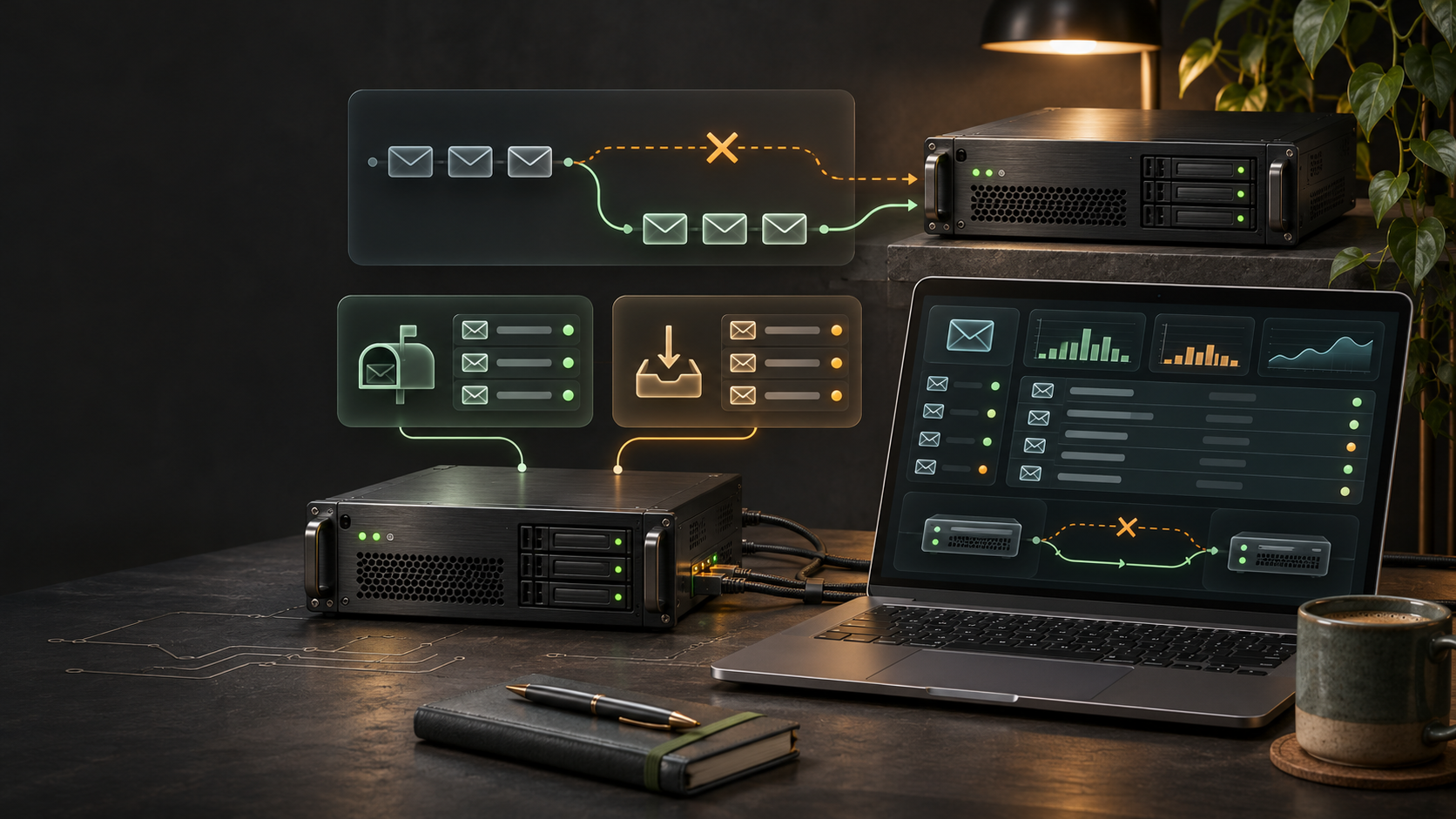
Running your own email can give you a portable identity, control over stored messages and a route away from a single provider. It cannot make other organizations accept every message, remove every network dependency or guarantee availability merely because a container starts.
The useful question is operational: what continues working when a component fails, where do messages wait, and how do you prove recovery?
This guide covers domains, SMTP, IMAP, JMAP, open-source servers, hosting constraints, authentication, costs, migration, backups and incident response. We also ran an isolated experiment with real Postfix and Dovecot, then built a separate accelerated model of a 24-hour outage.
Explore: Open the interactive resilience dashboard, download source, configuration and results, inspect native observations, or read the time model.
Two kinds of evidence: the native experiment exchanges synthetic messages over real SMTP and reads them through IMAP inside an isolated Docker network. Its interruption is short and measured in real seconds. The 24-hour interruption is a separate discrete-time model, not a day-long native server run or a public deliverability benchmark.
Why this matters after the November Microsoft incident
The November 12-13, 2026 Exchange Online/Microsoft 365 incident exposed an important distinction between mailbox access, message acceptance and queued delivery. The Microsoft Service Health material reproduced by the University of Pennsylvania describes affected access methods, recovery work and queue preservation, including an extended timeout window. The source package identifies an incident window from November 12 at 16:20 UTC to November 13 at 16:10 UTC. Treat preliminary cause descriptions separately from a final post-incident report. 1
The lesson is not that one private VPS automatically outperforms a global cloud. One VPS is an obvious single point of failure. Ownership and resilience address different problems.
A useful replacement design starts with failure scenarios: a dead host, inaccessible mailbox storage, failed outbound relay, broken identity service or unavailable DNS. Measure the user-visible functions separately instead of treating all email as one green status light.
Five different meanings of independence
- Identity: you control
example.net, soname@example.netcan survive a hosting change. An address underoutlook.comis not portable to your own server because you do not control that domain. - Inbound exchange: you decide which MX accepts, rejects, defers or queues messages.
- Storage: you administer messages, indexes, accounts, logs and backups. A VPS provider still controls physical infrastructure.
- Outbound delivery: your MTA sends directly or through a relay. You control signing and configuration, but recipients control acceptance.
- Availability: you design failure domains, replication, backup queues, access routes and recovery procedures.
You can own the identity while outsourcing everything else. You can administer nearly the whole stack and still depend on a registrar, network, certificate authority, DNS provider and recipient policies. Portability and demonstrated recovery are practical goals; absolute independence is not.
What happens when someone sends a message?
A client submits authenticated mail over port 587 with STARTTLS or 465 with implicit TLS. The sending MTA resolves the recipient domain's MX and normally exchanges public server-to-server mail over port 25.
The receiving service evaluates recipient validity, reputation, authentication and local policy. A temporary 4xx response normally invites retry; 5xx indicates a permanent refusal, subject to the particular response and transaction stage. Accepted mail is stored, filtered and indexed, then read through IMAP 993, webmail or a suitable JMAP client.
SMTP transports messages; IMAP accesses mailboxes; JMAP offers an API model; DNS helps discover infrastructure. A domain is not a mailbox. Thunderbird is a client, and Roundcube or SOGo does not replace an MTA and storage backend.
Acceptance is a responsibility boundary
If your MX is unreachable, the sender may keep the message and retry according to its own policy. If your MX returns 250 after DATA, it has accepted responsibility. Losing the accepted message afterward is different from having temporarily refused it.
An unavailable webmail interface can coexist with working SMTP reception. An alive backup MX can queue new mail while users remain unable to open their mailboxes. Record acceptance, storage visibility and user access separately.
The practical architecture choices
| Model | Inbound | Outbound | Storage | Main tradeoff |
|---|---|---|---|---|
| Domain forwarding | Routing service | Separate service may be needed | Existing external inbox | Portable address, limited infrastructure control |
| Hosted custom-domain mailbox | Provider | Provider | Provider | Little administration, provider dependency |
| Email bundled with web hosting | Hosting operator | Shared service | Hosting operator | Convenient, shared reputation and failure domains |
| Home server | Your equipment | Direct or relay | Your equipment | Power, ISP, CGNAT, IP and maintenance |
| Single VPS | Your MTA | Direct if permitted | Your host | Broad control, one failure domain |
| VPS plus relay | Your MTA | Smarthost | Your host | Better outbound options, relay dependency |
| Primary plus backup MX | Primary or queueing backup | Direct or relay | Primary plus temporary spool | Can preserve incoming acceptance without mailbox access |
| Distributed mailbox system | Multiple frontends | Multiple routes | Coordinated replicated stores | More availability potential and much more complexity |
What can actually be free?
Software and infrastructure are separate bills
Open-source packages can have a zero license fee while domains, public addresses, disks, electricity, backups, monitoring and staff time still cost money. A temporary cloud credit is a poor foundation for critical mail if persistence and SMTP policy are uncertain.
A home server
Plan for a reachable public network, suitable address strategy, PTR control, inbound port 25, certificates, firewall, monitoring, power protection and recovery. CGNAT prevents simple inbound forwarding. Dynamic residential ranges may also have poor acceptance.
A public VPS gateway can connect to home storage through a protected tunnel, but that adds another operator and failure domain. It changes the dependency map rather than removing it.
Hosted free plans
Zoho documents up to five users, one domain and 5 GB per user on its Free plan, with web-only access and availability limited to selected data centers. Paid plans add capabilities such as IMAP. Check what registration actually offers in your region. This is hosted email, not self-hosting. 31
Cloudflare Email Routing routes your domain's incoming messages to another destination or Workers; it does not by itself provide an independent human mailbox. The newer Email Service and sending capabilities have their own billing and access rules. Do not equate routing or transactional sending with a free Gmail replacement. 23
Proton and Tuta free accounts use their services and domains. Custom-domain plans are paid offerings; they remain alternatives to other providers rather than servers you operate. 32
Open-source server options
mailcow
A substantial Docker-based suite combining SMTP, IMAP, administration, filtering and groupware components. Its documented baseline is 6 GiB RAM plus 1 GiB swap, with additional disk and mailbox requirements. Around 8 GiB is a more practical starting point for a small active group, depending on workload. It is not a sensible fit for a 1 GiB VPS. 10
Use supported operating systems, Docker Engine and Compose, follow generate_config.sh, and secure administrative access. More integrated features mean more components to maintain.
Stalwart
A Rust mail and collaboration platform supporting SMTP, IMAP, POP3, JMAP and related features according to version and edition. Community and commercial editions have different licensing and capability considerations. Verify the edition before designing a production cluster. 1215
Its administrative/account WebUI should not be mistaken for a complete ready-integrated webmail inbox. The documented Docker example exposes implicit TLS submission on 465; 587 needs the appropriate listener configuration. Static addressing, reverse DNS, port access and correct DNS are fundamental. A single-node install does not automatically create a cluster.
Mailu
A modular container stack with administration, webmail, filtering, quotas and aliases. Use documentation for the chosen stable release, including resolver requirements, rather than blindly treating master as a release plan. 17
Docker Mailserver
A configuration-oriented Postfix/Dovecot stack, well suited to versioned configuration and automation. It provides less of an integrated user-management panel experience than some suites. 18
Mail-in-a-Box
An appliance-like approach for a dedicated supported Ubuntu installation. It manages several concerns together, including DNS, certificates and backups, and is deliberately less suited to arbitrary customization or sharing a host with unrelated applications. Verify the supported OS for the release you install. 19
iRedMail, Modoboa and maddy
iRedMail provides a traditional stack with open-source and commercial administration choices. Modoboa adds a panel and tools around familiar mail components. maddy is a compact alternative whose documentation and component maturity deserve review before critical use. 2022
Building the stack yourself
Postfix, Dovecot, Rspamd, Roundcube, certificate automation, authentication, rate limits and monitoring give you fine control and a large configuration surface. That can be appropriate for an experienced team or a teaching lab. It is not automatically the lowest operational cost.
Other components include OpenSMTPD, Cyrus IMAP, Apache James, Haraka, WildDuck, ZoneMTA and products with mixed free/commercial editions. Evaluate maintenance, security history, licensing and support rather than treating every name as a drop-in suite.
Hosted alternatives with a portable domain
Prices and regional terms change. The useful comparison includes features, access protocols, quotas, retention and export, not just the largest displayed monthly number.
| Option | Useful distinction | Limit |
|---|---|---|
| Purelymail | Simple pricing advertised at $10/year, with resource-based soft limits | One operator and its resource policy |
| Zoho | Regional Free plan; paid options include IMAP/POP | Hosted infrastructure |
| Proton | Paid custom-domain options and privacy-oriented ecosystem | Check current checkout price, Bridge/client needs and domain limits |
| Tuta | Paid custom domains; Revolutionary documents three custom domains | Different client model from standard IMAP |
| iCloud+ | Custom-domain email in supported plans and regions | Apple-account ecosystem |
| Migadu | Paid quota-based custom-domain hosting | Traffic and sending limits |
| Existing web-hosting email | May already be included | Shared IP, storage and operational risks |
| Microsoft 365 or Google Workspace | Business integration | Broad service dependency and per-user costs |
Sources: Purelymail, Zoho, Proton, Tuta, iCloud, Migadu. Exact Proton/Tuta checkout amounts are not reproduced as newly verified quotes where dynamic pricing was not available in the retrieved page.
Changing MX does not copy old messages, calendars, rules, credentials or IP reputation. A portable domain is necessary for easy migration, but it does not perform the migration.
The real cost of a VPS mailbox
Include the server, IPv4, storage, offsite backup, monitoring, relay, domain renewal and administration.
monthly total = compute + IP + storage + backup + monitoring
              + relay + annual domain / 12 + maintenance time
The supplied research references Hetzner's June 2026 adjustment and CX23/CX33/CX43 figures of €5.49/€8.49/€15.99 monthly, excluding VAT and IPv4 in the stated regions. Treat these as dated reference figures and check current stock, resources and SMTP terms before purchasing. A low compute price is not a mail-hosting guarantee. 28
AWS SES currently lists Essentials starting at $0.16 per 1,000 messages in its first volume tier, with data, category and optional-service charges to consider. It is not an IMAP mailbox subscription. 29
Illustrative planning ranges from the source research are roughly €10-25/month for a modest personal VPS setup, €20-50 for a small appropriately sized mailcow deployment, and substantially more for multi-provider availability. These are budget examples, not provider quotes or measured operating costs.
At larger scale, software licensing savings can be meaningful, but security, administration and user support must be accounted for honestly.
Check SMTP policy before renting the server
Public email needs more than an HTTPS webmail page. Verify inbound and outbound port 25 independently, reverse DNS control, a stable address, relay access and provider policy.
Hetzner documents default restrictions on outbound 25 and 465 and an individual unblocking request process. DigitalOcean documents default restrictions on 25, 465 and 587. AWS EC2 has its own port-25 controls. These are policy boundaries, not problems fixed by opening a Linux firewall. 2527
A new address can also have poor reputation or appear on a blocklist. There is no universal warm-up trick that guarantees acceptance by Gmail or Microsoft. Legitimate correspondence, authentication, abuse handling and recipient decisions all matter.
Ask these questions before purchase
- Is the public address stable, and can I set PTR?
- Are inbound and outbound TCP 25 allowed?
- Can I use an authenticated relay on 465 or 587?
- What sending, connection and abuse-response limits apply?
- Can I retain the address after a resize or migration?
- What happens after a suspension or abuse report?
DNS and authentication
All examples use documentation resources. Replace example.net, mail.example.net and 203.0.113.10 with resources you control. Never publish an example private key or invent a relay provider's SPF include.
| Record | Example | Role |
|---|---|---|
| A | mail.example.net → 203.0.113.10 | Server address |
| MX | example.net → 10 mail.example.net. | Inbound route |
| PTR | Actual server IP → mail hostname | Reverse DNS, set by the IP operator |
| SPF TXT | v=spf1 ip4:203.0.113.10 -all | Envelope-sender authorization |
| DKIM TXT | Public key under s1._domainkey | Validate a matching private-key signature |
| DMARC TXT | v=DMARC1; p=none; rua=mailto:dmarc@example.net | Alignment policy and reporting |
| TLS-RPT TXT | v=TLSRPTv1; rua=mailto:tlsrpt@example.net | TLS failure reporting |
| MTA-STS TXT | v=STSv1; id=20261117 | Advertise an HTTPS-hosted transport policy |
Use one SPF policy per domain and respect lookup limits. SPF checks the envelope identity, not necessarily the visible From. DKIM uses the signing d= domain and s= selector; the private key never goes in DNS.
DMARC needs alignment of at least one successful authentication mechanism with the visible author domain. Begin a migration with reporting, identify legitimate sources, then move deliberately toward enforcement. RFC 9989, published in May 2026, supersedes RFC 7489; reporting is covered separately by RFC 9990/9991. 46
MX points to a hostname, not a URL. Keep a standard Cloudflare mail hostname DNS-only rather than behind its ordinary HTTP proxy. PTR belongs in the address owner's reverse zone. Publish AAAA only when IPv6 reachability, PTR and sending behavior are actually correct. 24
An MTA-STS policy is served over HTTPS at the specified well-known path:
version: STSv1
mode: testing
mx: mail.example.net
max_age: 86400
Test policy consistency before enforcement. DANE SMTP uses DNSSEC-validated TLSA records and is not created merely by adding an arbitrary TLSA string. These are transport protections, not end-to-end message encryption. 79
Recipient requirements still apply
Gmail, Outlook and other large recipients impose authentication, reputation and abuse-control rules. Bulk mail has additional requirements, including applicable unsubscribe behavior. A personal MTA cannot exempt itself from those conditions. 2
Validate actual received headers, SPF/DKIM/DMARC alignment, forward/reply behavior, bounce processing and legitimate external routes. Receiving an SMTP 250 does not prove placement in the visible Inbox. A healthy local container does not prove public delivery.
Use permitted, low-volume tests with addresses you control. Separate user correspondence, application transactions and marketing mail instead of assuming one configuration is suitable for all three.
Match architecture to the goal
For personal mail, a portable domain, a well-maintained small server or independent hosted mailbox, a suitable client and tested backups may be enough. A relay can help where direct sending is impractical, while adding another processor and failure point.
For a small company, plan adequate memory, account lifecycle, calendars, client compatibility, offsite recovery and support. Keep an emergency contact and administrative identity outside the same mail dependency.
For organizations that cannot tolerate a day without mail, separate acceptance, storage, authentication and access. Use independently designed failure domains, coordinated storage, tested failover and an explicit RTO/RPO. Multiple frontends sharing one fragile backend are still vulnerable to that backend.
A Stalwart installation outline
Prepare a domain, DNS control, appropriate public networking and a supported Docker host. The supplied educational Compose template follows the documented stalwartlabs/stalwart:v1 example and binds setup port 8080 to loopback. 13
cd ~/mail-lab
# Copy the reference Stalwart file here as compose.yml.
docker compose pull
docker compose up -d
docker compose ps
ssh -L 8080:127.0.0.1:8080 user@YOUR_SERVER
Follow the current vendor setup sequence for hostname, accounts, storage, generated DNS and certificates. Protect the setup flow and administrator account, replace temporary credentials and configure the intended listeners. The reference deployment template is separate from our isolated Postfix/Dovecot experiment.
Do not move a partially functioning server into production when networking, reverse DNS or outbound policy remains unresolved. Verify permitted external send and receive paths before cutover.
A mailcow installation outline
Use supported Linux, a dedicated host, enough RAM, free required ports, Docker and working DNS. Review conflicts with an existing web stack, reverse proxy, HTTPS listener and other mail services. 10
cd /opt
sudo git clone https://github.com/mailcow/mailcow-dockerized
cd mailcow-dockerized
sudo ./generate_config.sh
# Review mailcow.conf using the documented procedure.
sudo docker compose pull
sudo docker compose up -d
Immediately secure administrative access, remove default credentials and use supported multifactor controls. Prepare backups and rollback before upgrades. Service health checks alone are not a send/receive test.
Hybrid outbound through a relay
A smarthost can carry outgoing messages while your own server retains inbound exchange and storage. This can work around direct-sending constraints, but the relay sees outbound content and metadata and can impose limits or fail. 29
Prepare authentication, authorized signing domains, Return-Path/bounce behavior and aligned records. A second independent relay can be useful only when failover and already-accepted messages are handled carefully. Blind retry across providers can create duplicates or inconsistent status.
Most importantly, a working relay does not make an offline primary mailbox or submission endpoint reachable. That is one of the distinctions our local experiment demonstrates.
Two MX records do not replicate a mailbox
example.net. IN MX 10 mx1.example.net.
example.net. IN MX 20 mx2.example.net.
The second host may simply accept and spool messages until the primary returns. It needs recipient validation, consistent filtering, protected queues and a policy that avoids backscatter. After returning 250, it owns responsibility for the accepted message.
To let users continue reading and sending through a failed site, you also need functioning authentication, access routes, consistent mailbox data and an appropriate storage design. A queue is not a readable mailbox replica. A cluster's shared database or blob store can itself be a failure point. 15
Security responsibilities
Avoid an open relay. Restrict routing and submission, authenticate users appropriately, limit recipients and rates, and investigate compromised accounts quickly. Secure webmail, sessions, administration and update processes as separate surfaces.
Filtering and scanning cost memory and CPU and can fail. Do not automatically open suspicious attachments. Conventional server administrators and relay operators may see message content while processing it.
TLS in transit is not end-to-end encryption. OpenPGP or S/MIME adds different controls and key-management responsibilities; transport and some message metadata can remain visible.
Protect the registrar and DNS account with strong authentication, suitable keys, audit and renewal controls. A compromised domain account can redirect MX or alter authentication records even if the Linux server is patched.
The experiment's plaintext IMAP and synthetic credentials are deliberately confined to an internal Docker network. They are not production security guidance.
Back up more than message files
Preserve mailbox data, metadata, identities, aliases, rules, consistent databases, DKIM private keys, certificate configuration, DNS inventory and recovery instructions. An arbitrary copy of active database files is not necessarily restorable.
Stalwart's guidance distinguishes data and blob stores and their consistency. Use the backing system's supported backup mechanism and test a complete restore. A volume snapshot does not establish consistency by itself. 16
Use multiple copies and independent storage where feasible, encrypt offsite backups and protect the key separately. Define RPO, the tolerated data loss, and RTO, the recovery time. Neither is proven by owning a backup file.
Migrate without losing the identity
You can move a domain you control; you cannot move ownership of an @outlook.com address to your own server. Where necessary, establish a new custom-domain identity, migrate archives and gradually update important accounts.
For an existing owned domain:
- Inventory accounts, aliases, groups, delegation, contacts and calendars.
- Map password resets, billing, banking, app SMTP and registrar dependencies.
- Export archives and verify usable copies.
- Create domains, users, aliases and quotas on the destination.
- Perform an initial controlled IMAP migration; handle OAuth, folder mapping, deletions and duplicates deliberately.
- Move calendars and contacts separately.
- Prepare authentication records for both legitimate senders during transition.
- Lower TTL in advance where useful, without assuming instant universal propagation.
- Monitor both old and new routes during MX change and delta synchronization.
- Test recovery and retain the old service until the cutover is verified.
Replacing Exchange mail with IMAP does not automatically replace calendars, Teams identity, SSO or every integration. Keep emergency administration outside the failure domain you are migrating.
Monitor the functions, not one web page
Monitor public SMTP acceptance, submission authentication and TLS, actual IMAP/JMAP login, oldest queued message, queue growth, controlled external arrivals, DNS and certificates, disk space, inodes, storage latency, account anomalies and successful restore exercises.
Measure send, receive and user-access SLIs separately before defining an SLO. A webmail HTTP 200 does not establish mailbox access, and SMTP uptime does not establish Inbox placement.
Read-only diagnostics
The supplied preflight script inspects DNS and reports what still needs manual verification. It does not send messages, modify DNS, test passwords or certify deliverability.
dig example.net MX +short
dig mail.example.net A +short
dig example.net TXT +short
dig _dmarc.example.net TXT +short
dig s1._domainkey.example.net TXT +short
dig -x 203.0.113.10 +short

# Run only against a server you control.
openssl s_client -starttls smtp -connect mail.example.net:25 -servername mail.example.net
openssl s_client -connect mail.example.net:993 -servername mail.example.net
Replace the documentation domain and address first. The existence of an SPF record does not establish alignment, a valid signature, reputation or external acceptance. A failed DNS query also needs interpretation rather than being treated as definitive absence.
Respond to the failed component
| Failure | Useful response | Common mistake |
|---|---|---|
| Webmail only | Check SMTP and offer an already-tested alternative client | Changing MX unnecessarily |
| Primary SMTP | Inspect controlled retries and the prepared backup MX | Inventing emergency DNS values |
| Storage | Safely defer or queue; restore a consistent state | Accepting mail without durable handling |
| Outbound relay | Preserve the local queue; use a prepared fallback carefully | Duplicating already accepted messages |
| Hosting region | Activate independent recovery infrastructure and reassess address/DNS needs | Assuming new MX restores lost data |
| Registrar/DNS | Use the prepared protection and recovery plan | Assuming cached answers last forever |
An incident is a poor time to discover that backup credentials, documentation and emergency contacts depend on the same unavailable mailbox.
Privacy and operating obligations
Hosting other people's mail introduces personal-data, retention, access-control and contractual responsibilities. Assess the applicable Serbian and, where relevant, EU requirements, processor relationships and location of data with qualified advice for the actual operation.
Separate personal correspondence, transactions and marketing. Consent and unsubscribe requirements are purpose-specific. Do not transfer a promotional-mail design blindly to password resets or critical security notifications.
Avoid collecting private mail for an experiment when synthetic messages can establish the technical boundary. Our tests use only invented .test identities and a Docker network without a public route.
The actual experiment and the 24-hour model
This section is generated from the saved local observations and deterministic model. It explains the topology, measured outcome, assumptions, retry policies and limitations in detail below.
Two experiments, two kinds of evidence
The native experiment used mail_version = 3.8.6 / 2.3.21 (47349e2482) in six containers: three primaries, a backup MX, a relay and a controlled recipient. They share one internal Docker network with no published ports or public delivery route. Standard-library clients exchange real SMTP and IMAP over TCP inside it.
The 24-hour outage is a separate discrete-time Python calculation. It is not a day-long Postfix, Stalwart or mailcow run.
What was actually done
We verified baseline SMTP and mailbox visibility, then stopped the three primaries. Each architecture received three incoming and three outgoing attempts. Our controlled sender retained unaccepted messages for an explicit retry after recovery. The dual setup explicitly tried its backup MX; automatic public MX discovery was not tested.
The restart request was issued 30 seconds after beginning the stop operation. SMTP and IMAP were sampled at defined points rather than continuously. Readiness checks distinguish the two protocols because one can return before the other.
| Architecture | Incoming accepted during outage | IMAP during the outage probe | After recovery |
|---|---|---|---|
| Single server | 0/3 | Unavailable | All expected IDs once |
| Server + relay | 0/3 | Unavailable | All expected IDs once |
| Primary + backup MX | 3/3 | Unavailable | All expected IDs once |
The backup held 3 messages during the interruption and 0 after recovery. All 24 expected baseline/outage message IDs were found once in their intended mailboxes. That is an observation about this sample, not a universal exactly-once delivery guarantee under ambiguous acknowledgments.
All expected messages were visible 15.066 seconds after the restart request in the first run and 15.089 seconds in the repeated run. This includes Docker startup and controller inspection overhead. It is neither a general RTO nor a pure MTA performance benchmark.
A separate relay-only outage
With only the relay stopped, the hybrid primary's IMAP remained available. It accepted one outbound message with SMTP 250, and its local MTA queue contained 1 message. After relay recovery and an explicit queue flush, the recipient saw it once and the queue emptied. This extra case brings the total to 25 synthetic messages per successful native run.
Outbound attempts used trusted internal SMTP on port 25. Authenticated submission on 587/465, public TLS, DKIM, IP reputation and Inbox placement were not tested. Earlier unsuccessful setup attempts were not counted as successful resilience results.
The accelerated 24-hour outage model
The model uses a 5-minute tick, one incoming and one outgoing item per 10 minutes, a 48-hour horizon, a failure from hour 6 to 30, and a 30-minute retry policy. It offers 288 messages per direction.
Compare 12- and 48-hour deadlines for unaccepted incoming and all pending outgoing messages. Already accepted backup-spool entries do not expire during the modeled horizon. Recovery capacity is unbounded within a tick, so this does not measure real backlog-drain duration.
The HA row additionally assumes a synchronized replica and a 15-minute switchover. No such cluster was implemented or tested in the native experiment.
For primary failure with the 48-hour deadline:
| Modeled architecture | Mailbox unavailable | Peak sender queue | Peak backup spool | Incoming finally visible |
|---|---|---|---|---|
| Single server | 1440 min | 144 | 0 | 288/288 |
| Server + relay | 1440 min | 144 | 0 | 288/288 |
| Primary + backup MX | 1440 min | 0 | 144 | 288/288 |
| HA replica - assumption only | 15 min | 0 | 2 | 288/288 |
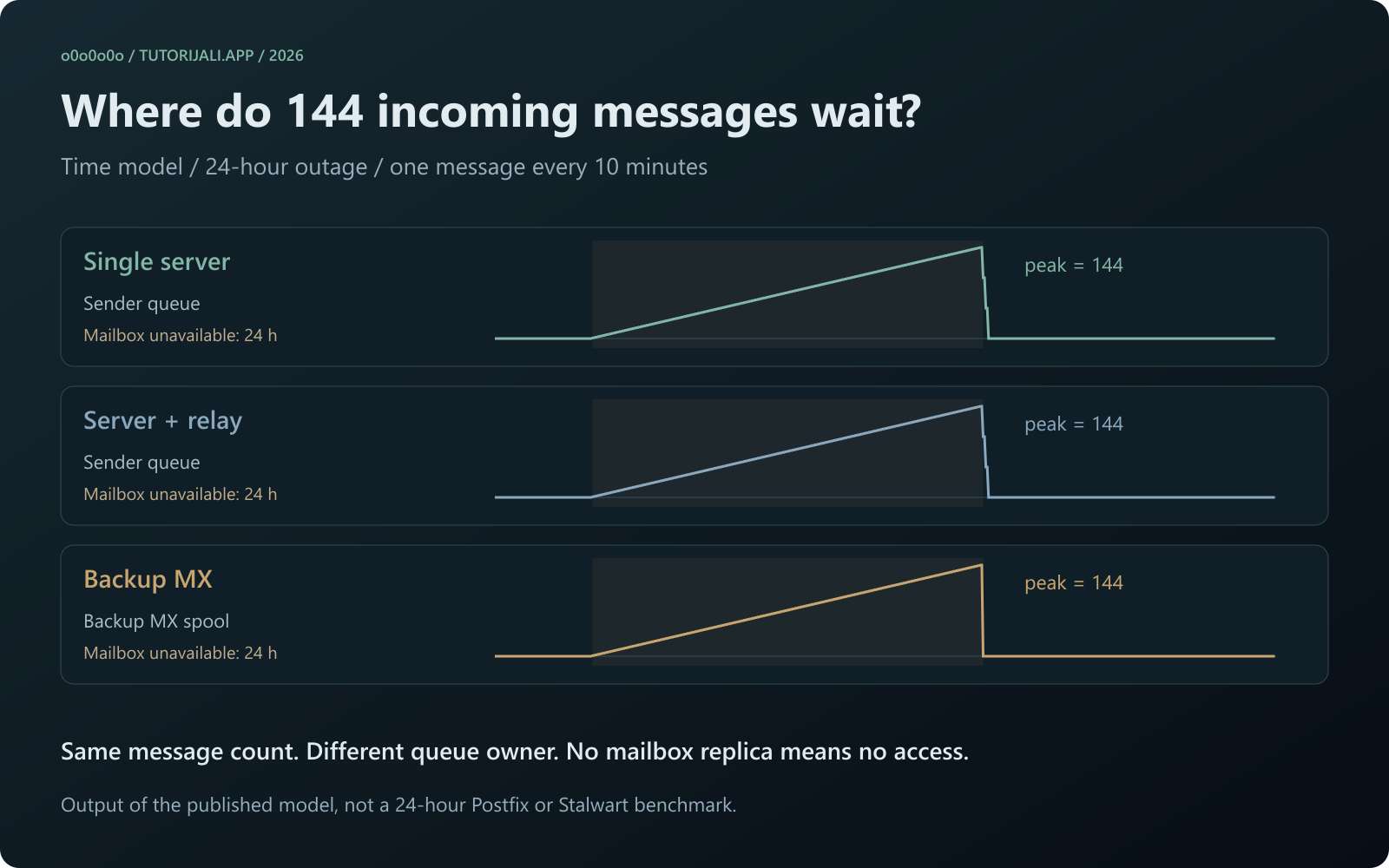
A 12-hour deadline can expire some unaccepted messages before the primary returns. That is the outcome of a configured policy, not unexplained data loss. Other scenarios model relay-only failure and a common DNS/identity dependency with cold caches. The latter illustrates a shared-dependency limit; it is not a detailed DNS-cache or TTL implementation.
Reproduce and inspect
# Inside source/ from the downloaded bundle:
docker compose build single
python run_native.py --outage-seconds 30 --output ../native-results.json
python simulate_24h.py --output ../model-results.json
# After saving results, remove ONLY this isolated lab:
docker compose down
The controller resets the named tutorijali-mail-resilience project before a run. It has no production volumes and only temporary synthetic messages. Do not expose this configuration: it uses a synthetic lab-only password, plaintext IMAP and trusted internal SMTP clients.
Open the dashboard, download the bundle, inspect the first native run, repeated run and CSV model summary.
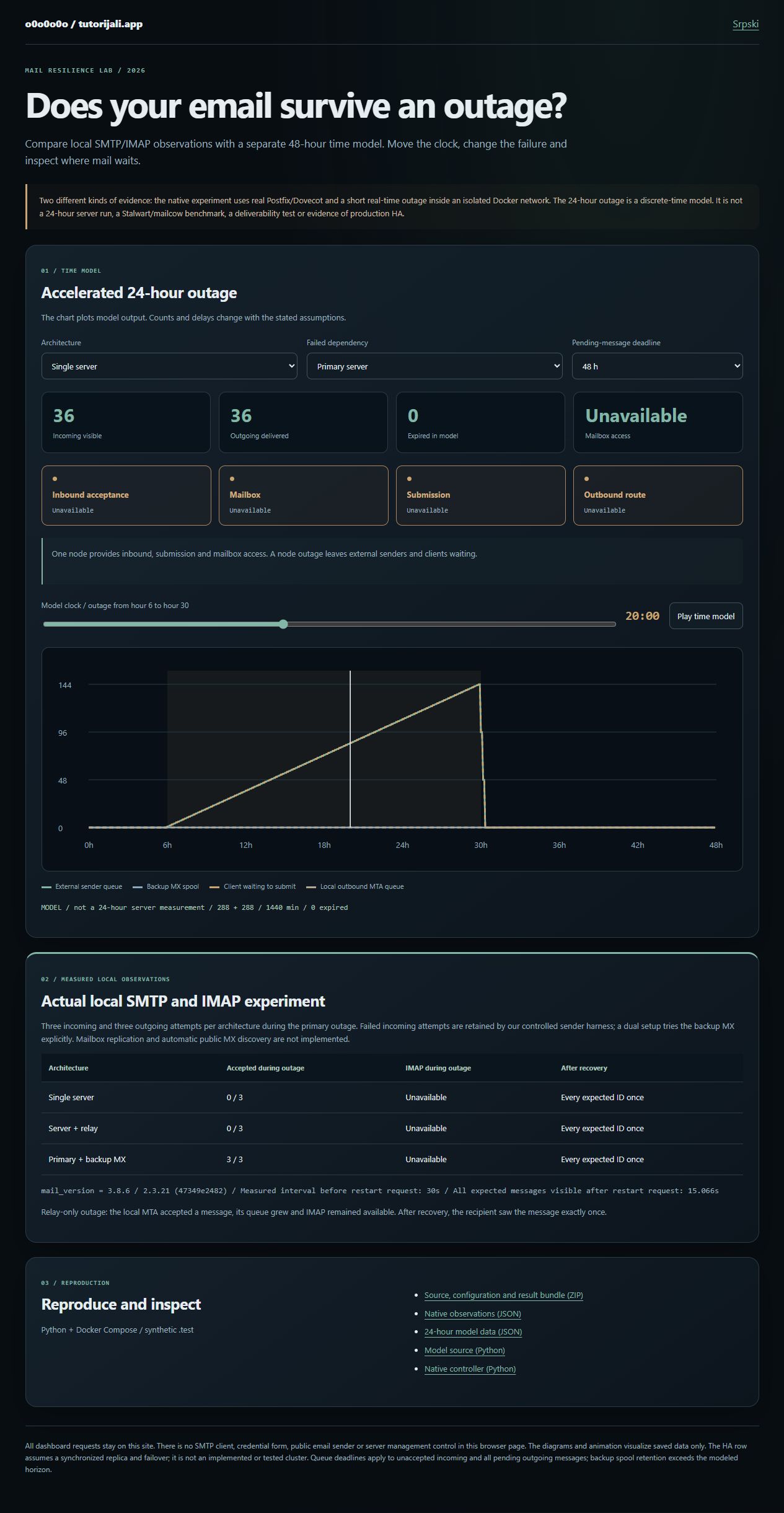
No production server was deployed, no real 24-hour wait was performed and no message was sent to a public recipient. Provider independence, disk-loss restore, actual storage replication and long-term deliverability remain untested. The evidence concerns local queue and mailbox behavior in two controlled runs.
Choose according to the problem you need to solve
- Portable identity with minimal administration: your domain plus a suitable independent hosted mailbox and usable exports.
- Control of mailbox storage: a maintained server with viable networking and tested backups.
- Direct-sending constraints: an appropriately configured relay, with its processing and outage tradeoffs.
- A small team's integrated needs: a properly resourced suite and a tested migration/client plan.
- Continuous service through site failure: independently designed access and storage failure domains, coordinated failover and recovery evidence.
The cheapest license is not necessarily the cheapest reliable operation. A second server is useful only when it removes the dependency that actually causes your outage.
Independence must be designed and exercised
An owned domain gives meaningful portability. Self-managed storage and open software can increase control. Public email still depends on federation, address policy, reputation, DNS, certificates and recipient decisions.
Our experiment makes one point concrete: the backup MX can accept messages while the user's mailbox remains unavailable. The relay-only trial demonstrates a different queue owner. The accelerated model shows how deadlines and shared dependencies can change the outcome, but it does not turn those assumptions into a tested HA cluster.
Document the system, rehearse failures, inspect actual queues and verify recovery. Ownership is useful; measured behavior under failure is what makes the availability claim credible.
Primary references
- Microsoft incident reports reproduced by Penn
- Microsoft high-volume sender requirements
- Gmail sender guidelines
- RFC 9989: DMARC
- RFC 9990: aggregate reports
- RFC 9991: failure reports
- RFC 8461: MTA-STS
- RFC 8460: TLS reporting
- RFC 7672: DANE SMTP
- mailcow system requirements
- mailcow installation
- Stalwart documentation
- Stalwart installation requirements
- Stalwart Docker deployment
- Stalwart clustering
- Stalwart backup
- Mailu
- Docker Mailserver
- Mail-in-a-Box
- iRedMail
- Modoboa
- maddy
- Cloudflare Email Service
- Cloudflare email DNS troubleshooting
- DigitalOcean SMTP policy
- Hetzner SMTP policy
- AWS EC2 resource restrictions
- Hetzner dated price adjustment
- Amazon SES pricing
- Purelymail pricing
- Zoho subscription terms
- Proton pricing
- Tuta pricing
- iCloud custom email domain
- Migadu pricing

What can apps really see in your phone’s photo library? Android, iPhone and privacy
One photo or the entire library? An in-depth investigation of permissions, MediaStore, PhotoKit, EXIF and upload evidence, with an interactive explainer and source for a native experiment.

ChatGPT and Claude: 60 practical workflows, useful prompts and verifiable results
A complete working library for servers, apps, data, documents, content, media and automation, with copyable prompts and clear completion checks.
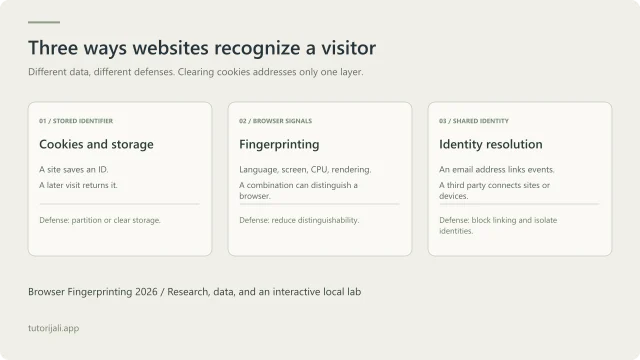
Browser Fingerprinting 2026: how websites recognize you without cookies
What does your browser reveal, and how much do protections help? Mozilla research, Safari identity resolution, precise statistics, practical advice, and a local lab with 12 signals.

JPEG XL and AV2 in 2026: a practical guide to image and video compression
How JPEG XL and AV2 work, what browsers support and what the supplied files actually show. A detailed guide with an interactive desk, commands and sources.
HomeLab 2026: Build Your Private Cloud
Take more control of your data with a home server. Explore Coolify, Immich, secure networking, and backup fundamentals.

When an App Goes Viral: How I Spent $100 on Vercel and Neon in 12 Hours and Why I Moved to a VPS
My app about public officials' assets got 100,000 visits in a day, and within 12 hours spending hit $50 on Vercel and $50 on Neon. An in-depth guide to pricing, optimization, budgets and moving to a VPS, with an interactive calculator.
Share your thoughts, questions, or tips about this article.