My app about public officials' assets got 100,000 visits in a day, and within 12 hours spending hit $50 on Vercel and $50 on Neon. An in-depth guide to pricing, optimization, budgets and moving to a VPS, with an interactive calculator.

In-depth practical guide · Networks, servers and cloud · Updated: November 2, 2026
In short. My app for browsing the declared assets of public officials got roughly 100,000 unique visits and 600,000 page views in about 24 hours. I was away from my computer. About 12 hours into the spike, two notifications arrived: spending on Vercel had reached $50, and spending on Neon another $50. I reacted and moved the app to a cheaper VPS. This guide explains what happens technically at a moment like that, what Vercel and Neon actually charge according to their official pricing, how to cut down the number of expensive operations, how to set up financial protection that really stops something, and how to migrate to a VPS without losing data.
Introduction: when a traffic surge stops being only good news
Everyone who builds apps wants the moment when a project takes off: the link starts spreading, people write about it, and the visit counter climbs faster than ever. That moment is the reason we build and publish things in the first place.
There is, however, a side of viral success that gets talked about much less. Infrastructure that automatically absorbs more load also automatically raises the bill. The more elastic the platform, the faster it follows traffic, and spending follows with it.
I recently experienced this on my own project.
One of my apps, a tool for browsing and searching the assets of public officials, suddenly spread across social networks. In roughly 24 hours it attracted about 100,000 unique visits and about 600,000 page views. The app ran on Vercel and stored its data in a PostgreSQL database on Neon.
The problem was not that the app failed. It held up. The problem was that, because of private obligations, I was not around and was not watching what was going on.
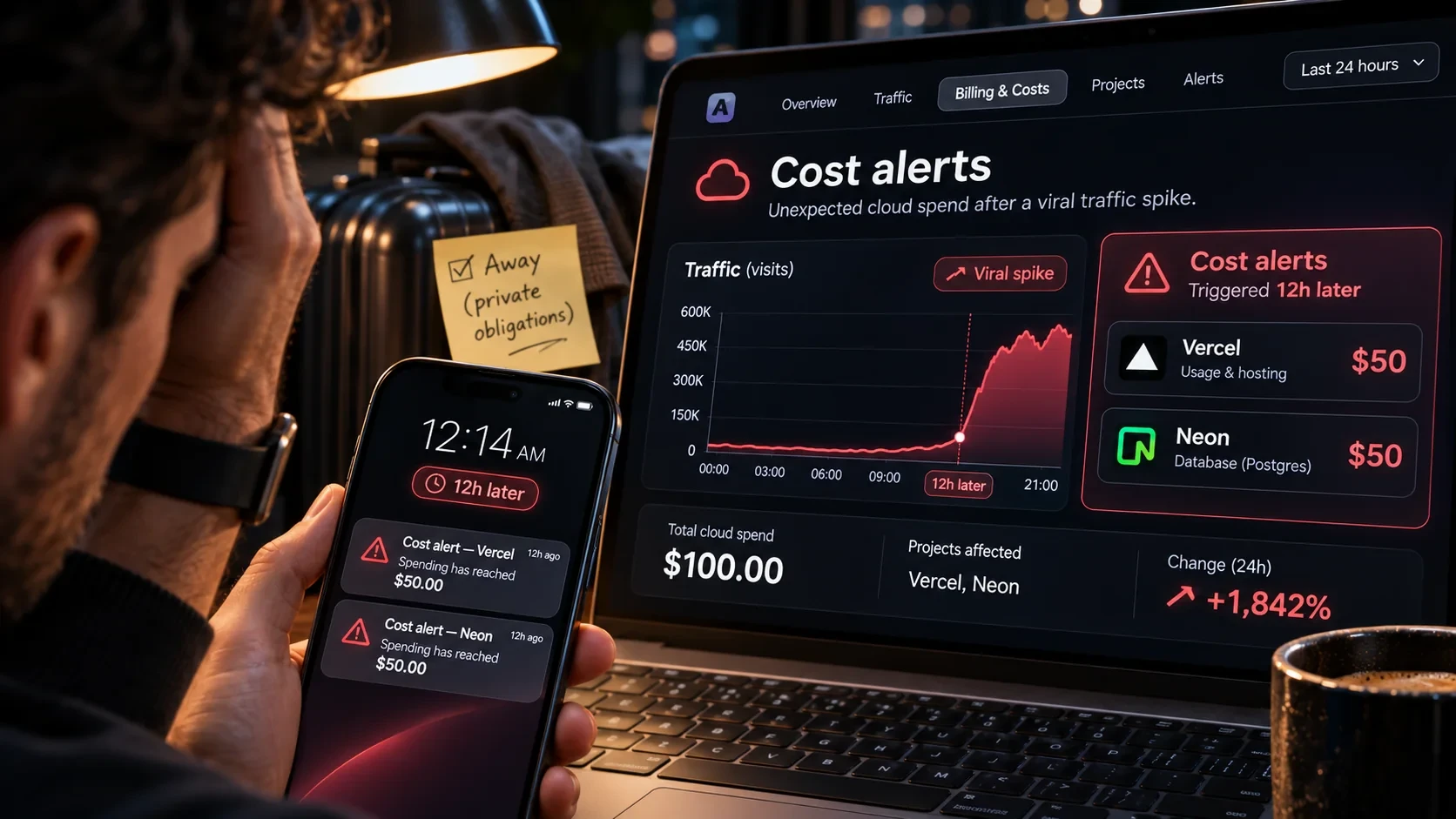
About 12 hours later, notifications arrived that I could not ignore:
- spending on Vercel had reached $50,
- spending on Neon had reached another $50.
So roughly $100 of recorded spending on two services within a few hours, without a single planned cost. I did not want to wait and watch how much higher it would go. I checked the situation, estimated where the money was going, and moved the app to a cheaper VPS where the cost is predictable.
Before we start, a few important caveats, because this text is not meant to be a story about the "bad cloud":
- The time windows are not the same. The 100,000 visits refer to a period of roughly 24 hours, while the spending notifications arrived after about 12 hours. These are not two sides of the same equation.
- A notification is not an invoice. The $50 amounts are recorded spending from notifications, not necessarily the final invoice amount after all credits and billing.
- A notification does not show the cause. A message saying $50 has been spent does not tell you how much went to CPU, memory, data transfer or the database. That requires detailed usage data, which is what chapter one covers.
- Vercel and Neon are not bad platforms. Quite the opposite. Both are excellent for development and production. The problem arises when the pricing model does not fit the way the app is actually used.
10,000 visitors reading static pages and 10,000 visitors each triggering dozens of database queries are not the same thing. In the first case the cost can be negligible. In the second, a relatively small audience creates serious load.
Below we go through the whole problem: what happens during a sudden traffic spike, what the platforms really charge according to their price lists, how to find the most expensive part of an app, how to reduce cost with caching, how to stop bots, how to set up financial protection, what the math looks like for 10,000, 100,000 and one million visits, and how to migrate to a VPS, with concrete configurations for Next.js, PostgreSQL, Docker and Caddy.
The goal is not for everyone to leave the cloud. The goal is that nobody should have to wait for an unpleasant notification before seriously thinking about the cost of their own app for the first time.
What actually happens when an app goes viral
1. Visits, page views and HTTP requests are not the same thing
Before any analysis, separate the metrics that often get mixed up:
| Metric | What it means | Why it matters for the bill |
|---|---|---|
| Unique visitor | A browser or device that analytics recognizes as one visitor | Tells you how many people came, not how much work was done |
| Visit (session) | One arrival at the site with a series of actions | One person can have several sessions |
| Page view | Loading or displaying a page according to analytics rules | With client-side navigation it does not have to mean a new HTML request |
| HTTP request | A single exchange with the CDN or server | One page view can trigger dozens of requests for JS, CSS, images and APIs |
| Function invocation | Execution of serverless or backend code | Not every request causes one; a cached response does not run a function |
| Database query | An SQL operation on the database | One API call can trigger zero, one or ten queries |
Platforms do not charge for "visits". They charge for requests, data transfer, processor time, memory and database work. So the key question is how much work each visit creates.
2. What 100,000 visits and 600,000 page views mean
The ratio of 600,000 page views to 100,000 visits gives roughly six page views per visit. That does not mean everyone opened exactly six pages. Some opened one, some opened twenty.
Let us build an illustration. Assume each page view triggers two API calls:
600,000 page views × 2 API calls = 1,200,000 API requests
If each of those calls runs two SQL queries, we theoretically get 2,400,000 queries against the database.
But with a good cache, a large share of those requests never reaches the database. If a call is unnecessary, it can be removed. If thousands of people ask for the same public data, it can be computed once and delivered to everyone.
That is the core of the whole story: you cannot control the number of people, but you can control how much work each visit creates, and by a lot.
3. Why a sudden spike is a different problem from gradual growth
A daily average often hides the real load. Six hundred thousand page views spread evenly over 24 hours gives about 6.94 page views per second, which modern infrastructure handles easily.
Viral traffic, however, is not even. A post from a popular account, sharing in large groups or a news segment sends a wave of visitors within minutes. That is why infrastructure is not judged by the total daily number, but by:
- average and peak requests per second,
- the number of concurrent users and open connections,
- the duration of backend operations, especially p95 and p99 latency,
- CPU and memory usage,
- database load and the number of connections to it,
- cache hit rate, especially for HTML and APIs,
- errors and timeouts,
- outbound traffic,
- the cost incurred during the peaks themselves.
A particularly dangerous situation is one where the system works "well enough". Users do not notice a problem, pages open, data arrives. In the background, though, the system consumes more and more compute, transfer and database capacity. An elastic platform at that moment is doing exactly what it should: scaling. And billing.
4. How to determine what caused the cost
When a notification arrives, the first job is to react. But for a serious analysis afterwards, knowing that $50 was spent here and $50 there is not enough. You need to reconstruct the system's behavior from at least five sources:
| Source | What we look for |
|---|---|
| Web analytics | Visits, page views, traffic sources, hourly distribution |
| Vercel Usage | Which billing items grew, by project and service |
| Vercel Observability | Most frequent routes and functions, duration, transfer, errors |
| Neon Billing and Monitoring | Compute (CU-hours), compute size over time, storage, transfer |
| Application and access logs | The most expensive endpoints, repeated requests, bots, errors |
Align the data by time, ideally in UTC, so the comparison is consistent. If the cost jumped at 2 p.m. and at the same time the number of calls to a particular API route jumped, that is a good lead. But correlation is not proof. Growth in function invocations can coincide with growth in transfer, database work or image optimization. Only the billing category, together with code and logs, shows where the money actually went.
Important: from the notification alone that $50 was spent, it is impossible to reliably determine how much went to CPU, memory, network or the database. That is why this text does not claim an exact technical cause for my bill, but shows how to find it.
What Vercel and Neon really charge
1. Vercel: one app, several independent billing items
Vercel is not just a server your app sits on. It is a global content delivery network, a function runtime, a cache, image optimization, a firewall and observability, and each of those layers has its own billing unit.
The Pro plan costs $20 per month and includes $20 of usage credit. Everything above that is billed by usage with no upper limit, unless you set one yourself. According to Vercel's pricing page, all new teams get a default on-demand budget of $200, with notifications, while automatic pausing at 100% is an option you have to enable separately.
Prices are regional. The region closest to Serbia is Frankfurt (fra1), so the table lists the official on-demand rates for Frankfurt, along with the range across all regions:
| Item | Frankfurt (fra1) | Range across regions |
|---|---|---|
| CDN Requests | $2.60 per 1M requests | $2.00 to $3.20 |
| Fast Data Transfer | $0.15 per GB | $0.15 to $0.35 |
| Fast Origin Transfer | $0.06 per GB | $0.06 to $0.43 |
| Fluid Active CPU | $0.184 per hour | $0.128 to $0.221 |
| Fluid Provisioned Memory | $0.0152 per GB-hour | $0.0106 to $0.0183 |
| ISR Reads / Writes | $0.52 / $5.20 per 1M units | $0.40 to $0.64 / $4.00 to $6.40 |
| Runtime Cache Reads / Writes | $0.52 / $5.20 per 1M units | $0.40 to $0.64 / $4.00 to $6.40 |
| Image Optimization Transformations | $0.0601 per 1K | $0.05 to $0.0812 |
| WAF Rate Limiting | $0.65 per 1M allowed requests | $0.50 to $0.80 |
Function invocations on the Pro plan cost $0.60 per million, and the Hobby plan includes one million invocations per month. Prices exclude tax and were checked on November 2, 2026 on the official regional pricing and Fluid compute pages.
What each item means in practice:
CDN Requests. Every request that reaches Vercel's network is a CDN request, and that includes cached responses. Caching saves more expensive function work, but it does not erase the request itself. One page view with 20 resources means 20 CDN requests.
Fast Data Transfer. Transfer from Vercel to the browser. Large images, heavy JavaScript bundles, PDFs and API responses push it up quickly. Vercel compresses responses on its own and adds ETag headers so browsers do not download the same files again.
Fast Origin Transfer. Transfer between the CDN layer and the runtime. It grows when a large share of requests bypasses the cache.
Fluid compute: CPU, memory and invocations. This is the most important difference from older serverless models:
- Active CPU is billed only while code is actually running. While a function waits for a database or an external API, CPU is not billed.
- Provisioned Memory is billed for the whole lifetime of an instance, including while the function waits on I/O. One instance, however, handles several requests at the same time, so memory is not proportional to the number of requests.
- Invocations are counted for every request to a function, including those that end in an error.
Vercel's official example illustrates this well: a function that spends 100 ms processing data and 400 ms waiting for a database pays active CPU for only 100 ms. Memory, however, is paid for as long as the instance runs. That is why speeding up SQL queries does not reduce the CPU item, but it shortens the instance's lifetime and lowers memory.
Important for Next.js projects on Vercel: Vercel is merging the Data Cache into the Runtime Cache. According to the official announcement, Data Cache reads and writes that were previously unbilled will move to Runtime Cache pricing, and existing teams receive the migration details in advance. If your app relies heavily on
fetchcaching orunstable_cache, check how many reads and writes it makes before this item starts showing up on the bill.
There is also an alternative for projects with unpredictable traffic: Flat Rate CDN on the Pro plan. Instead of billing by CDN requests and transfer, you pay a fixed monthly price for the CDN, and temporary spikes do not raise the bill for those items. Functions and the database are still billed separately, so this solves only part of the problem, but it is worth considering before moving.
2. Neon: PostgreSQL billed by running time
Neon is PostgreSQL, but not in the classic "I rent a server that runs 24 hours a day" model. Compute and storage are separated. Compute scales with load and can shut down when the database is idle.
The basic unit is the CU (Compute Unit). One CU is roughly 4 GB of RAM, along with matching CPU and local SSD. The calculation is simple:
CU-hours = average compute size (CU) × hours running
Compute cost = CU-hours × price per CU-hour
Official Launch plan prices, checked on November 2, 2026:
| Item | Launch plan |
|---|---|
| Compute | $0.106 per CU-hour |
| Storage | $0.35 per GB-month |
| Instant restore history | $0.20 per GB-month, based on the amount of change in the chosen window |
| Public network transfer | 500 GB per project per month included, then $0.10 per GB |
| Autoscaling | up to 16 CU (64 GB RAM) |
| Scale to zero | after 5 minutes of inactivity, can be disabled |
A few calculations to get a feel for the scale:
1 CU × 10 h × $0.106 = $1.06
4 CU × 12 h × $0.106 = $5.09
1 CU × 730 h (full month) × $0.106 = $77.38
8 CU × 12 h × $0.106 = $10.18
The compute item alone for one intense day is not dramatic. But pay attention to two things that can multiply it: how long compute stays active and what size autoscaling pushes it to. A database that scales up to 8 or 16 CU under load and stays there for hours has a completely different bill from one running at 0.25 CU.
Autoscaling works within a range you set, for example from 2 to 8 CU. Too high a ceiling allows more expensive scaling. Too low a ceiling causes slowdowns and errors under load. The limit is both a technical and a financial decision.
Scale to zero shuts compute down after 5 minutes of inactivity and wakes it within a few hundred milliseconds on the next query. That is great for development and apps with occasional traffic. But persistent connections, periodic jobs, a health check that hits the database or logical replication keep the database from actually shutting down. Having scale to zero enabled does not automatically mean a minimal bill; check the real behavior.
Public network transfer is an item many people overlook. When an app on Vercel reads data from Neon, that data travels over the public internet and counts toward Neon's outbound transfer. On the Launch plan 500 GB per project is included, so this rarely becomes a problem, but it is worth watching for apps that return large datasets.
3. Connections and connection pooling
With serverless apps, pay special attention to how connections to PostgreSQL are opened. If hundreds of short-lived functions open direct connections at the same time, the database spends resources managing connections instead of running useful queries.
Neon offers pooling through a built-in PgBouncer, with up to 10,000 client connections. A pooled connection is obtained by adding the -pooler suffix to the endpoint name:
postgresql://user:password@ep-example-123456-pooler.eu-central-1.aws.neon.tech/dbname?sslmode=require
Two things to know:
- 10,000 does not mean 10,000 concurrent queries. It is the number of client connections PgBouncer accepts; they share a much smaller number of real connections to PostgreSQL.
- Pooling runs in transaction mode. Session-level features,
SETstatements meant to persist across a session, and schema migrations require a direct connection without the-poolersuffix.
4. Why my $50 on Neon does not prove a single cause
It is easy to conclude that the big traffic "spent $50 on SQL queries". Without detailed statistics, that conclusion is not precise enough. To reconstruct the bill you would need to know the compute size over time, how long the database was active, which categories were billed, whether other active resources existed (branches, history, replicas) and what spending looked like before the spike itself.
The numbers from my case are a real reason for analysis, but not proof of a single technical cause. That is the difference between a serious technical text and a story about how some platform is "too expensive".
Vercel, Cloudflare, VPS or hybrid: which architecture makes sense
1. There is no cheapest hosting for every app
Comparing platforms by a single monthly price is not enough. With a managed platform you pay for automation, global delivery, easy deployment, preview environments, administration and scaling. With a VPS you get raw resources and freedom, but you take on security, updates, backups, monitoring and recovery yourself.
A $15 or $20 per month server does not automatically become better infrastructure. For an app that needs high availability, redundancy and constant maintenance, the price difference is quickly eaten up by labor. For a relatively simple public app dominated by reads, the same VPS can be perfectly adequate.
2. Five architectures and their trade-offs
A) Vercel + Neon
User → Vercel CDN → Next.js function → Neon PostgreSQL
Fast delivery, simple changes, a small administrative burden. The problem arises when almost every visit triggers dynamic execution, which then triggers database queries. A well-optimized app on this pair can be very economical, especially when public pages are static and the database is used only when necessary. I would still recommend this combination for a large number of projects.
B) Cloudflare + Vercel + Neon
User → Cloudflare → Vercel → Neon
Cloudflare takes over part of the protection and delivery. But note: by default Cloudflare does not cache HTML or JSON, it caches by file extension and respects Cache-Control headers from the origin. Dynamic content has to be configured separately through Cache Rules. Two CDN layers require a clear understanding of cache headers, invalidation and forwarding the client IP address. Pages for signed-in users must never be cached indiscriminately.
C) A VPS with the app and the database
User → Reverse proxy → Next.js → PostgreSQL (same server)
Direct control over CPU, memory, disk and the database, with a predictable monthly price. For an app with many public reads and moderate writes, very economical. But a VPS has a ceiling: it does not turn itself into ten servers, and a single server is a single point of failure without a standby instance and a recovery plan.
D) Cloudflare + VPS + PostgreSQL
User → Cloudflare CDN/WAF → VPS reverse proxy → app → PostgreSQL
For a public app where cost control is the priority, this is one of the most interesting models. Cloudflare delivers static assets and filters part of the unwanted traffic, while the VPS runs the app and local queries. PostgreSQL must not be reachable from the internet, and the origin should be protected against direct requests that bypass Cloudflare.
E) Separate application and database servers
User → CDN/WAF → application VPS → private network → database VPS
Independent sizing and better isolation, at the cost of more configuration and more serious monitoring. For a small project it is not necessary just because it looks more professional.
3. Side-by-side overview
| Criterion | Vercel + Neon | Cloudflare + VPS | Two VPS servers |
|---|---|---|---|
| Initial implementation | Simple | Moderately demanding | More demanding |
| Ongoing operations | Little | More | Most |
| Elasticity | Strong | Limited by VPS resources | Requires planning |
| Base price predictability | Depends on usage | High | High |
| Database administration | Managed | Self-managed | Self-managed |
| Backup and recovery | Partly managed | Your responsibility | Your responsibility |
| Infrastructure control | More limited | High | High |
The table is not a quality ranking. It shows different trade-offs.
4. When I would choose a VPS today
If an app has a lot of publicly available data, predominantly read traffic, relatively predictable demands and monitoring and backups already prepared, a VPS is a serious option. An app for browsing public officials' assets is exactly that by nature: people search and read public data, and there are few writes.
If an app needs sudden horizontal scaling, high geographic availability, complex distribution or there is nobody to maintain the server, the advantages of managed infrastructure easily outweigh the price difference.
My move to a VPS was a response to a specific cost and a specific app, not a universal recommendation that everyone should leave Vercel or Neon.
Optimization: how to prevent millions of unnecessary operations

The biggest savings often come not from changing providers, but from changing the way the app handles requests. Move an inefficient app from one platform to another and you get the same inefficiency on a different server. That is why optimization goes layer by layer.
1. First layer: browser cache
Files whose name changes along with their content, such as hashed JavaScript and CSS, can be cached for a long time, and the browser does not request them at all on the next visit. Aggressive caching for files that change without a URL change, however, serves stale versions to users. Distinguish immutable resources from data that gets updated.
2. Second layer: CDN cache
A CDN serves a response from the nearest node, without going to the origin. It is useful to track response statuses, which differ by provider but usually look like this:
- HIT: the response was found in cache,
- MISS: it was not in cache and went to the origin,
- BYPASS: the rules say to skip the cache,
- EXPIRED / REVALIDATED: the content expired or was checked against the origin.
Do not look only at the overall hit rate. Track it separately for HTML, static assets and API responses. A high hit rate for small icons means nothing if every main API call still runs several expensive queries.
Cloudflare also has a useful mechanism for viral situations: cache lock. When many requests for the same uncached resource arrive at one data center at the same time, only the first goes to the origin, and the rest wait and receive the same response. That prevents a wave of visitors from hitting the origin for the same file at once.
3. Third layer: Next.js caching and rendering
For each kind of content, choose the rendering approach deliberately:
- Static content (articles, documentation, rarely changing data) should not be generated for every visitor.
- Dynamic content tied to a session, account or authorization needs a clear freshness and privacy policy.
- ISR and cached components deliver content from cache and refresh it as needed, without constant re-rendering.
In Next.js 16 this is done through the Cache Components model. New apps created with create-next-app already have it, and in an existing app it is enabled in the configuration:
// next.config.ts
import type { NextConfig } from 'next';

const nextConfig: NextConfig = {
  cacheComponents: true,
  partialPrefetching: true,
};

export default nextConfig;
The documentation asks for partialPrefetching to be set explicitly, because Next.js logs a warning without it.
For public data that is safe to cache, create a cached function with a clear lifetime and a tag:
// app/lib/public-statistics.ts
import { cacheLife, cacheTag } from 'next/cache';
import { db } from '@/lib/db';

export async function getPublicStatistics() {
  'use cache';

  cacheLife({
    stale: 300, // the client uses the cache for 5 minutes without checking
    revalidate: 900, // after 15 minutes the next request refreshes in the background
    expire: 3600, // after an hour without requests, fresh content is awaited
  });

  cacheTag('public-statistics');

  return db.statistics.getPublicSummary();
}
db.statistics.getPublicSummary() is an example of a function you write yourself, not a built-in method. The Next.js documentation recommends setting cacheLife in every use cache scope, so behavior does not depend on the default profile. In addition, expire must be longer than revalidate, otherwise Next.js reports an error.
When the source data changes, a trusted server-side part of the system invalidates the tag:
import { revalidateTag } from 'next/cache';

// After a confirmed change to public data
revalidateTag('public-statistics', 'max');
The max profile uses stale-while-revalidate: the next request gets the existing content while new content is prepared in the background, so the user never waits. It is not a guarantee that every subsequent reader immediately sees the latest data. The single-argument form, revalidateTag(tag), is deprecated in Next.js 16 and should be replaced. For admin actions where the author must see their change immediately, Server Actions have updateTag.
Never expose a call like this through a public API route without authentication. Anyone who can call it can also keep emptying your cache.
Note for self-hosting: the cache in these examples works automatically for a single
next startinstance with a persistent disk. If you run several instances, or containers without a persistent disk, the Next.js documentation requires separate coordination of cache and invalidation, for example through acacheHandlerbacked by Redis. Without it, each instance has its own cache and its own invalidation.
4. Fourth layer: duplicate API calls
One of the most common and most expensive problems in React apps is needlessly repeated requests. The causes are usually the same:
- polling that runs too often,
- several components independently requesting the same data,
- no request deduplication,
- wrong dependencies in
useEffect, - automatic retries of failed calls without limits,
- aggressive refetching on window focus,
- calls that keep running when the tab is in the background.
The math is brutal. A page that refreshes data every three seconds for one user makes about 100 requests in five minutes. A thousand users with such a page open make about 100,000 requests in five minutes, even if the data may not have changed at all.
It is better to use a longer interval, conditional refreshing, HTTP revalidation through ETag headers, or events. WebSocket and Server-Sent Events are not automatically cheaper: they also hold connections and memory. Choose them based on how the app actually behaves.
5. Fifth layer: PostgreSQL optimization
When the database becomes the bottleneck, start with the real queries. What matters most is not which query is slowest, but which one consumes the most total time. A 300 ms query executed a million times is more expensive than a two-second query that runs ten times a day.
Track the number of calls per query, average and maximum duration, rows scanned and returned, index efficiency, open connections, locks and table sizes.
Check the execution plan like this:
EXPLAIN (ANALYZE, BUFFERS)
SELECT id, name, position, updated_at
FROM public_profiles
WHERE status = 'published'
ORDER BY updated_at DESC
LIMIT 30;
The table and columns are examples. Important: EXPLAIN ANALYZE actually executes the query. Running a heavy analysis against production under load can make things worse, so do it on a test copy or under controlled conditions.
If the analysis shows that a search pattern lacks a suitable index:
CREATE INDEX CONCURRENTLY IF NOT EXISTS idx_profiles_status_updated
ON public_profiles (status, updated_at DESC);
Add an index only after analysis. Every index takes space and slows down writes, and even CONCURRENTLY uses resources and can take a long time.
Aggregations. Dashboards and home pages that run COUNT, SUM, GROUP BY or complex JOIN operations on large tables every time they open are especially dangerous. For data that does not need to be accurate to the second there are precomputed aggregates, materialized views with periodic refresh, an application cache, or caching of finished public API responses. Each of these needs a clear refresh policy.
6. Why this optimization is financially decisive
Take the 1,200,000 API requests from the earlier example:
10% cache:  1,200,000 × 0.90 = 1,080,000 requests reach the origin
90% cache:  1,200,000 × 0.10 =   120,000 requests reach the origin
Nine times fewer requests to functions and the database. That is not necessarily a bill nine times smaller, because CDN requests and transfer remain, but in terms of app and database load the difference is huge.
Bots, WAF and protection against financially expensive traffic
1. A lot of traffic is not automatically legitimate traffic
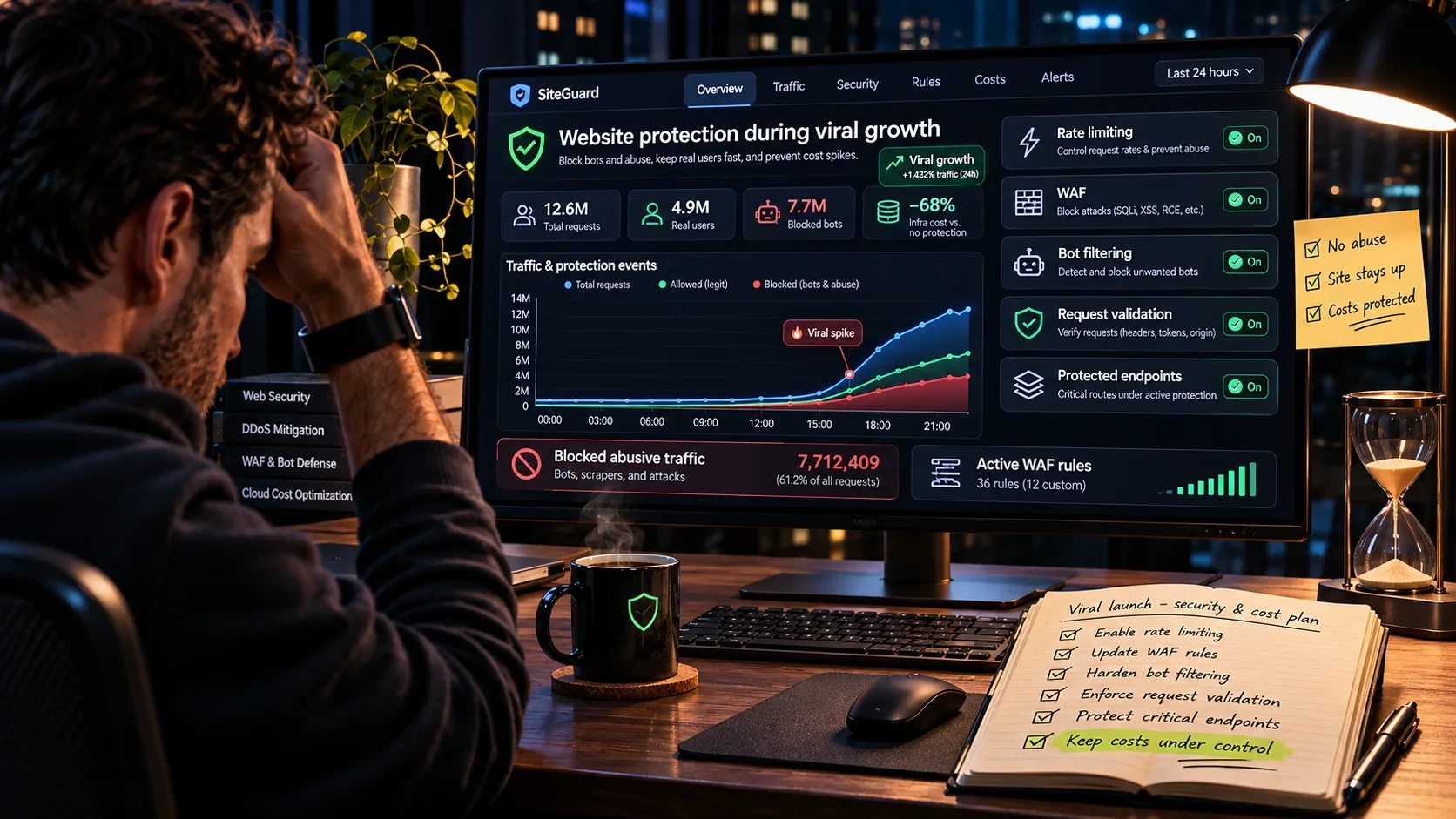
When an app becomes popular, it is not only people who come. Search engine crawlers, AI crawlers, link preview services for social networks and messengers, archiving tools, scrapers and malicious bots arrive too. They do not all carry the same risk. A crawler that indexes content is useful. A bot that constantly calls an expensive API endpoint can run up a bill even without a classic attack.
For an app with public data, such as a browser of officials' assets, this is especially important: data like that naturally attracts scrapers.
2. Rate limiting
Rate limiting restricts how many times the same source may hit a route within a given time. Vercel WAF Rate Limiting is available on all plans, with a fixed window that defaults to 60 seconds and 100 requests. Two official notes matter:
- counters are kept per region, so traffic from several regions can together exceed a limit configured for one region,
- requests allowed through a rate limit rule are billed, $0.65 per million in Frankfurt.
Limiting by IP address is not perfect. Many legitimate users share one public address behind a mobile carrier, a company or CGNAT, so an aggressive rule blocks real people. A large botnet, on the other hand, uses thousands of addresses. That is why signals are combined: path, method, headers, user identity when available, and per-account quotas.
With Cloudflare, the set of fields used for counting, the period lengths and the available actions depend on the plan, from Free to Enterprise with advanced rate limiting. Cloudflare itself warns that rate limiting verified bots can affect SEO.
3. WAF and platform protection
Vercel has two layers: a platform-wide firewall with automatic DDoS mitigation, free for everyone with no configuration, and a WAF for your own rules. Cloudflare offers a WAF, managed rules and bot protection. Introduce rules gradually while watching legitimate traffic, so users are not locked out.
4. Protecting the most expensive routes
Not all routes deserve the same protection. Make an overview by cost and risk:
| Route type | Risk | Recommended measure |
|---|---|---|
| Static content | High data transfer | CDN, compression, browser cache |
| Public list API | Huge number of calls | Cache, pagination, rate limit |
| Search | Expensive queries | Limits, indexes, input validation |
| Reports and aggregations | CPU and database | Precomputed results, frequency control |
| Sign-in | Automated attempts | Rate limit, security checks |
| Data export | Large responses | Quotas, asynchronous processing, authorization |
| Administration | Unauthorized access | Strict authentication and permissions |
For public APIs, always limit response size, pagination depth, allowed filters and maximum execution time. If an endpoint accepts a limit parameter, the app must not let a client request an unlimited number of rows.
5. Why robots.txt is not protection
robots.txt is a signal for crawlers that follow the rules. It is not authentication and does not stop a bot that chooses to ignore it. An expensive or sensitive route needs real access control, caching, quotas and protection at the appropriate layer.
6. Protection must not become a new problem
Excessive protection blocks legitimate users, breaks sign-in, buries people in CAPTCHA checks, interrupts indexing of public content and can bring costs of its own. Measure how much traffic is filtered, which routes are affected, and whether requests to the origin actually go down. A measure is judged by its result, not by the number of blocked requests.
Financial monitoring: how not to be surprised by the bill
I consider this chapter the most important, precisely because of my own experience. While I was dealing with private obligations, the system kept running, and the notifications only later showed me how fast spending had grown. Financial monitoring must be as important as technical monitoring.
1. Vercel Spend Management: what it really does
Spend Management is available on the Pro plan and on the Enterprise plan with a Flexible Commitment contract, at no extra charge. It is managed by the Owner and Billing roles. You set an On-Demand Budget for the billing period, and when it is reached three actions can be triggered: notifications, a webhook call, and pausing production deployments of all projects in the team.
What is key, and what many people do not know:
- A budget by itself does not stop spending. To actually stop costs, the Pause Production Deployments option must be enabled separately.
- The check is not instant. Vercel checks spending every few minutes, so notifications, the webhook and pausing can trigger a few minutes after the threshold is crossed. The official recommendation is to set the budget below the amount you are truly willing to spend.
- The budget does not cover everything. On the Pro plan it covers usage above the monthly credit, for all projects in the team. It does not cover seats, Marketplace integrations or separate add-ons. If you connected Neon as a Vercel Marketplace integration, its spending is not part of this budget.
- Pausing means the site is unavailable. A paused production deployment does not serve traffic: the site, API and functions return a
503 DEPLOYMENT_PAUSEDerror. Each project has to be resumed manually, from the dashboard or through the REST API, and it will not resume on its own even when you raise the budget. - Pausing does not stop all costs. It does not stop AI Gateway and v0 usage, and storage (deployment storage, Blob, registry) keeps being billed.
Web and email notifications arrive at 50%, 75% and 100% of the budget, and SMS can be enabled for the 100% threshold. Every member with the Owner or Billing role configures their own notifications, so check that they are really enabled on channels you watch even when you are away from your computer.
2. The budget from the command line
Since version vercel@59.23.0, the Vercel CLI has a vercel budgets command that manages the same budget as the dashboard. That means the budget can be managed by scripts and AI agents too, not just by people.
Overview of current spending and the budget:
vercel budgets
A $200 budget that pauses production and calls a webhook when reached:
vercel budgets set --amount 200 --pause --webhook https://example.com/spend
The CLI explicitly warns that all projects will be paused at 100% and production deployments will become unavailable. Alert history, since version vercel@65.2.0:
vercel budgets alerts
Removing the budget without confirmation, useful in automation:
vercel budgets remove --yes
The budget applies to the whole team, not to a single project. If the same team holds a critical business app and an experiment, the pause option shuts down both. In such cases it is better to split projects into different teams.
3. Neon: notifications, not a brake
On the Launch and Scale plans, Neon has Spending notifications. An organization admin sets a monthly dollar threshold in the Billing section of the console, and Neon emails the admins at 80% and 100% of the threshold. Spending is checked every 15 minutes, and reminders arrive weekly until you raise the threshold or a new billing period starts.
The most important sentence in the official documentation: notifications only send alerts, they do not stop usage. When the threshold is reached, projects keep running and charges keep accumulating. Automatic suspension is announced as a feature that is still coming.
If you need a real brake, Neon offers per-project consumption quotas through the Management API. They work per project and per metric (compute, storage, data transfer), not on a total dollar amount, and they can suspend compute when a quota is reached. For a production app with public traffic, this is the protection I would set up first.
4. The biggest oversight: watching each service separately
In my case, two services reached $50 each at the same time. If you look only at Vercel, everything seems under control. If you look only at Neon, the same. But infrastructure costs the sum of all services: hosting, database, storage, email, AI APIs, search, monitoring, protection. You need a single view of total spending.
5. An operating model with alert levels
For a more serious project, I would define levels based on the real budget:
| Level | What it means | What to do |
|---|---|---|
| Informational | Spending has noticeably grown | Look at the trend, no intervention |
| Check | Growth is not explained by normal traffic | Find the services, routes and requests that are growing |
| Critical | Cost is growing faster than planned | Limit expensive functions, enable protection, stop jobs |
| Last line | Continuing costs more than stopping | Automatically stop the expensive part or the whole service |
The decision must not depend only on the amount. It must also take into account the damage from unavailability. For a hobby project, pausing is a reasonable last line. For a critical service, an outage can cost more than continued spending.
6. What to do when you are not around
This is what I felt most strongly. If an app can run up a serious bill while you are away for 12 hours, a notification you only see when you sit down at your computer is not protection.
For projects with financial risk, plan for:
- mobile alerts on a channel you actually watch (SMS on Vercel at 100%, push from monitoring),
- independent monitoring that does not depend on the same infrastructure whose problem it is supposed to detect,
- predefined actions: what gets shut down, what gets limited, who decides,
- a secure webhook receiver if you automate the response: verifying the authenticity of calls, protection against unauthorized triggering and a record of every action taken,
- a short procedure: who responds, what they check first, which features they may temporarily turn off and how they confirm the problem is solved.
A practical model: 10,000, 100,000 and one million visits
1. Why nobody can say how much "100,000 visits cost"
One site handles 100,000 visits for a few dollars because almost everything is delivered statically. Another spends many times more for the same traffic because every user triggers complex queries, report generation, image processing or AI calls. That is why we build a transparent model with known assumptions. These are not results of a production test, but mathematical scenarios.
2. Assumptions
- two API calls per page view,
- 90% of API calls are served from cache,
- 0.7 MB actually transferred per page view,
- three page views per visit in the smaller scenario, six in the larger ones.
3. Three scenarios
| Metric | 10,000 visits | 100,000 visits | 1,000,000 visits |
|---|---|---|---|
| Page views | 30,000 | 600,000 | 6,000,000 |
| API requests | 60,000 | 1,200,000 | 12,000,000 |
| Requests to origin with 90% cache | 6,000 | 120,000 | 1,200,000 |
| Actual transfer | 21 GB | 420 GB | 4,200 GB |
Individual requests for images, CSS, fonts and JavaScript are not included here, because their repetition depends on browser and CDN caching. CPU, memory and the database are not included either.
4. What 420 GB can mean on Vercel
If, purely as an illustration, we applied the Frankfurt rate of $0.15 per GB:
420 GB × $0.15 = $63
At the most expensive regional rate of $0.35 it would be $147. But this is not a bill estimate. The Pro credit, billing period, region, Flat Rate CDN and other categories can completely change the amount. A bill is not calculated by multiplying total traffic by a public unit price.
5. The formula for Neon
Compute = Σ (CU × active hours × $0.106)
If compute size changes during the day, each interval is calculated separately. An example with a constant 2 CU for 100 hours and 5 GB of storage for the whole month:
2 × 100 × $0.106 = $21.20  (compute)
5 × $0.35        =  $1.75  (storage)
Total            = $22.95  before other categories
6. Why a peak is not the same as total daily traffic
Suppose a system handles 10 requests per second on average, and during a viral peak it gets 300. By Little's law, in a stable system the number of operations in progress at the same time is roughly the arrival rate times the average duration:
300 requests/s × 0.2 s = about 60 concurrent operations
If under congestion the duration stretches to two seconds, the same arrival rate gives about 600 operations in progress or waiting. That is why p95 and p99 latency matter more than the average, and a database slowdown can cause an avalanche: longer processing keeps more instances active, and more active instances mean more billed memory.
7. Interactive calculator
Below is a model that calculates the same quantities for your own assumptions, using the official rates for Vercel Frankfurt and Neon Launch. Try the ready-made scenarios, then change the values.
Interactive model · tutorijali.app
Calculator: how much work and money a viral day creates
Change the assumptions and watch how visits turn into requests, function invocations, data transfer and database work. Prices are public on-demand rates for Vercel Frankfurt (fra1) and Neon Launch, checked on November 2, 2026.
Vercel, gross at fra1 rates
| CDN requests12,000,000 × $2.60 / 1M | $31 |
|---|---|
| Fast Data Transfer420 GB × $0.15 | $63 |
| Function invocations480,000 × $0.60 / 1M | $0.29 |
| Active CPU$0.184 per hour | $0.98 |
| Provisioned Memory$0.0152 per GB-h, upper bound | $1.42 |
| Total before credit | $97 |
Neon Launch
| Compute24 CU-h × $0.106 | $2.54 |
|---|---|
| Storage5 GB × $0.35 per month | $1.75 |
| Total | $4.29 |
Public network transfer from Neon is included up to 500 GB per project per month, then $0.10 per GB. Restore history, branches and other services are not modeled.
Comparison in the same unit
Note: the left bar is the cost for the entered traffic period only, the right bar is a full month of server time. A VPS has a capacity ceiling and does not scale by itself; compare it with your real peak, not only with the bill.
How to read the results:
- First change the cache hit rate and watch how much the number of calls reaching functions drops.
- Then reduce the transfer per page view. At millions of page views, even tens of kilobytes per page make a difference.
- Finally change the size and hours of Neon compute. You will see that running time and compute size matter more than the number of queries.
The model deliberately does not show a falsely precise final bill. A visit count and a few averages are not enough for that.
Moving to a VPS: the complete technical procedure
1. First, determine whether the move pays off
Migration is not automatically the right answer to the first larger bill. Compare at least three options:
- optimization on the existing platform (caching, static pages, Flat Rate CDN, autoscaling limits),
- partial migration, for example only the database or only the backend,
- full migration to a VPS.
When comparing, count the total cost of ownership: the server, extra disks, backups and snapshots, transfer above the included limit, monitoring, protection, the domain and, most importantly, the time for administration and recovery. A VPS that is cheaper on the invoice but takes several hours of your work each week may not be cheaper. For many small and medium public apps, though, a self-maintained VPS remains an excellent price-to-resources ratio.
2. Inventory of the existing infrastructure
Before migrating, write down:
- the runtime and exact versions of Node.js and Next.js,
- the exact major version of PostgreSQL and all required extensions,
- all environment variables,
- background jobs and cron tasks,
- upload and storage locations,
- webhook URLs, DNS records, authentication settings,
- email and other external integrations,
- existing backup and restore procedures,
- platform-specific features (Vercel cron, Image Optimization, Edge Config, analytics) that need replacing on a VPS.
Pay special attention to data that is not in the database itself. The database may reference files stored elsewhere; transferring SQL data will not move those files.
3. Choosing capacity
A server is not chosen by visit count but by measurements: peak CPU load, app and database memory, the number of concurrent connections, disk I/O demands, database and working set size, network traffic and headroom for backups and deployments. A VPS with a few vCPU cores and several gigabytes of RAM is a good starting point for a simple public app, but it is not a guarantee it will handle 100,000 visits. Capacity is confirmed by testing. Choose a region with good latency for your users.
4. Basic server protection
On a fresh Ubuntu Server installation, first update the system:
sudo apt update
sudo apt upgrade
Then set up an admin account, SSH key access and a firewall. With UFW, before enabling it, make sure SSH is allowed:
sudo ufw allow OpenSSH
sudo ufw allow 80/tcp
sudo ufw allow 443/tcp
sudo ufw enable
sudo ufw status verbose
On a remote server a wrong rule can lock you out completely, so keep your existing session open and make sure the provider has a fallback console. Do not open PostgreSQL port 5432 to the internet. If the app and the database run on the same server, exposing the database publicly is not necessary.
5. Next.js for self-hosting: standalone
Next.js officially supports running on your own Node.js server, and for Docker the most practical option is the standalone output:
// next.config.ts
import type { NextConfig } from 'next';

const nextConfig: NextConfig = {
  output: 'standalone',
};

export default nextConfig;
The build creates .next/standalone with a minimal server.js. Two things from the documentation that are easy to miss: server.js does not copy the public folder or .next/static (they are meant for a CDN), so you copy them manually, and the port and address are set with the PORT and HOSTNAME variables. Next.js also recommends placing a reverse proxy in front of the server to handle malformed requests, slow connections, request size limits and rate limiting.
6. Production Docker image
An example for npm and Node.js 24 LTS. Check compatibility with your project before using it:
FROM node:24-bookworm-slim AS deps
WORKDIR /app
COPY package.json package-lock.json ./
RUN npm ci

FROM node:24-bookworm-slim AS builder
WORKDIR /app
COPY --from=deps /app/node_modules ./node_modules
COPY . .
RUN npm run build

FROM node:24-bookworm-slim AS runner
WORKDIR /app
ENV NODE_ENV=production
ENV PORT=3000
ENV HOSTNAME=0.0.0.0

COPY --from=builder /app/public ./public
COPY --from=builder /app/.next/standalone ./
COPY --from=builder /app/.next/static ./.next/static

USER node
EXPOSE 3000
CMD ["node", "server.js"]
The example assumes the project has a public folder and a package-lock.json. Add a .dockerignore so local node_modules, secrets and unnecessary files do not end up in the build. In a more serious environment, pin base image versions and scan them.
7. Docker Compose: PostgreSQL, the app and Caddy
services:
  db:
    image: postgres:17
    restart: unless-stopped
    environment:
      POSTGRES_DB: appdb
      POSTGRES_USER: app
      POSTGRES_PASSWORD: ${POSTGRES_PASSWORD:?required}
    volumes:
      - postgres_data:/var/lib/postgresql/data
    healthcheck:
      test: ["CMD-SHELL", "pg_isready -U app -d appdb"]
      interval: 10s
      timeout: 5s
      retries: 5
    networks:
      - backend

  app:
    build: .
    restart: unless-stopped
    environment:
      NODE_ENV: production
      DATABASE_URL: ${DATABASE_URL:?required}
    depends_on:
      db:
        condition: service_healthy
    networks:
      - backend
      - frontend

  caddy:
    image: caddy:2
    restart: unless-stopped
    ports:
      - "80:80"
      - "443:443"
    volumes:
      - ./Caddyfile:/etc/caddy/Caddyfile:ro
      - caddy_data:/data
      - caddy_config:/config
    depends_on:
      - app
    networks:
      - frontend

networks:
  frontend:
  backend:

volumes:
  postgres_data:
  caddy_data:
  caddy_config:
Several decisions in this configuration are deliberate:
- PostgreSQL has no
portssection, so it is not published on a public port of the server. - Two networks: Caddy is only on the
frontendnetwork and has no access to the database, while the app is on both. - The database version (
postgres:17) should match the major version you use on Neon, sopg_restoreruns without surprises. - Secrets are in an
.envfile that is not in the repository. If the password inDATABASE_URLcontains special characters, it must be URL-encoded.
8. Caddy and automatic HTTPS
Caddy automatically obtains and renews HTTPS certificates when the domain points to the server and ports 80 and 443 are reachable:
example.com {
    encode zstd gzip
    reverse_proxy app:3000
}
For an existing production domain, it is advisable to test the new infrastructure on a separate subdomain first. Caddy simplifies TLS, but it does not replace the rest of the protection: headers, request size limits, monitoring and correct handling of forwarded IP addresses, especially if Cloudflare is in front.
9. Migrating the database from Neon
This is the most sensitive part of the process. Before starting, check version compatibility, extensions, encoding and collation, roles and permissions, sequences, foreign keys, procedures and triggers, as well as data size.
Export. pg_dump makes a consistent snapshot of the database even while others are using it. For exporting from Neon use a direct connection, not a pooled one, and client tools of the same or a newer major version:
pg_dump "$NEON_DIRECT_URL" -F c -O -x -f database.dump
The options are: -F c for the custom format, -O to skip object ownership and -x to skip privileges. The file contains all the data, so treat it as sensitive.
Restore into a prepared empty database on the VPS:
pg_restore -d "$TARGET_DATABASE_URL" -O -x -e database.dump
-e stops the restore at the first error instead of continuing and leaving a half-restored database. Success is not confirmed by a message saying the command finished. Compare row counts in key tables, sequence values, critical data and real user flows.
10. The key problem: writes during migration
pg_dump captures the state at one moment. Anything written after that does not exist in the target database. That is why "dump, restore, change DNS" is not a safe plan for an app that accepts writes. There are two strategies.
Strategy A: a short, controlled write freeze. For smaller apps, the simplest and safest:
- prepare and test the new infrastructure,
- do a trial migration and measure how long it takes,
- announce a short maintenance window if needed,
- stop new writes on the old app,
- wait for active transactions and jobs to finish,
- make the final dump,
- restore it into the target database,
- check integrity and critical features,
- switch writes to the new database,
- return to normal operation only after verification.
A mostly read-only app, such as a browser of public data, handles this strategy easily, because reading can continue while writes are temporarily paused.
Strategy B: minimal downtime. Larger systems use logical replication or dedicated tools: an initial copy, continuous change synchronization, lag monitoring, a coordinated final cutover and consistency checks. It is more complex, with limitations around DDL changes, sequences, extensions and permissions. That is why it is not responsible to promise a migration "without a single second of downtime" based on a generic script. A short, pre-planned write freeze is often the safer choice.
11. Switching traffic and a rollback plan
When DNS changes, different resolvers and browsers remember the old answer for a while. Lowering the TTL in advance helps, but it does not guarantee an instant switch. The most important rule: during the transition, the old and new app must not accept independent writes into two different databases, because diverging data is hard to fix.
Rollback is not just restoring the old DNS address. If the new app has already accepted writes, going back to the old database without those changes means losing data. The plan must say from what moment new writes are accepted, how they are carried back, what the criteria are for aborting the migration and who makes the decision.
12. Backups after migration
By moving from a managed database to your own PostgreSQL, you also take on responsibility for the data. A Docker volume is not a backup, and a disk snapshot is not a substitute for a verified database backup. Distinguish:
- backup: a copy you can recover from, stored off the server as well,
- snapshot: an image of the disk or virtual machine, useful but not sufficient,
- point-in-time recovery: restoring to an exact moment, with WAL archiving.
Define the RPO (how much data you can afford to lose, expressed in time) and the RTO (how long the system may be unavailable during recovery). A backup you have never restored is not a backup, it is hope.
13. A CDN in front of the VPS
If you put Cloudflare in front of the VPS, define clearly which routes may be cached, which always bypass the cache, how public content is invalidated, how sessions are kept, whether the origin accepts direct requests, how the real IP address is logged and what the rate limiting rules are. A wrongly cached private page is not a performance problem, it is a security problem.
Testing, monitoring and a production checklist
1. Types of tests
- A smoke test checks that basic features work under minimal load.
- A load test checks expected and increased load.
- A stress test looks for the system's limit and how it fails.
- A spike test simulates a sudden surge, exactly what going viral brings.
- A soak test uncovers problems that appear only after long operation, such as memory leaks and piling up connections.
2. A k6 test example
import http from 'k6/http';
import { check, sleep } from 'k6';

export const options = {
  stages: [
    { duration: '30s', target: 10 },
    { duration: '1m', target: 10 },
    { duration: '30s', target: 0 },
  ],
  thresholds: {
    http_req_failed: ['rate<0.01'],
    http_req_duration: ['p(95)<1000'],
  },
};

export default function () {
  const res = http.get('https://staging.example.com/health');
  check(res, { 'HTTP 200': (r) => r.status === 200 });
  sleep(1);
}
This is a small demonstration test, not a simulation of 100,000 users. Success on /health does not prove the other features will hold up. A realistic test models the most common user flows, the real mix of reads and writes and database behavior. Run it only against systems you are authorized to test, and keep in mind that the test itself costs money on a managed platform.
3. What to monitor after moving to a VPS
| Layer | Metrics |
|---|---|
| Application | Requests per second, p50/p95/p99, 4xx and 5xx errors, Node.js process memory, event loop stalls |
| System | CPU and load, free RAM, swap, disk IOPS and latency, free space, network transfer, container restarts |
| PostgreSQL | Active connections, most expensive queries, lock waits, database size, cache hit rate, checkpoints and WAL, backup success |
| Security | Blocked requests, unusual access patterns, sign-in attempts, firewall changes, security updates |
| Finances | Server price, extra transfer, backup and storage, external APIs, time spent on administration |
4. Production checklist
Before exposing the app to a large audience again:
Application
- Critical user features have been tested.
- There are no duplicate or unnecessary API calls.
- Public data is cached where it is safe.
- Private data cannot end up in a public cache.
- The API has limits on size, pagination and time.
- The most expensive queries have been identified.
- There are no infinite retry loops.
Server
- SSH is protected with keys.
- The firewall allows only necessary ports.
- The database is not reachable from the internet.
- The system and containers are updated regularly.
- TLS works and renews automatically.
- Logs are rotated with limited retention.
Database
- Version and extensions have been verified.
- Connections cannot grow without limit.
- Backups are automated and stored off the server.
- Restoring data has actually been tested.
- RPO and RTO are defined.
Costs and monitoring
- Both technical and financial alerts exist.
- All platforms that bill for resources are known.
- Critical notifications arrive even when you are away from your computer.
- On Vercel it is clear whether pausing is enabled and what it means.
- On Neon there are per-project quotas, not just notifications.
- There is a procedure for sudden traffic growth and for excessive spending.
Viral growth
- Normal traffic and at least one measured peak are known.
- The limits of the current infrastructure are known.
- The most expensive routes have dedicated protection.
- Legitimate traffic is not needlessly blocked.
- There is a plan for degraded operation and a person on call.
FAQ: frequently asked questions
Is 100,000 visits a lot?
It depends on the app. For a static site it is a light load. For an app that generates dynamic reports or hits the database heavily, a serious challenge. What decides it is the number and cost of real operations and how they are distributed over time.
Is Vercel too expensive for viral projects?
There is no universal answer. A well-optimized app on Vercel can be very economical, and Flat Rate CDN removes the risk of CDN items spiking. Some usage patterns, however, create significant costs. Look at the billing metrics and compare them with the alternative.
Is Neon a bad choice for an app with a lot of traffic?
No. Neon has properties that are excellent for developing and scaling PostgreSQL. You need to understand CU-hours, autoscaling limits, scale to zero and connection behavior, and set up per-project quotas. A managed database can be a good choice even when the app runs on a VPS.
Can a $10 or $20 VPS handle 100,000 visits?
It can, but it is not guaranteed. For well-cached public content it is doable. For a demanding app with many writes and complex queries it is probably nowhere near enough. Only measurement gives a responsible answer.
Is Cloudflare enough to remove all the cost?
No. It can significantly reduce certain kinds of load, but it does not remove the need to run the app and the database, and by default it does not cache HTML or JSON. Some of its features also have their own prices.
Is a budget alert a hard limit?
Not necessarily. On Vercel, pausing is enabled separately and triggers with a delay of a few minutes. Neon's notifications only send an email and do not stop spending; per-project quotas through the API are what actually stop it.
Does automatic pausing always make sense?
No. For a hobby project it is reasonable for the app to stop temporarily. For a critical business app an outage can be much more expensive than continued spending. The rules are adjusted to business risk.
Is a Docker volume a backup?
No. A volume keeps data beyond the container's lifecycle, but it is not an independent, verified copy. When the disk fails or the data gets corrupted, the volume does not help.
Does a DNS change guarantee migration without downtime?
No. DNS caching, active connections and writes during the transition create complexity that is not visible from the IP change itself. With the database, the most important thing is to ensure data consistency.
Does a cheaper VPS mean cheaper infrastructure?
Not automatically. You need to count backups, monitoring, maintenance, security, recovery and your own time. For many projects, though, the price difference does justify the extra administration.
Conclusion: the most expensive thing is not hosting, but the lack of control
In about 24 hours, the app for browsing public officials' assets attracted roughly 100,000 unique visitors and 600,000 page views. While I was away because of private obligations, spending kept growing. After about 12 hours the notifications arrived: $50 on Vercel and another $50 on Neon. I reacted and moved to a cheaper VPS, better suited to this particular app.
The most important conclusion, however, is not that a VPS is better than Vercel or Neon. This matters more:
- The number of visits does not tell you how demanding an app is. The number of requests, function invocations, queries and transferred bytes does.
- Caching, an optimized backend and good SQL queries are often worth more than changing providers.
- Filtering unnecessary traffic is not only a security question but a financial one.
- Costs are monitored as a whole. An alert for one service does not cover the others.
- A budget and a notification are not a brake. On Vercel pausing must be enabled, and on Neon real protection comes from per-project quotas.
- Plan for the moments when you are not around. An app does not stop receiving users because you are asleep, traveling or busy.
- Migration makes sense only with preparation: data protection, tested backups, monitoring and a realistic capacity estimate.
Today it is easier than ever to build an app and publish it. AI agents and modern tools have shortened the road from idea to production to a few days. That is exactly why it is more important than ever to understand the infrastructure that will carry the app when people actually discover it.
A successful app is not one that works with ten users, but one that stays usable, secure and financially sustainable under unexpected load. Going viral is a great thing. Only good preparation keeps that success from turning into an unplanned expense.
Methodology and sources
Prices and service behavior were checked on November 2, 2026 in the official documentation. Prices change, so check the current pages before making a decision. Financial examples that are not from my own experience are mathematical illustrations, not invoices or production test results. Commands and configurations are examples that should be adapted to your own app and tested in a staging environment before production.
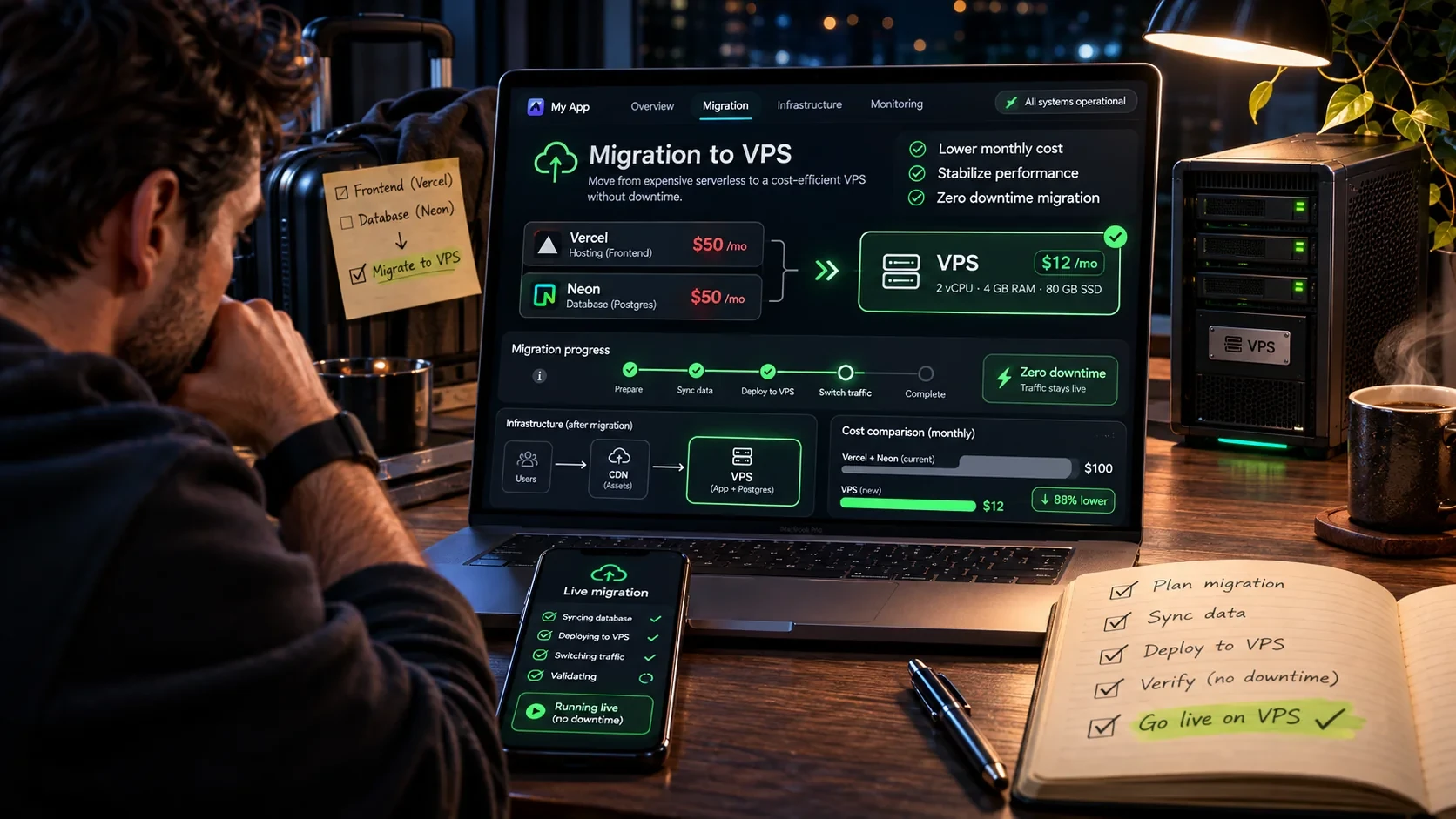
The images in this article are AI-generated conceptual illustrations. They do not show my real Vercel or Neon account, and the numbers on their screens, such as cache percentages, server prices or savings percentages, serve only as a visual representation of the topic.
Vercel
- Pricing: plans, Pro credit, default budget and Flat Rate CDN
- Regional Pricing and Frankfurt (fra1) prices
- Fluid compute: billing for Active CPU, Provisioned Memory and invocations
- Spend Management
- CLI: vercel budgets
- Simplifying runtime caching on Vercel
- Vercel Firewall and WAF Rate Limiting
Neon
Next.js
Cloudflare, PostgreSQL, Caddy and k6

MCP, APIs, Webhooks and AI Agents: How to Connect Almost Any Digital Service in 2026
A complete practical guide to MCP, APIs, webhooks, and AI agents: compare the technologies, build n8n workflows and a Python MCP server, receive webhooks securely, explore 25 integration ideas, and review a production checklist.

[Udemy] Succeed in the Age of AI with Dr. Angela Yu
Build practical AI workflows, write better code, and create an AI-augmented learning system in Dr. Angela Yu's course.

How to Find Clients and Build a Premium AI Website Demo in 20 Minutes: Claude Opus 5.5, 3D, and 15 Prompts
A practical guide to researching local businesses, building an AI-assisted website demo, and using 15 prompts for different industries.

[Udemy] - Laptop Repair 101: Mastering Laptop Motherboard Diagnostics
Learn how to diagnose and repair issues with your laptop motherboard, including voltage testing, RAM, and CPU circuits.
What Happens in the 500 ms After You Type tutorijali.app?
From entering a web address to the first pixel: what DNS, DoH, ECH, QUIC/TLS, HTTP/3, CDNs, and browser rendering actually do, with measurements from tutorijali.app.

How to Set Up a VPN on a Router in Serbia: From Choosing Equipment to Leak Testing
Connect a VPN router behind mts, Yettel, A1, SBB, or another ISP. Choose the right setup, configure WireGuard or OpenVPN, and check for DNS and IPv6 leaks.
Share your thoughts, questions, or tips about this article.