Take more control of your data with a home server. Explore Coolify, Immich, secure networking, and backup fundamentals.
Many people rely on Google, Apple, and Microsoft for everyday services. Subscription costs and concerns about personal data can lead some users to explore self-hosting. A home lab is no longer only for system administrators, but it does require maintenance and careful security.
💻 Hardware choices: N100 or N305?
Mini PCs are a popular option for a home lab.
- Intel N100: A low-power option for a modest Docker setup, Home Assistant, or a small family photo library. Actual power use and performance depend on the workload.
- Intel N305: More CPU cores can provide extra capacity for virtual machines or heavier workloads.
- RAM: Consider at least 16 GB for a multi-service setup. ZFS and some AI services may need more memory.
🏗️ Coolify: a server control panel
Coolify can simplify deploying and managing applications on your own server.
- Automatic SSL: It can manage certificates through supported integrations. Confirm renewal and domain settings.
- Docker interface: View logs, restart containers, and manage supported databases through a web interface.
📸 Immich: plan photo storage carefully
A common mistake is storing all photos on the same disk as the operating system.
- Separate storage: Put the operating system and database on fast storage, such as an NVMe SSD. Store large photo and video libraries on a separate disk or NAS with enough capacity.
- Machine-learning features: Immich can use machine learning for features such as face recognition. Check current hardware acceleration support for your system before relying on it.
🌐 Zero-trust networking without opening ports
Exposing services directly to the internet can increase risk. Tunnels and mesh VPNs are alternatives, each with its own trust and configuration requirements.
- Cloudflare Tunnels: A connector on your server creates a connection to Cloudflare's network, so you can publish selected services without directly exposing your home IP address. Review access rules and the provider's terms.
- Tailscale Funnel: A way to expose selected services through Tailscale. Check the product's current security model and access controls.
🔐 Single sign-on and identity with Authelia
Instead of managing separate credentials for every application, an identity gateway can provide a central sign-in step.
- Single sign-on: Authenticate through a central service to reach supported self-hosted apps.
- Two-factor authentication: Enable a supported second factor for private services and keep recovery methods secure.
💾 Backup resilience: the 3-2-1 rule
A server or disk can fail. Plan for recovery.
- Keep three copies of important data, including the original and two backups.
- Store copies on two different types of storage where practical.
- Keep at least one off-site copy, such as an encrypted backup with Restic or Borgmatic to an S3-compatible provider. Test restores regularly.
🚀 Infrastructure as code
Document your HomeLab and keep configuration files such as docker-compose.yml in a private Git repository. If hardware fails, documentation and tested backups can make it easier to rebuild on a replacement system.
🚀 2026 pro tip: monitor energy use Use a power meter or smart plug and a Grafana dashboard to track server consumption. Measure your own workloads and optimize idle services to reduce power use.
Your Private AI: RAG, Vector Databases, and Local LLMs
Learn how to connect local AI models to your own documents with retrieval-augmented generation while keeping private data under your control.
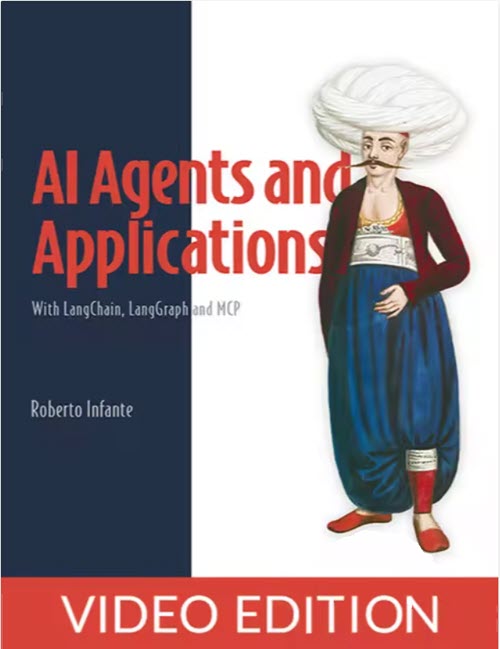
AI Agents and Applications, Video Edition
Build intelligent LLM-powered applications with agentic workflows and tool-based agents using LangChain, LangGraph and MCP.

[Udemy] AI Engineer 2026 Complete Course: Generative AI, Deep Learning, Machine Learning, and LLMs
Master machine learning, deep learning, LLMs, and AI systems through hands-on projects and practical examples.

Udemy: SEO 2026, Complete Guide to Search and AI Generative Experience
Learn about topic clusters, topical authority, and optimization for search generative experiences and the AI era with AEO and GEO.
The Complete Databricks Project on Google Cloud (GCP)
Build a complete real-time traffic analytics project on Databricks and GCP with PySpark, Medallion architecture, Auto Loader, and CI/CD.
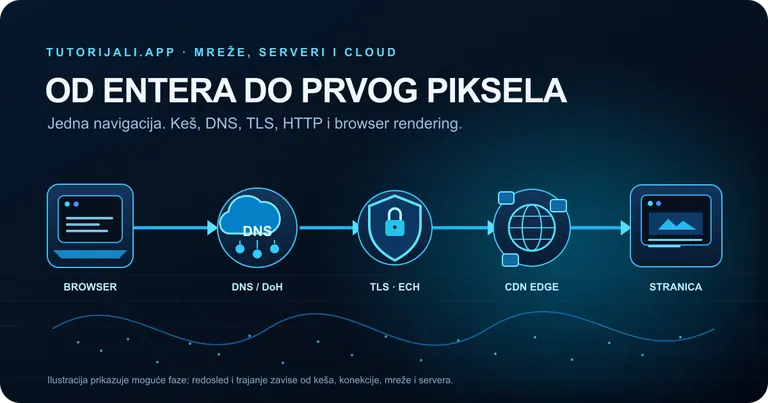
What Happens in the 500 ms After You Type tutorijali.app?
From entering a web address to the first pixel: what DNS, DoH, ECH, QUIC/TLS, HTTP/3, CDNs, and browser rendering actually do, with measurements from tutorijali.app.
Share your thoughts, questions, or tips about this article.