Learn layered ways to protect your digital identity with passkeys, hardware security keys, WireGuard, and server hardening.
In April 2026, cyber threats were increasingly automated, with AI-assisted tools scanning the internet for vulnerabilities. In this environment, a strong password alone is not enough. Use layered security practices based on zero trust and server hardening.
🛡️ Server hardening: the first line of defense
If you host a home server or VPS, start by reducing its attack surface.
- SSH Ed25519 keys: Prefer key-based authentication over passwords where appropriate. In
/etc/ssh/sshd_config, setPasswordAuthentication noonly after confirming key access works and keeping a recovery path. - Fail2Ban and CrowdSec: Fail2Ban can block addresses after repeated failed attempts. CrowdSec can use shared threat signals to identify addresses that have attacked other systems. Review rules before applying blocks.
- UFW: Close unnecessary ports. Allow only the services you need, such as SSH and possibly WireGuard. Route other services through a VPN when that fits your setup.
🔑 Passkeys and FIDO2
Passkeys are becoming a widely supported alternative to passwords.
- Passkeys (WebAuthn): A passkey uses public-key cryptography and is unlocked with a device gesture, PIN, face, or fingerprint. It is designed to resist phishing because the credential is bound to the legitimate site.
- Hardware security keys: A key such as a YubiKey can provide a physical factor for account sign-in and recovery. Register backup methods and store recovery codes safely.
- Avoid SMS as your only second factor: SMS can be vulnerable to SIM swapping. Prefer an authenticator app or a hardware security key when a service supports it.
🔒 WireGuard: secure remote access
A VPN can give you a secure path to your own network while away from home.
- Split tunneling: Route only traffic for your home lab through WireGuard while regular internet traffic uses your current connection.
- Full tunneling: On public Wi-Fi, route all traffic through a trusted VPN endpoint when appropriate. A VPN can reduce exposure on the local network, but it does not make every attack impossible.
🌐 DNS privacy: DoH and DoT
DNS requests can reveal which domains your devices look up, depending on your network and resolver.
- DNS over HTTPS (DoH): Encrypt DNS requests within HTTPS traffic.
- NextDNS or Pi-hole: Use filtering services to block known trackers or malicious domains across a network. Keep blocklists current and review false positives.
🔐 Vaultwarden and Argon2id
If you use a password manager, protect its database and account carefully.
- Argon2id: Where supported, choose a strong password-hashing configuration such as Argon2id and follow the password manager's current guidance.
- Multi-factor authentication: Protect access to the password vault with a supported second factor and secure recovery methods.
🚀 2026 pro tip: never trust, always verify Apply least privilege and verify access to sensitive data. Devices on a home network should not automatically receive unrestricted access. Security is an ongoing process that requires updates, backups, and regular review.

Emergency SOS: Apps and Phone Settings
Prepare your phone for emergencies with built-in safety features, first-aid references, location sharing, and support services.
AI Research in 2026: Agentic Workflows
Learn how research workflows can plan searches, compare sources, verify claims, and assemble reports with human review.

How to Free Up Space in Gmail, Google Photos, and Drive
Clear Gmail, Google Photos, and Drive without deleting important data, with steps for finding large files and emptying trash.

PowerShell Commands to Fix Windows 11: Complete Guide
Use PowerShell to diagnose and repair Windows, network, storage, update, and system file issues with tools such as winget, DISM, and SFC.

200 Digital Tips Everyone Should Know in 2026
Practical tips for Android, iPhone, Windows, Chrome, Google, photos, PDFs, Gmail, cloud storage, and privacy, with clear steps and limitations.
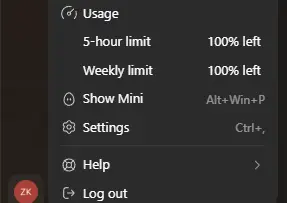
My ChatGPT Subscription Expired and My Codex Limits Reset
My subscription renewal failed on the 23rd. After it expired and I renewed, the Codex Usage page showed 100% remaining. Here is what I observed and why it is not a guaranteed trick.
Share your thoughts, questions, or tips about this article.