A practical guide to researching local businesses, building an AI-assisted website demo, and using 15 prompts for different industries.
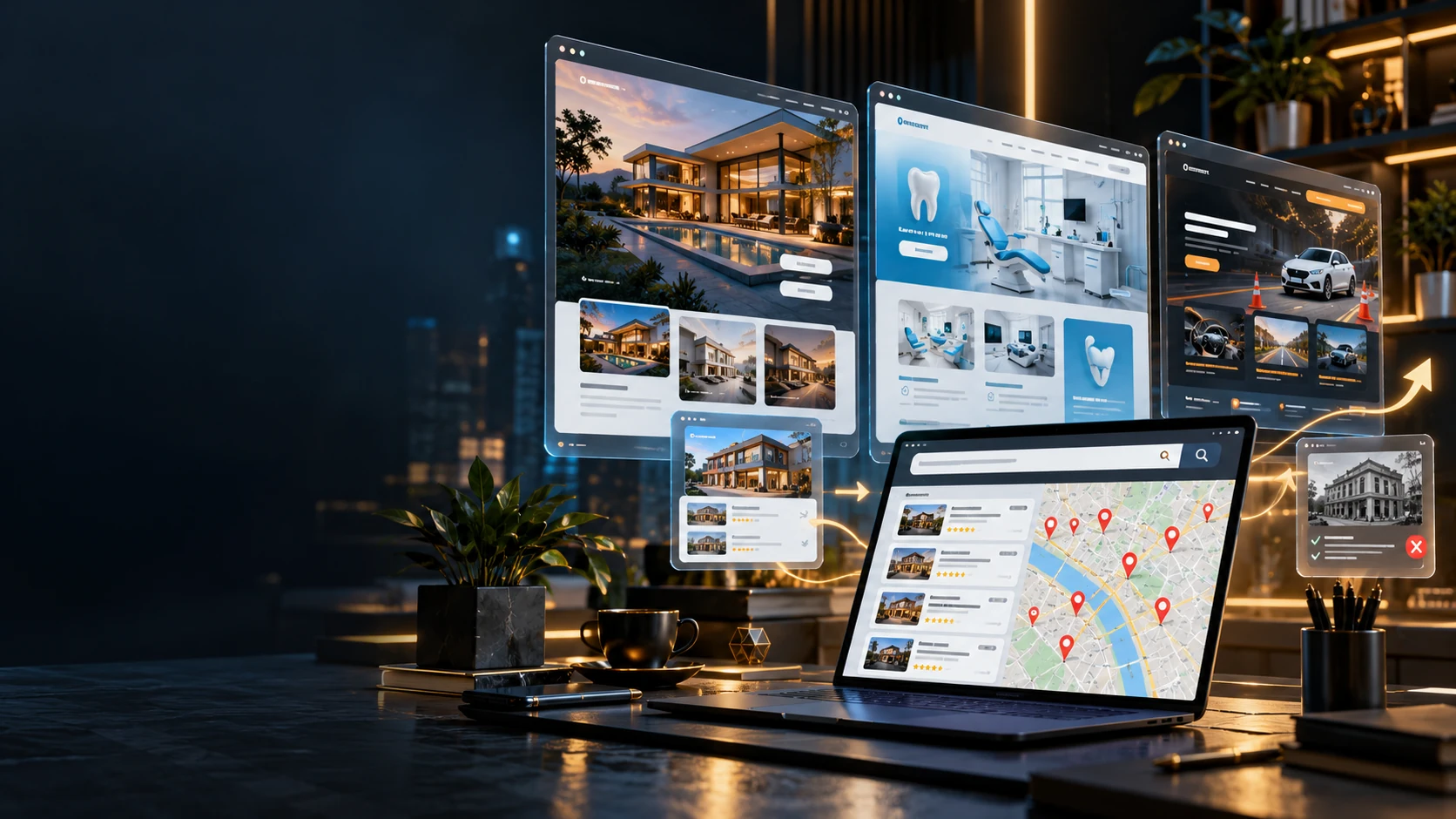
Conceptual AI-generated illustration. The screens do not show real company records or verified client results.
Updated October 18, 2026 | Tutorials | o0o0o0o
From a Google search to a prospective client
Imagine searching Google for dental clinics in a particular city. You find several businesses with strong public profiles and active social accounts, but no obvious link to an official website. Others have sites that are difficult to use on a phone, do not explain their services clearly, or make it hard to get in touch.
That may be an opportunity, but it is only a starting point. A missing website link in a business profile does not prove that the business has no website. Search the business name, verify the official domain, and look for a real customer problem before proposing work.
A useful approach is to create a short, clearly labeled concept that shows how a better digital experience could work. Do not imply that the business hired you or approved the design. Avoid copying its logo, photographs, testimonials, or branding without permission.
This guide connects prospect research, a quick AI-assisted demo, and a professional offer. The headline's 20 minutes refers to a prepared first demo for a simple site. It is not a promise that a production website can be researched, built, secured, tested, and delivered in that time.
How to find prospective clients
Start with a specific industry and a defined area. Check each candidate individually and keep notes limited to public business information that is relevant to a legitimate offer.
Method 1: Search public business profiles
Search Google Maps for phrases such as dental clinics in Belgrade, real estate agencies in Novi Sad, driving schools in Niš, or apartments in Zlatibor. Open the business profile and check whether it links to an official site. If it does not, search the business name separately before concluding that no site exists.
Do not export, scrape, or bulk-store Google Maps content for use outside the service. The current terms restrict this and specify exceptions, so check the rules for the particular product or API. For direct business outreach, follow applicable privacy, electronic-communications, and anti-spam rules.
Method 2: Search for older or difficult-to-use websites
Try queries such as "dental clinic" "Belgrade" or "apartments" "Sokobanja" "booking". Open the results and inspect the real experience on mobile and desktop. Look for unclear service descriptions, broken contact paths, outdated information, inaccessible controls, or a booking flow that creates unnecessary friction.
An older color palette or font alone does not mean a site needs replacing. Focus on whether the site still serves its customers and the business.
Method 3: Look beyond a company's website
Some local businesses rely mainly on Instagram or Facebook and handle every appointment through private messages. A small website with services, prices, a gallery, opening hours, and a clear booking path could help, if that solves an actual problem. Social media is not automatically inadequate, and not every business needs a costly custom application.
Method 4: Review the competition
Compare a candidate's public website with several competitors. Note practical gaps such as missing service details, hard-to-find contact information, poor mobile navigation, or no accessible way to request an appointment. Use the comparison to understand the market, not to copy a competitor's content or visual identity.
Method 5: Check technical quality responsibly
For a public page, PageSpeed Insights and Lighthouse can help identify performance, accessibility, and usability issues. Treat automated scores as diagnostic clues, not a complete evaluation or a guarantee of search rankings. Do not test private systems, bypass access controls, or run intrusive scans without authorization.
Method 6: Use directories and referrals
Industry directories, local business associations, public portfolios, and referrals can help you find relevant businesses. Verify details before contacting anyone and follow the rules that apply to your location and communication channel.
How to recognize a suitable prospective client
| Criterion | What to check |
|---|---|
| Website presence | Is there an official site, and does the business link to it? |
| Mobile experience | Can visitors find and use the important information on a phone? |
| Services | Are the services explained clearly and accurately? |
| Contact | Can a visitor ask a question or request an appointment easily? |
| Conversion path | Do booking, reservation, or quote-request steps work? |
| Content | Is the information current and approved by the business? |
| Performance | Are there measurable loading or interaction problems? |
| Business need | Could a new or improved site solve a specific problem? |
A prospect is a good fit when you can identify a concrete improvement and explain it respectfully. A low Lighthouse score or an unfamiliar design is not, by itself, evidence that a company needs a redesign.
Claude Opus 5.5 as one option for the workflow
The author recommends Claude Opus 5.5 for this particular coding workflow. Anthropic announced the model on September 22, 2026. That date and the product's current description should be checked against Anthropic's official page when this guide is updated.
When connected to a development environment that can read and edit project files and run commands, a model can help create components, pages, animations, frontend logic, and more complex applications. The result depends on the model, the tools and permissions available, the project context, and the quality of review. A recommendation is not a guarantee that one model is best for every project.
The workflow can use a stack such as:
| Technology | Typical use |
|---|---|
| Next.js and TypeScript | Web application foundation |
| Tailwind CSS | Responsive styling |
| Motion for React | Interface animation and transitions |
| Three.js | WebGL and 3D graphics |
| React Three Fiber | 3D scenes in a React application |
| Vercel | Hosting and deployment |
| PostgreSQL or another backend | Data storage when the project needs it |
| Analytics | Measuring real usage with appropriate privacy controls |
Not every site needs Next.js, a backend, analytics, or 3D. A simpler architecture is often easier to build, operate, and maintain. For a rich interactive demo, the stack above can be a useful starting point.
How to make a website demo in about 20 minutes
A prepared workflow might look like this:
Minutes 0-3: Define the project. Choose the business type, audience, language, visual direction, main goal, and a small set of pages or features.
Minutes 3-6: Give the main prompt. Run Claude Opus 5.5 in a development environment with the intended project access. The universal prompt below gives the agent a structured brief.
Minutes 6-15: Generate a first version. The model may produce a page structure, reusable components, responsive sections, demo content, navigation, and animations.
Minutes 15-20: Start and inspect the demo. Check the main route and the core interaction. If the site runs, has no blocking error, and is clearly a concept, you can share a temporary demo link with an appropriate disclaimer.
This is an illustrative target for a simple, prepared demo, not a guaranteed completion time. A production project with booking, payments, user accounts, real content, privacy requirements, security work, or complex 3D needs additional implementation and testing.
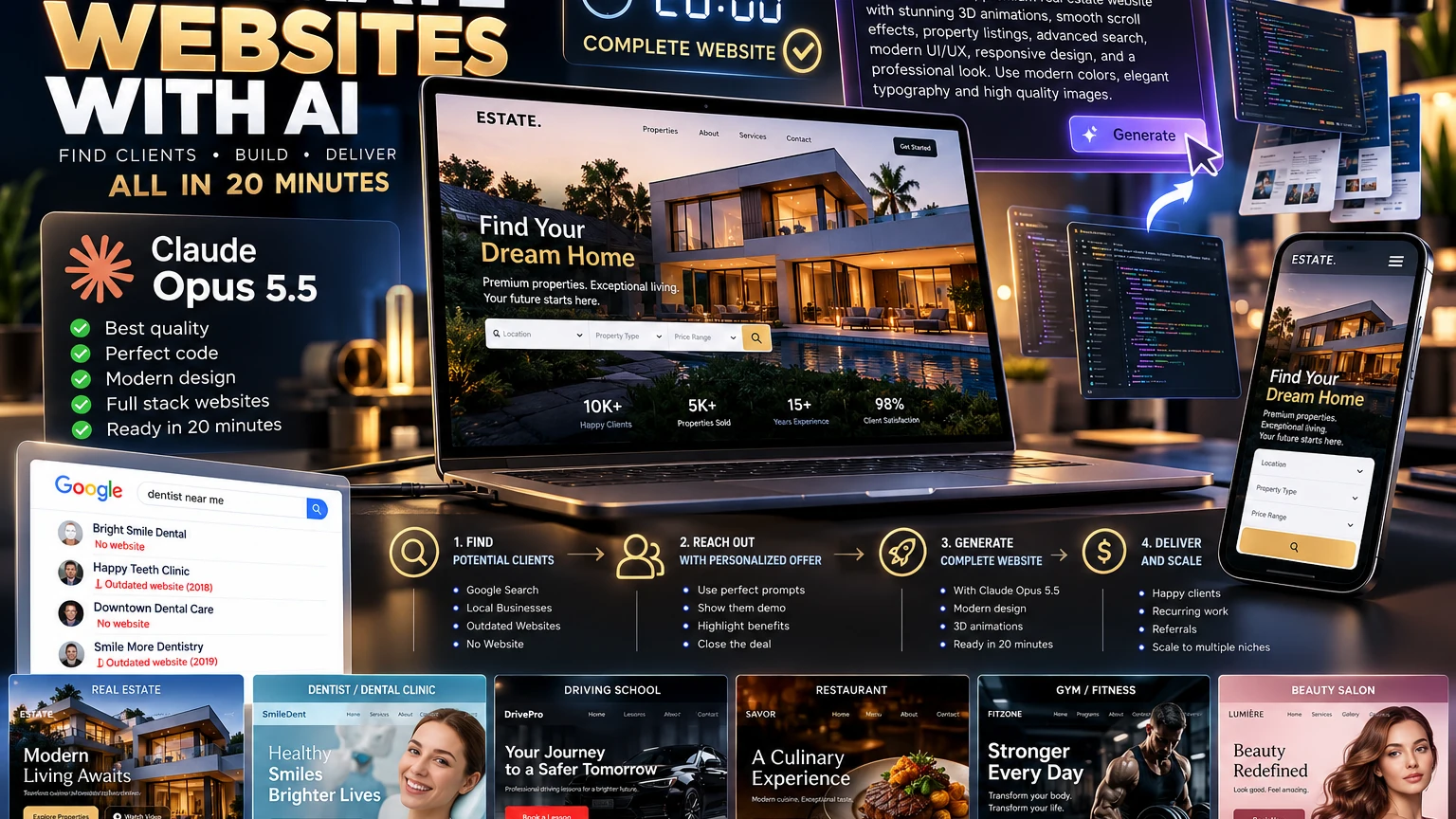
This promotional illustration is conceptual. The interface details, sample figures, customer counts, satisfaction claims, and delivery claims shown in the graphic are fictional and are not measured outcomes, customer references, or guarantees. The 20-minute estimate in this guide applies only to a possible first demo.
Copy-ready prompt library: Website generation
The prompts below are written in English for convenient use in coding tools. Replace the names, industry, language, and other details with your own. For best results, begin with the universal prompt and then add a relevant specialist prompt.
Copy-ready prompt library: Website generation
The prompts below are written in English for convenient use in coding tools. Replace names, industries, language, and other details as needed.
For best results, start with the universal prompt and then add the relevant specialist prompt.
Prompt 1: Universal premium website generator
Purpose: A starting point for any industry.
You are an elite multidisciplinary digital product team combining a creative director, senior frontend engineer, 3D artist, motion designer, UX researcher, conversion strategist, accessibility expert, and technical SEO specialist.

Build an exceptional, production-oriented website for:

BUSINESS: [BUSINESS NAME]
INDUSTRY: [INDUSTRY]
LOCATION: [CITY / COUNTRY]
LANGUAGE: [SERBIAN / ENGLISH / OTHER]
PRIMARY GOAL: [LEADS / BOOKINGS / SALES / INQUIRIES]
AUDIENCE: [TARGET AUDIENCE]

Creative direction:
Build a distinctive, award-caliber digital experience with premium art direction and a coherent visual identity.

Avoid generic AI-generated landing page patterns, excessive gradients, random glow effects, repetitive cards, and meaningless animations.

Establish:
- A carefully designed typography system.
- A refined color palette suited to the industry.
- Strong editorial layouts and hierarchy.
- High-quality image presentation.
- Purposeful whitespace.
- Elegant interactive elements.
- Consistent iconography and component styling.

Recommended architecture:
- Next.js with TypeScript.
- Tailwind CSS.
- Motion for React.
- Three.js and React Three Fiber where genuine 3D improves the experience.
- Semantic and accessible components.
- Modular, maintainable code.

Required experience:
1. Exceptional homepage with a strong value proposition.
2. About section.
3. Services or products section.
4. Relevant portfolio, gallery, or catalog.
5. Meaningful interactive feature.
6. Contact and inquiry experience.
7. Mobile-first responsive navigation.
8. SEO metadata and appropriate structured data.
9. Privacy and legal content placeholders where required.
10. Clear conversion-focused calls to action.

3D and motion requirements:
Create a visually sophisticated 3D hero or interactive scene only when it strengthens the business story.

Use physically plausible lighting, careful materials, subtle depth, smooth camera transitions, and intentional interaction.

Provide a lightweight static fallback if WebGL is unavailable.

Respect prefers-reduced-motion.

Do not sacrifice usability, accessibility, or loading performance for visual effects.

Content integrity:
Never invent real customers, employee credentials, medical claims, business awards, property availability, prices, or testimonials.

If data is missing, use realistic DEMO content that is clearly marked as fictional.

Forms must either connect to a real configured backend or clearly indicate that submission is in demo mode.

Development workflow:
Inspect the existing project before making changes.
Create a coherent implementation plan.
Implement the actual website.
Run available build and validation checks.
Fix discovered errors.
Review desktop and mobile layouts.
Document remaining limitations.

Do not stop at a concept, mockup, or design description.

Produce the working implementation in the repository.

Quality standard:
The site should feel like a bespoke digital experience designed for a premium commercial client, not a generic website template.
Prompt 2: Real estate agency
Goal: A luxury agency selling or renting apartments, houses, and commercial properties.
Using the universal premium website requirements, build a luxury real estate platform called [AGENCY NAME].

Target market: [CITY / COUNTRY].
Website language: [LANGUAGE].

Art direction:
Create a sophisticated luxury-property aesthetic inspired by premium architecture magazines.

Use warm ivory, charcoal, restrained champagne-gold accents, cinematic photography, generous whitespace, and elegant serif/sans-serif typography combinations.

Homepage:
- Full-width cinematic property hero.
- Premium animated typography.
- Refined property search interface.
- Featured listings.
- Neighborhood discovery.
- Agency expertise.
- Clear viewing-request CTA.

Functional features:
- Property catalog with demo listings.
- Search by location, type, size, and price.
- Detailed property pages.
- Image galleries.
- Saved favorites in local storage for demo purposes.
- Property comparison.
- Viewing inquiry forms.
- Responsive mobile filters.

3D signature feature:
Create a refined interactive 3D architectural presentation showing a stylized luxury residence.

Allow subtle camera rotation and smooth transitions between exterior viewpoints.

Use elegant materials, realistic lighting, soft shadows, and carefully controlled motion.

Do not pretend that a fictional 3D building represents an actual listed property.

If real architectural models are unavailable, clearly label the scene as a conceptual demonstration.

Create a static fallback for low-performance devices.

All property data must be explicitly labeled DEMO until real verified listings are provided.

Build and validate the working implementation.
Visual direction: Large property photographs, interactive search, fluid transitions, and an engaging 3D architectural presentation.
Prompt 3: Dental clinic
Goal: A modern clinic website with a simple appointment flow.
Build a premium modern dental clinic website for [CLINIC NAME], located in [CITY].

Use the universal website engineering and quality requirements.

Art direction:
Create an atmosphere of trust, calmness, precision, and modern medical professionalism.

Visual palette:
Warm white, soft mineral blue, muted teal, and subtle natural tones.

Avoid exaggerated futuristic medical imagery and aggressive sales patterns.

Required pages and sections:
- Homepage.
- Dental services.
- About the clinic.
- Verified team information.
- Equipment and technology.
- Patient information.
- Frequently asked questions.
- Appointment requests.
- Contact and location.

Interactive features:
- Clear service navigation.
- Appointment request form.
- Opening hours.
- Mobile click-to-call actions.
- Map and directions.
- Accessible form validation.

3D signature experience:
Build a lightweight, stylized interactive tooth model that demonstrates the structure of a tooth.

Users may rotate the object and explore clearly labeled educational regions.

Use medically cautious descriptions and make clear that the model is illustrative, not diagnostic.

No fake doctors, reviews, clinical results, certifications, or before-and-after patient photos.

Do not collect medical history or other sensitive health information in the demo appointment form.

Real patient information must only be handled through an appropriately designed and secured system.

The primary goal is to make booking straightforward while maintaining an elegant, credible clinical presentation.
Visual direction: Elegant medical art direction, an interactive educational 3D model, clear service descriptions, and simple booking.
Prompt 4: Driving school
Goal: An engaging site that makes it easy for prospective students to apply.
Build an exceptionally modern driving school website for [DRIVING SCHOOL NAME] in [CITY].

Use the universal website requirements.

Target audience:
First-time driving students, young adults, and people seeking additional driving instruction.

Visual direction:
Premium automotive design with graphite backgrounds, clean white typography, sharp accent colors, and cinematic automotive photography.

Required features:
- Course category overview.
- Enrollment form.
- Instructor introduction.
- Vehicle fleet.
- Theory lesson information.
- Pricing section with clearly labeled demo values.
- Frequently asked questions.
- Contact and location.
- Mobile-first conversion flow.

3D signature experience:
Develop an interactive 3D driving education scene.

Include a stylized road, vehicle, traffic signals, and educational interaction points.

Allow users to explore basic traffic scenarios.

Educational demonstrations must not be presented as official licensing exam questions.

Motion design:
Smooth vehicle movement, subtle camera tracking, animated road elements, refined menu transitions, and responsive micro-interactions.

Performance:
Keep 3D assets lightweight.
Allow users to pause the animation.
Provide a static fallback.

Prioritize clear information about enrollment requirements over purely decorative visuals.

Produce and test the working application.
Prompt 5: Restaurant
Create an extraordinary restaurant website for [RESTAURANT NAME] in [CITY].

Follow the universal premium engineering brief.

Visual direction:
A luxury culinary editorial style with warm natural textures, elegant typography, carefully controlled lighting, and exceptional food imagery.

Required features:
- Cinematic homepage.
- Food and beverage menu.
- Menu categories and filters.
- Restaurant story.
- Gallery.
- Table reservation flow.
- Opening hours.
- Location and directions.
- Mobile-friendly contact actions.

3D signature feature:
Create an artistic 3D presentation of a signature dish or a stylized table setting.

Use subtle camera movement, tasteful depth of field, and refined material rendering.

The 3D presentation must be clearly conceptual unless it accurately represents an actual menu item.

Do not invent menu ingredients, allergen information, or prices as verified facts.

If reservations are not connected to a real service, label them as demo interactions.

The design should create appetite and establish a strong atmosphere without slowing down the website.
Prompt 6: Boutique hotel and tourism
Build a premium boutique hotel and hospitality website for [HOTEL NAME] in [LOCATION].

Follow the universal website brief.

Creative direction:
Timeless hospitality luxury, cinematic destination imagery, refined typography, natural colors, and immersive storytelling.

Core features:
- Accommodation categories.
- Room galleries.
- Amenities.
- Location guide.
- Booking request flow.
- Contact and directions.
- Frequently asked questions.
- Multilingual architecture.

3D signature:
Create a conceptual interactive 3D hotel room or architectural walkthrough using optimized models.

Allow users to explore key areas with gentle camera motion.

Do not represent a fictional room as an actual bookable accommodation.

Use only approved real property photographs and verified descriptions for production listings.

Clearly identify demo availability, rates, and reservation states.

Provide graceful fallback behavior on mobile devices.

The website must convert interested visitors into genuine booking inquiries through a simple and trustworthy experience.
Prompt 7: Auto service
Create a premium automotive service website for [SERVICE NAME] in [CITY].

Follow the universal design and engineering requirements.

Use a refined automotive visual system with dark graphite, metallic silver, and one restrained accent color.

Required functionality:
- Service categories.
- Vehicle maintenance information.
- Booking request.
- Business hours.
- Verified qualifications and equipment.
- Service gallery.
- Location and contact.
- Mobile click-to-call.

3D signature feature:
Create an interactive stylized 3D vehicle with selectable areas.

Users should be able to explore general service categories such as brakes, tires, engine maintenance, and suspension.

The model is educational and must not imply automatic vehicle diagnosis.

Use tasteful mechanical animations, precise lighting, and optimized geometry.

Do not invent certifications, repair guarantees, service prices, or customer testimonials.

Deliver a complete responsive and maintainable website implementation.
Prompt 8: Fitness studio
Build a premium boutique fitness studio website for [STUDIO NAME].

Design a bold editorial experience with cinematic athletic photography, highly legible typography, restrained motion, and strong membership CTAs.

Include training programs, trainer profiles, schedules, membership options, a tour of the space, and inquiry forms.

Create an interactive stylized 3D fitness environment featuring gym equipment and subtle camera navigation.

Use verified trainer qualifications only.

Do not invent medical or body-transformation outcomes.

Prioritize fast mobile interactions and accessible booking.
Prompt 9: Beauty studio
Create an elegant beauty and wellness website for [SALON NAME].

Art direction:
Quiet luxury, warm neutral colors, soft natural photography, sophisticated serif typography, and refined motion.

Include services, verified price lists, galleries with approved images, team information, opening hours, and appointment requests.

Create a tasteful interactive 3D product or interior vignette with realistic materials and soft studio lighting.

Avoid visual clutter and excessive animation.

Never fabricate client transformations, testimonials, or professional certifications.

Optimize the website for mobile users and simple appointment booking.
Prompt 10: Architecture studio
Develop a visually exceptional portfolio website for [ARCHITECTURE STUDIO].

The visual language should be architectural, minimal, editorial, and highly sophisticated.

Include portfolio categories, detailed case studies, studio philosophy, team profiles, project inquiry forms, and contact information.

Create a procedural 3D architectural composition in the homepage hero with precise materials, soft shadows, and cinematic but restrained camera animation.

Provide optional orbit interaction and a reduced-motion fallback.

Use only approved project photography and clearly identify conceptual architecture.

Focus on typography, proportions, whitespace, and project storytelling rather than generic decorative UI.
These ten prompts can also be adapted for law firms, language schools, private clinics, construction companies, photographers, travel agencies, and other industries.
For regulated professions, check applicable professional and advertising rules before publishing.
Advanced prompts for 3D animation and final refinement
The first version does not have to be the end of the process.
For better results, refine the site in focused iterations.
Prompt 11: Premium 3D motion director
Act as a world-class creative technologist and interactive 3D art director.

Audit the existing website and elevate its visual quality significantly.

Focus on:
- Purposeful 3D storytelling.
- Cohesive art direction.
- Cinematic but controlled lighting.
- High-quality physically based materials.
- Smooth camera choreography.
- Interactive object exploration.
- Scroll-triggered scene transitions.
- Elegant micro-interactions.
- Perfect visual hierarchy.

Use Three.js and React Three Fiber when appropriate.

Do not simulate genuine 3D functionality with flat decorative screenshots if the feature requires an interactive 3D object.

Optimize geometry, textures, shaders, device pixel ratio, memory use, and rendering frequency.

Lazy-load demanding experiences.

Support keyboard navigation where relevant.

Respect reduced-motion preferences.

Provide a meaningful non-WebGL fallback.

Do not introduce animations that obstruct reading, forms, or navigation.

Implement the improvements in code, then run a build and resolve errors.
Prompt 12: Premium visual refinement
Perform a comprehensive design quality pass on the entire application.

Identify and fix:
- Weak typography.
- Inconsistent spacing.
- Poor visual hierarchy.
- Generic components.
- Misaligned elements.
- Unbalanced layouts.
- Inconsistent border radii.
- Excessive shadows.
- Distracting animation.
- Unpolished buttons.
- Broken responsive layouts.
- Weak mobile navigation.
- Low-quality placeholder imagery.

Preserve the brand identity and all working functionality.

Refine the experience until it feels cohesive, intentional, premium, and commercially credible.

Do not merely describe recommended changes.

Apply them directly and verify the implementation.
Prompt 13: Production quality assurance
Act as a senior software quality engineer, security reviewer, accessibility specialist, and performance engineer.

Inspect the entire project.

Run every available validation:
- Type checking.
- Linting.
- Production build.
- Automated tests where available.
- Route and navigation checks.
- Responsive layout checks.
- Accessibility checks.
- Forms and validation.
- Browser console errors.
- Broken assets and links.
- SEO metadata.
- Structured data validation.
- WebGL fallbacks.
- Reduced-motion behavior.

Check mobile viewport widths and keyboard navigation.

Inspect external integrations and confirm whether they are actually configured.

Do not report a form as functional if it only displays a success message without transmitting information to a real endpoint.

Do not claim tests have passed unless you executed them.

Fix discovered issues and rerun the relevant checks.

At the end, provide:
1. What was verified.
2. What was fixed.
3. What remains incomplete.
4. What requires client approval.
5. Whether the project is demo-ready or production-ready.
Prompt 14: Local SEO and conversions
Act as a technical SEO specialist and conversion strategist.

Analyze the website for [BUSINESS TYPE] in [CITY].

Improve:
- Page titles and meta descriptions.
- Semantic heading structure.
- Internal linking.
- Local business information.
- Relevant JSON-LD structured data.
- Image alt text.
- Sitemap and robots configuration.
- Canonical URLs.
- Mobile usability.
- Content clarity.
- Calls to action.
- Contact and booking usability.

Use only verified business details.

Avoid keyword stuffing and fabricated local landing pages.

Do not promise specific Google rankings.

Measure relevant performance outcomes and distinguish recommendations from completed changes.

Implement improvements and document measurable results.
Prompt 15: Prospective-client analysis
You are a senior web consultant specializing in local business digital transformation.

Analyze the supplied public business website and screenshots.

BUSINESS: [NAME]
WEBSITE: [URL]
INDUSTRY: [INDUSTRY]
CITY: [CITY]

Identify verified opportunities related to:
- Mobile usability.
- Loading performance.
- Navigation.
- Accessibility.
- Service presentation.
- Booking or inquiry flow.
- Local SEO.
- Trust and credibility.
- Business conversion.

Separate verified findings from assumptions.

Do not claim the company lacks a website without checking.

Do not fabricate traffic, revenue, conversion rates, technical problems, or competitor data.

Deliver:
1. A concise audit.
2. Three prioritized improvement opportunities.
3. A proposed website concept.
4. The most valuable functionality to demonstrate.
5. A short personalized outreach email.
6. An estimated project complexity level.

Use public business information responsibly.
How to create a demo that earns attention
A demo should do more than look attractive. Show a specific improvement that could help the business.
For a dental clinic, show how a patient can find a service and request an appointment. For a real estate agency, demonstrate browsing and filtering listings. For a driving school, show a simple path from choosing a course category to submitting an inquiry.
Prepare a one-to-three-minute walkthrough. Show the homepage, one meaningful interaction, and the business problem the concept is meant to address.
If you personalize the demo, label it clearly as an unofficial concept. Do not use a company's logo or visuals in a way that suggests you were hired or received approval.
Sample personalized email
Subject: A website improvement idea for [Business name]
Hello,
While researching local businesses in your industry, I looked at your publicly available online presence.
I noticed a couple of possible improvements, especially [specific, verified item] and [another verified item].
I build modern web applications and have prepared a short demonstration of how an improved digital experience could look.
This demonstration is an unofficial concept. It is not your current website.
If it sounds useful, I can send you the link and briefly explain the idea.
Best regards, [Name / Portfolio]
A shorter social media message
Hello! I saw your public online presence and have a specific idea for improving [bookings / service information / customer inquiries]. I build modern web applications and can share a short, unofficial demo concept if you are interested.
Do not send the same message to hundreds of businesses. Personalized outreach is more useful, and the rules for direct marketing and opt-outs that apply to your location and channel must be followed.
How to price and scope an offer
Do not set a price only by counting how long the AI model spent generating code. Even if a first version takes 20 minutes, the client pays for solving a problem, refinement, reliability, integrations, and responsibility for the delivered product.
A practical service structure might include:
| Package | Typical scope |
|---|---|
| Essential website | Responsive presentation, services, contact details, and basic SEO |
| Premium website | Custom design, animation, multiple pages, and considered UX |
| Interactive application | 3D features, more complex interactions, backend, and integrations |
| Maintenance | Updates, security checks, small changes, and technical support |
Price depends on scope, market, responsibility, licensing, hosting, and ongoing maintenance. Define the deliverables, included revision rounds, ownership of the domain and code, account access, and responsibility for third-party service fees. Agree on scope and payment terms before development starts.
What makes a website truly premium?
Premium quality is not the number of animations on a page. It is the balance between visual design, user experience, and technical quality.
For a serious commercial project, review:
- Visual design: An original and consistent identity.
- Speed: Optimized images, fonts, and JavaScript.
- Responsiveness: Core tasks work on mobile devices.
- Accessibility: Readable content, adequate contrast, keyboard support, and reduced-motion options.
- SEO: Clear structure and genuinely useful content.
- Functionality: Working forms, filters, bookings, and contact paths.
- Security: Safe handling of input, secrets, and user data.
- Maintainability: Understandable architecture and reliable code.
Google's current good Core Web Vitals targets are LCP within 2.5 seconds, INP under 200 milliseconds, and CLS below 0.1. These are user-experience targets, not a promise of a particular search position.
For 3D websites, keep an alternative path to the content for visitors on devices that cannot handle a demanding animated scene.
The best animation is one that helps visitors understand the product or service.
How to organize and repeat the workflow
After completing a few good projects, avoid starting every new one from scratch. Build a reusable component library, design system, and set of proven patterns for different industries.
For example:
- Real estate foundation: Search, listings, property details, gallery, and viewing requests.
- Dental foundation: Services, staff, contact, and booking.
- Driving school foundation: Course categories, vehicles, instructors, schedule, and enrollment.
- Restaurant foundation: Menu, gallery, opening hours, and reservations.
Every client still needs a solution adapted to their business, not just a different logo and color palette. Reusable components can speed up development, but they should not replace understanding the individual business.
YouTube walkthrough: From search to website
This guide could also be presented in a video of about ten minutes.
| Time | Video segment |
|---|---|
| 00:00-00:40 | Visual introduction and examples of websites |
| 00:40-01:40 | Finding businesses through Google search |
| 01:40-02:30 | Reviewing existing websites and choosing a prospect |
| 02:30-03:30 | Claude Opus 5.5 and the main prompt |
| 03:30-05:30 | Time-lapse of the website generation |
| 05:30-07:00 | Demonstrating 3D animation and interaction |
| 07:00-08:00 | Mobile display and testing |
| 08:00-09:00 | A personalized offer to the business |
| 09:00-10:00 | Results, limitations, and closing recommendations |
Show the real duration of the process. Label any sped-up sequence as a time-lapse. You can use invented businesses for the demo so viewers understand that the examples are not real client work.
Conclusion
AI models are changing how people approach web design, software development, and digital services. In some situations, work that once needed considerable preparation can now become an interactive prototype in a short time.
But the real work does not begin with a prompt. It begins with understanding a particular business problem.
Choose one industry, find several relevant businesses, create a high-quality demonstration, and check whether there is genuine interest. For this workflow, the author currently prefers Claude Opus 5.5 for code generation and interactive experiences, while recognizing that results depend on the tools, project, and review.
Combine a clear prompt, an appropriate development environment, original design, and careful testing. If a first version takes 20 minutes, use the time saved to make the product more useful and dependable.
The goal is not to build as many websites as possible in as little time as possible. It is to deliver work that genuinely helps the client.
Sources and documentation
- Anthropic, Claude Opus 5.5 announcement
- Google Search Central, SEO Starter Guide
- Google Search Central, LocalBusiness structured data
- Google Maps Platform, Places API policies and attribution
- Google Search Central, Core Web Vitals
- Motion for React, documentation
- React Three Fiber, documentation
- W3C, Web Content Accessibility Guidelines 2.2
- MDN, prefers-reduced-motion
Author: o0o0o0o | Tutorijali.app | October 2026.
60 Practical Prompts for Local AI Agents: From Disk Cleanup to a Well-Organized Computer
A practical collection of 60 prompts for local AI agents, covering disk analysis, file organization, backups, development environments, security, and automation.
MCP, APIs, Webhooks and AI Agents: How to Connect Almost Any Digital Service in 2026
A complete practical guide to MCP, APIs, webhooks, and AI agents: compare the technologies, build n8n workflows and a Python MCP server, receive webhooks securely, explore 25 integration ideas, and review a production checklist.
How to Use Your Phone as a Webcam: Android and iPhone Guide for 2026
Turn an Android phone or iPhone into a webcam over USB or Wi-Fi. Compare Windows Connected Camera, Android UVC, Continuity Camera, Camo, DroidCam, Iriun, iVCam, FineCam, NDI, and OBS, with setup steps and troubleshooting.

[Udemy] Succeed in the Age of AI with Dr. Angela Yu
Build practical AI workflows, write better code, and create an AI-augmented learning system in Dr. Angela Yu's course.
AI Agents Do More Than Read Files: PDF, CAD, Office, 3D, Images, Audio, and Video in 2026
Compare ChatGPT, Claude, and Gemini for PDF, Office, CAD, audio, and video, with tools and an interactive guide to 95 file formats.

How to Get the Most Out of ChatGPT in 2026: Modes, Prompts, Web Search, Sources, Apps, and Professional Workflows
Learn when to use each ChatGPT mode, how to research and verify current information, and how to adapt 990+ professional prompts across 36 fields.
Share your thoughts, questions, or tips about this article.