Explore how voice notes can become tasks, summaries, and messages through speech recognition and automation workflows.
Digital productivity in 2026 is measured in words per minute, but increasingly in the words you speak rather than type. The keyboard is becoming a secondary tool, while intentional dictation is emerging as a fast way to create content and interact with systems.
🎙️ Wispr Flow: more than dictation
Wispr Flow is more than a speech-to-text tool. It can act as an intelligent layer between spoken thoughts and written content.
- Context awareness: AI can adapt to code, technical documentation, or an informal Slack message. It can format Markdown, recognize technical terms, and adjust tone.
- Automatic cleanup: As you dictate, AI can remove filler words and restructure sentences so they read more professionally than a raw transcript.
⚙️ End-to-end automation with CRM and Notion
Productivity gains can come from connecting voice workflows to business tools.
- Fireflies.ai integration: A meeting assistant can provide a transcript and summary, and may connect meeting notes with tools such as HubSpot, Salesforce, Jira, or Notion. Review integrations and permissions before enabling automatic updates.
- Voice triggers: With tools such as Zapier or Make, you can connect spoken commands to workflows, for example archiving a project and notifying a client.
🛡️ Privacy and on-device processing
Voice privacy matters. Some newer processors include dedicated neural processing units that can run supported speech features locally.
- On-device processing: When a feature runs locally, audio may not need to be sent to a cloud service. Check the app's documentation and settings to understand what is processed on your device.
- Privacy mode: Some cloud tools offer retention controls or delete audio after transcription. Check the provider's current privacy policy rather than assuming every service uses the same approach.
🕶️ Ambient computing
Voice interfaces are becoming available through more than a desktop microphone.
- Wearables: Smart glasses and headphones can provide microphones for hands-free interaction.
- Hands-free interaction: Voice assistants and agents can help manage tasks while you are away from a screen.
🎯 How to get started
- Capture your thoughts: Speak freely without trying to organize every sentence as you go.
- Refine with AI: Ask an assistant to turn the rough notes into a structured document.
- Review the result: Check names, numbers, instructions, and sensitive information before sending or saving it.
🚀 2026 pro tip: voice-to-action shortcuts Create your own shortcuts. For example, configure voice notes that start with the word Idea to go to a separate Notion kanban board. This can make speech a useful organizing tool without a mouse click.

200 Digital Tips Everyone Should Know in 2026
Practical tips for Android, iPhone, Windows, Chrome, Google, photos, PDFs, Gmail, cloud storage, and privacy, with clear steps and limitations.
Tracking Services for Packages, Trains, and Ships
A directory of services for tracking online orders, parcel carriers, trains, buses, ships, and cargo.
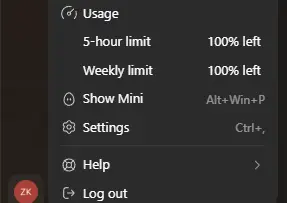
My ChatGPT Subscription Expired and My Codex Limits Reset
My subscription renewal failed on the 23rd. After it expired and I renewed, the Codex Usage page showed 100% remaining. Here is what I observed and why it is not a guaranteed trick.

Serbia's Public Services and E-Government Portals in One Place
A directory of important Serbian e-services and portals, covering property records, taxes, healthcare, business, transport, and education.
No-Code Automation: Let AI Do the Work for You
Connect services such as Gmail, Sheets, X, and Notion to automate everyday tasks without writing code.
Price Tracking Tools: Let Bots Watch Prices for You
Track prices on Amazon and other websites with tools such as CamelCamelCamel, Keepa, Visualping, and Distill.io.
Share your thoughts, questions, or tips about this article.