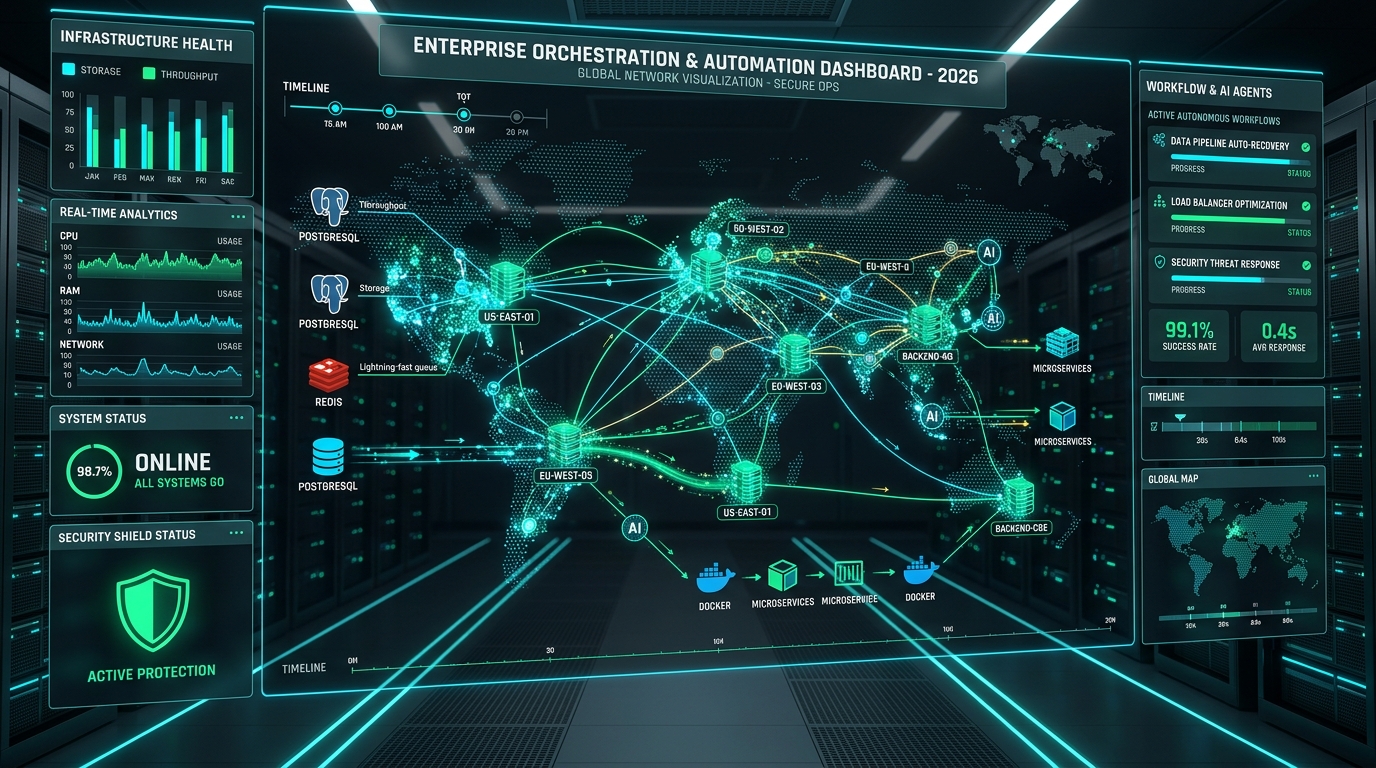
A production engineering guide to self-hosted n8n in 2026, from architecture and PostgreSQL configuration to security, backups, a local AI stack, and 10 operational workflows.
Category: Automation and web tools | Updated: September 21, 2026.
Topic: Production engineering architecture for n8n, Kubernetes and Helm deployment, a self-hosted AI stack, and 10 operational automations
Author: Zoran Knežević | Format: Comprehensive production guide
Last technical review: September 21, 2026.
Verified: Checked on September 21, 2026. The stable/latest n8n release at the time was 2.39.8. Version 2.40.3 was available as a prerelease. Check the current stable release before every production upgrade.
Quick guide
- I just need a stable Docker deployment: See sections 01 to 06 for architecture,
.env, Docker Compose, and Caddy. - I need security, backups, and maintenance: See sections 07 to 12 for SSRF, task runners, backups, upgrades, and pruning.
- I need to scale on Kubernetes (K8s / Helm): See section 13 for the official Helm chart 1.12.0, KEDA autoscaling, Ingress, and PDB.
- I need a local AI stack without subscriptions: See section 14 for PostgreSQL with pgvector, Ollama, SearXNG, and Crawl4AI.
- I need practical business examples: See section 17 for 10 operational workflows with SQL tables and code.
- I have a server problem: See section 19 for troubleshooting and common errors.
TL;DR:
- A small or medium system can run with
Caddy -> n8n -> PostgreSQLon one server. - For higher concurrency and horizontal scaling, switch to Queue Mode:
Caddy -> n8n main -> Redis -> worker(s) -> PostgreSQL. - For multiple servers, dynamic load, and teams experienced with K8s, use the official n8n Helm chart with KEDA worker autoscaling.
- For local AI, use
Ollama. For vector search, usePostgreSQL + pgvector 0.8.6, or dedicatedQdrantfor very large databases.
About the examples: The examples in this guide are reference architectures and starting points for production patterns. Test them in your specific environment before using them with real data, billing, or critical systems.
Introduction: From a workflow to a stable system
Building a workflow that successfully reads an API and sends a notification can take a few minutes.
A production system, however, must handle real operational challenges:
- Server restarts and temporary outages.
- Unavailable external APIs and HTTP 429 responses (rate limiting).
- Expired access tokens and changed authorization.
- Duplicate webhook requests and the need for idempotency.
- Changes to the HTML structure of monitored websites.
- Unexpected or inaccurate language model output.
- Database growth from hundreds of thousands of recorded executions.
That is why self-hosted n8n in production should be set up as reliable backend infrastructure, not as an ad hoc container.
Standardized terms used in this guide
For technical precision, we use consistent terminology throughout:
- Node: A basic functional block in a workflow, such as HTTP Request, Code, or Postgres.
- Credentials: Encrypted authentication data, API keys, and OAuth tokens.
- Workflow: A connected set of nodes that performs a defined task.
- Worker: A separate process dedicated to executing jobs from a queue.
- Queue Mode: A distributed architecture where Redis coordinates jobs between the main instance and workers.
Which architecture should you choose?
Before deploying the infrastructure, determine the right level of complexity.
OPTION A: Small to medium system (simple production setup)
┌──────────────┐         ┌──────────────┐         ┌──────────────┐
│    Caddy     │────────►│   n8n Main   │────────►│  PostgreSQL  │
│ (HTTPS proxy)│         │(Orchestration│         │  17 or 18   │
└──────────────┘         │ and execution)│        └──────────────┘
                         └──────────────┘

OPTION B: Higher concurrency (Queue Mode distribution)
┌──────────────┐         ┌──────────────┐         ┌──────────────┐
│    Caddy     │────────►│   n8n Main   │────────►│  PostgreSQL  │
│ (HTTPS proxy)│         │ (Webhook/UI) │         │  17 or 18   │
└──────────────┘         └──────┬───────┘         └──────▲───────┘
                                │                        │
                         Enqueue│                        │ Write
                                ▼                        │ state
                         ┌──────────────┐                │
                         │ Redis Queue  │                │
                         └──────┬───────┘                │
                                │                        │
                         Dequeue│                        │
                                ▼                        │
                         ┌──────────────┐                │
                         │ n8n Worker(s)│────────────────┘
                         │ (Execution)  │
                         └──────────────┘
Option A: Small and medium systems
- Topology:
Caddy -> n8n -> PostgreSQL - When to use it: Predictable execution rates, low concurrency, and shorter jobs without heavy binary data processing or sudden webhook bursts.
- Advantages: A small stack can run with relatively modest resources, but actual RAM and CPU needs depend on concurrent executions, Code and AI nodes, payloads, and binary data. Set limits based on measurements of your actual workload. Maintenance is simple because Redis is not required.
- Limitations: Long-running Code nodes or heavy data processing can slow down the acceptance of new webhooks.
Option B: High concurrency and scaling (Queue Mode)
- Topology:
Caddy -> n8n main -> Redis -> n8n worker(s) -> PostgreSQL - When to use it: Many concurrent webhook calls, large-file processing, or dozens of jobs running in parallel.
- Advantages: The main process accepts a webhook immediately and sends it to the Redis queue, while workers process jobs independently.
- Trade-off: Adds a Redis instance and workers that also need monitoring and updates.
Choosing a database: PostgreSQL versus SQLite
SQLite is practical for testing and small instances. For production installations that run continuously and have multiple workflows or users, n8n recommends PostgreSQL.
Current n8n documentation actively maintains support for PostgreSQL 17 and 18. Check the documentation for compatibility with older versions before installing.
Reasons to use PostgreSQL in production:
- Concurrency: SQLite locks the entire database during writes, which can cause bottlenecks when work runs in parallel.
- Reliable backups: PostgreSQL supports consistent, live logical backups with
pg_dumpwithout stopping the service. - Extensibility: The database can be extended with modules such as
pgvectorfor vector storage.
Protecting secrets and the role of N8N_ENCRYPTION_KEY
All credentials stored in the database, including passwords, API tokens, and SSH keys, are encrypted with the instance's master key, set through the N8N_ENCRYPTION_KEY variable.
Important distinction:
If you lose the originalN8N_ENCRYPTION_KEY, the database and workflow definitions are not automatically lost, but n8n can no longer decrypt credentials and secrets encrypted with that key. You will need to recreate the credentials if you cannot recover the original key.
Rules for managing the encryption key:
- Generate a cryptographically strong key at least 32 bytes long with
openssl rand -hex 32. - Store it separately from the server, in a password-protected password manager or a secret vault such as HashiCorp Vault.
- In a Queue Mode installation, the main instance and every worker must use the exact same
N8N_ENCRYPTION_KEY. - Newer n8n features offer rotation of internal data encryption keys. This does not replace the
N8N_ENCRYPTION_KEYmaster key. It is an internal process that requires a full database dump before activation because it is an irreversible migration.
Environment configuration: The .env file
Create a .env file in the working directory and restrict its permissions with chmod 600 .env:
# Pin major and minor image tags
N8N_VERSION=2.39.8
POSTGRES_VERSION=18
REDIS_VERSION=8-alpine
CADDY_VERSION=2.9-alpine

# Domain and network settings
N8N_DOMAIN=n8n.example.com
GENERIC_TIMEZONE=Europe/Belgrade
TZ=Europe/Belgrade

# Master encryption key (generate with: openssl rand -hex 32)
N8N_ENCRYPTION_KEY=replace_this_secret_key_before_starting_the_infrastructure

# PostgreSQL settings
POSTGRES_DB=n8n
POSTGRES_USER=n8n_admin
POSTGRES_PASSWORD=replace_with_a_strong_postgresql_password

# Redis settings
REDIS_PASSWORD=replace_with_a_strong_redis_password

# Security token for the external task runner, if used
RUNNERS_AUTH_TOKEN=replace_with_a_strong_runner_token
Complete production Docker Compose stack
This Compose file defines the entire system: Caddy as a reverse proxy with automatic HTTPS, PostgreSQL 18, Redis 8, the n8n main instance, and an n8n worker, with log rotation and health checks.
services:
  caddy:
    image: caddy:${CADDY_VERSION}
    restart: unless-stopped
    environment:
      N8N_DOMAIN: ${N8N_DOMAIN}
    ports:
      - "80:80"
      - "443:443"
    volumes:
      - ./Caddyfile:/etc/caddy/Caddyfile:ro
      - caddy_data:/data
      - caddy_config:/config
    networks:
      - web_network
    depends_on:
      - n8n
    logging:
      driver: "json-file"
      options:
        max-size: "10m"
        max-file: "3"

  postgres:
    image: postgres:${POSTGRES_VERSION}
    restart: unless-stopped
    environment:
      POSTGRES_DB: ${POSTGRES_DB}
      POSTGRES_USER: ${POSTGRES_USER}
      POSTGRES_PASSWORD: ${POSTGRES_PASSWORD}
      PGDATA: /var/lib/postgresql/data
    volumes:
      - postgres_data:/var/lib/postgresql/data
    healthcheck:
      test: ["CMD-SHELL", "pg_isready -U ${POSTGRES_USER} -d ${POSTGRES_DB}"]
      interval: 5s
      timeout: 5s
      retries: 10
    networks:
      - backend_network
    logging:
      driver: "json-file"
      options:
        max-size: "10m"
        max-file: "3"

  redis:
    image: redis:${REDIS_VERSION}
    restart: unless-stopped
    command:
      - redis-server
      - --requirepass
      - ${REDIS_PASSWORD}
    volumes:
      - redis_data:/data
    healthcheck:
      test: ["CMD", "redis-cli", "-a", "${REDIS_PASSWORD}", "ping"]
      interval: 5s
      timeout: 3s
      retries: 5
    networks:
      - backend_network
    logging:
      driver: "json-file"
      options:
        max-size: "10m"
        max-file: "3"

  n8n:
    image: docker.n8n.io/n8nio/n8n:${N8N_VERSION}
    restart: unless-stopped
    environment:
      DB_TYPE: postgresdb
      DB_POSTGRESDB_HOST: postgres
      DB_POSTGRESDB_PORT: 5432
      DB_POSTGRESDB_DATABASE: ${POSTGRES_DB}
      DB_POSTGRESDB_USER: ${POSTGRES_USER}
      DB_POSTGRESDB_PASSWORD: ${POSTGRES_PASSWORD}

      EXECUTIONS_MODE: queue

      QUEUE_BULL_REDIS_HOST: redis
      QUEUE_BULL_REDIS_PORT: 6379
      QUEUE_BULL_REDIS_PASSWORD: ${REDIS_PASSWORD}

      N8N_ENCRYPTION_KEY: ${N8N_ENCRYPTION_KEY}

      N8N_HOST: ${N8N_DOMAIN}
      N8N_EDITOR_BASE_URL: https://${N8N_DOMAIN}/
      N8N_PROTOCOL: https
      N8N_WEBHOOK_URL: https://${N8N_DOMAIN}/
      N8N_PROXY_HOPS: 1

      GENERIC_TIMEZONE: ${GENERIC_TIMEZONE}
      TZ: ${TZ}

      EXECUTIONS_DATA_PRUNE: "true"
      EXECUTIONS_DATA_MAX_AGE: 168
      EXECUTIONS_DATA_PRUNE_MAX_COUNT: 50000

      N8N_METRICS: "true"
      N8N_SSRF_PROTECTION_ENABLED: "true"
      N8N_ENFORCE_SETTINGS_FILE_PERMISSIONS: "true"

      # Set the concurrency limit based on workload and available resources
      N8N_CONCURRENCY_PRODUCTION_LIMIT: "15"

    depends_on:
      postgres:
        condition: service_healthy
      redis:
        condition: service_healthy
    volumes:
      - n8n_data:/home/node/.n8n
    healthcheck:
      test: ["CMD-SHELL", "wget -qO- http://127.0.0.1:5678/healthz/readiness | grep -q '\"status\":\"ok\"' || exit 1"]
      interval: 10s
      timeout: 5s
      retries: 5
      start_period: 20s
    networks:
      - backend_network
      - egress_network
      - web_network
    logging:
      driver: "json-file"
      options:
        max-size: "10m"
        max-file: "3"

  worker:
    image: docker.n8n.io/n8nio/n8n:${N8N_VERSION}
    restart: unless-stopped
    command: worker
    environment:
      DB_TYPE: postgresdb
      DB_POSTGRESDB_HOST: postgres
      DB_POSTGRESDB_PORT: 5432
      DB_POSTGRESDB_DATABASE: ${POSTGRES_DB}
      DB_POSTGRESDB_USER: ${POSTGRES_USER}
      DB_POSTGRESDB_PASSWORD: ${POSTGRES_PASSWORD}

      EXECUTIONS_MODE: queue

      QUEUE_BULL_REDIS_HOST: redis
      QUEUE_BULL_REDIS_PORT: 6379
      QUEUE_BULL_REDIS_PASSWORD: ${REDIS_PASSWORD}

      N8N_ENCRYPTION_KEY: ${N8N_ENCRYPTION_KEY}

      QUEUE_HEALTH_CHECK_ACTIVE: "true"
      N8N_SSRF_PROTECTION_ENABLED: "true"
      N8N_ENFORCE_SETTINGS_FILE_PERMISSIONS: "true"
    depends_on:
      postgres:
        condition: service_healthy
      redis:
        condition: service_healthy
    volumes:
      - n8n_data:/home/node/.n8n
    healthcheck:
      test: ["CMD-SHELL", "wget -qO- http://127.0.0.1:5678/healthz/readiness || exit 1"]
      interval: 10s
      timeout: 5s
      retries: 5
      start_period: 20s
    networks:
      - backend_network
      - egress_network
    logging:
      driver: "json-file"
      options:
        max-size: "10m"
        max-file: "3"

volumes:
  caddy_data:
  caddy_config:
  postgres_data:
  redis_data:
  n8n_data:

networks:
  backend_network:
    internal: true
  egress_network:
  web_network:
Network topology and egress: The worker has no published inbound port, but it needs outbound internet access to run workflow integrations. For this reason, the worker and main n8n instance are connected to
egress_network, while the database and Redis remain isolated onbackend_networkwithout direct internet access.
Caddyfile configuration
Create a Caddyfile in the same directory as compose.yml:
{$N8N_DOMAIN} {
    reverse_proxy n8n:5678 {
        header_up X-Forwarded-Proto {scheme}
        header_up X-Forwarded-Host {host}
    }
}
Important notes about the network and proxy layer
N8N_PROXY_HOPS=1: This setting tells n8n that there is exactly one trusted proxy, Caddy. If you use Cloudflare in proxied mode in front of Caddy, set the number of trusted hops to2.- Deprecated variables: Starting with n8n 2.35.0,
WEBHOOK_URLis marked as deprecated. UseN8N_WEBHOOK_URL=https://${N8N_DOMAIN}/instead. - PostgreSQL 18 PGDATA: PostgreSQL 18 changed the internal data directory structure, so explicitly setting
PGDATA: /var/lib/postgresql/datais required for volume persistence.
First deployment and validation steps
After preparing .env, Caddyfile, and compose.yml, start the stack with these commands:
# 1. Check the syntax and configured variables
docker compose config

# 2. Pull the pinned images
docker compose pull

# 3. Start the containers in the background
docker compose up -d

# 4. Check service status and health checks
docker compose ps

# 5. Review initial logs and database migrations
docker compose logs -f n8n

# 6. Check the internal readiness endpoint from inside the container
docker compose exec -T n8n \
  wget -qO- http://127.0.0.1:5678/healthz/readiness

# Optional: Check externally after setting up DNS and the Caddy TLS certificate
curl -fsS https://${N8N_DOMAIN}/healthz/readiness
The expected readiness response is {"status":"ok"}. If you do not want to expose the health endpoint publicly through the reverse proxy, use only the internal docker compose exec check for operational monitoring.
Optional profile for maximum isolation (External Task Runner)
When workflows run JavaScript or Python inside Code nodes, running that code in the main process carries some risk on multi-user systems.
For these environments, n8n offers an External Task Runner architecture:
- Add
N8N_RUNNERS_MODE=externalandN8N_RUNNERS_AUTH_TOKEN=${RUNNERS_AUTH_TOKEN}to the main n8n container. - Add a separate
ghcr.io/n8n-io/runners:${N8N_VERSION}container with a restrictive security profile:read_only: truelocks the container filesystem against writes.security_opt: [no-new-privileges:true]prevents privilege escalation.- Run it as an unprivileged user.
Important: The main process (
n8n), workers (worker), and runners (runners) must all use identical code versions after every update to avoid protocol incompatibilities.
Managing execution data (Execution Pruning)
A common misconception is that execution data is archived permanently by default.
Retention rule:
Execution pruning removes execution history according to defined age and record-count rules. If certain data must be retained permanently for business records or audits, write it directly to a dedicated database such as PostgreSQL. Do not rely on n8n execution history for long-term retention.
The Compose configuration sets:
EXECUTIONS_DATA_PRUNE=true
EXECUTIONS_DATA_MAX_AGE=168
EXECUTIONS_DATA_PRUNE_MAX_COUNT=50000
This retains data for up to 7 days (168 hours) or a maximum of 50,000 records. For processes that run every second, consider setting:
EXECUTIONS_DATA_SAVE_ON_ERROR=all
EXECUTIONS_DATA_SAVE_ON_SUCCESS=none
This stores only executions that encountered an error in the database.
Security: SSRF protection and n8n Security Audit
Built-in SSRF protection
The N8N_SSRF_PROTECTION_ENABLED=true setting prevents HTTP Request nodes in workflows from sending requests to:
localhostand127.0.0.1inside the container network.- Local RFC 1918 networks (
10.0.0.0/8,172.16.0.0/12,192.168.0.0/16). - Cloud metadata services (
169.254.169.254).
If access to an internal service is legitimately required, do not use the deprecated N8N_SSRF_ALLOWED_HOSTS setting, which is no longer in use.
The current official variables are:
- For a hostname allowlist:
N8N_SSRF_ALLOWED_HOSTNAMES=internal-api.local,service.lan. - For IP addresses or CIDR ranges:
N8N_SSRF_ALLOWED_IP_RANGES=192.168.1.50/32,10.10.0.0/24.
The allowlist takes precedence during evaluation, but always define only the minimum internal host or range the workflow actually needs.
n8n Security Audit
Run the built-in audit with:
docker compose exec n8n n8n audit
The Security Audit reports:
- Expressions in SQL
Execute Queryfields, expressions inQuery Parametersfields, and unusedQuery Parametersfields. - Filesystem nodes with disk access.
- Risky built-in nodes.
- External and community or custom nodes.
- Unprotected public webhooks.
- Missing security settings.
- An outdated instance version.
Warning: A Security Audit does not replace a professional penetration test, SAST/DAST analysis, or a dedicated SQL vulnerability scanner.
Backups, disaster recovery, and the 3-2-1 rule
BACKUP FLOW:
┌─────────────────────┐
│ PostgreSQL 18 database│──► pg_dump (stdout) ──► Local .dump file
└─────────────────────┘
┌─────────────────────┐
│ n8n encryption and env│──► Encrypted storage ──► Password manager / vault
└─────────────────────┘
┌─────────────────────┐
│ Workflow and creds JSON│──► CLI export ───────► Git / external archive
└─────────────────────┘
                               │
                               ▼
                  Copy off-site (S3 / NAS)
The n8n export:workflow --backup command exports workflow definitions only. Export credentials separately with n8n export:credentials --backup.
PostgreSQL database dump (primary source of truth)
Use the -T option (no pseudo-TTY) so terminal control characters are not written into the binary output:
docker compose exec -T postgres pg_dump \
  -Fc \
  -U n8n_admin \
  -d n8n \
  > /var/backups/n8n/n8n-db-$(date +%F_%H%M%S).dump
Export workflows and credentials to separate directories
# Export workflow definitions
docker compose exec n8n n8n export:workflow --backup --output=/backup/workflows/

# Export encrypted credentials
docker compose exec n8n n8n export:credentials --backup --output=/backup/credentials/
The 3-2-1 rule and RPO / RTO
- 3 copies of the data: The primary database on the server, a local
.dumpsnapshot, and an off-site copy. - 2 different media: A local SSD and external object storage or a NAS.
- 1 off-site copy: Protects against a physical failure at the provider.
- RPO (Recovery Point Objective): The maximum acceptable data loss. If you create a dump every 6 hours, your RPO is 6 hours.
- RTO (Recovery Time Objective): The time required to restore the system from scratch after a failure, for example 30 minutes with a prepared Compose file and restore script.
The frequency of recovery drills depends on system criticality and defined RPO/RTO requirements. For serious systems, schedule automated periodic tests on a clean test instance.
Safe upgrade and rollback procedure
Follow these steps when moving to a new n8n version:
- Create a backup: Take a fresh
pg_dumpof the database. - Secure secrets: Confirm that the
.envfile andN8N_ENCRYPTION_KEYare available. - Review changes: Read the official release notes for the target version to identify breaking changes.
- Change the version: Update the version number in
.env, for exampleN8N_VERSION=2.40.0. - Synchronize services: Ensure that the
workerandrunnerscontainers move to the same version. - Pull and apply the update:
bash
docker compose pull docker compose up -d - Review migrations: Follow startup logs with
docker compose logs -f n8nto confirm that database migrations complete without errors. - Validate: Check the readiness endpoint (
/healthz/readiness) and run one representative test workflow.
Rollback warning: Reverting to a previous Docker image is not always enough if the newer version has already applied irreversible database schema migrations. Recovery then requires restoring the previous SQL backup with
pg_restore.
Binary data in Queue Mode installations
Understand how storage is divided in n8n:
- PostgreSQL: Stores workflow structure, state, and metadata.
- Redis: Stores job queues and temporary messages.
- Local volume (
n8n_data): Stores configuration and local binary files.
If you run workers on multiple physical servers, a shared local volume at /home/node/.n8n is not a universal horizontal scaling solution.
External S3 binary storage in n8n is a self-hosted Enterprise feature. n8n officially supports AWS S3. Documentation describes other S3-compatible systems, such as MinIO and Ceph, as technically possible but not officially supported. If you handle large files such as video, archives, or large CSV files, design storage outside the n8n payload itself, for example by downloading directly from a URL or using a dedicated storage service.
Kubernetes (K8s): When Docker Compose is no longer enough
Docker Compose provides an excellent foundation for a single VPS or small server. More demanding production environments eventually outgrow the capacity of one virtual machine.
Why Kubernetes is not required for every team
For one VPS, a small team, and up to a few dozen ordinary workflows:
Caddy -> n8n -> PostgreSQL
or:
Caddy -> n8n main -> Redis -> workers -> PostgreSQL
Docker Compose is simpler, easier to understand, and more practical to operate.
Engineering rule:
If you are just learning n8n and have one server, Kubernetes is probably solving a problem you do not have yet.
Introduce Kubernetes (K8s) when there are clear technical and organizational reasons:
- Your organization already runs and actively maintains Kubernetes clusters.
- You need more n8n worker replicas distributed across several physical nodes.
- Workload varies significantly during the day and needs autoscaling.
- You experience large sudden bursts of webhook traffic.
- You need rolling upgrades without downtime.
- You need advanced K8s guarantees such as
PodDisruptionBudgetandNetworkPolicy. - You use different node pools, for example CPU-intensive nodes for workers and memory-optimized nodes for the database.
- You need standardized management of secrets, Ingress traffic, and telemetry through a company observability stack.
- You require a full high-availability model.
Official n8n Helm chart (n8n-hosting)
An important development in 2026 is that n8n now officially maintains and recommends a production Helm chart in its n8n-hosting repository, distributed through an OCI registry:
oci://ghcr.io/n8n-io/n8n-helm-chart/n8n
Instead of relying on unrelated community charts, the official chart supports:
- Standalone deployment and distributed Queue Mode.
- Scaling the number of worker pods.
- Dedicated
webhookProcessorpods for high-volume webhook intake. - Task runner sidecar containers for code isolation.
- Ingress and TLS integration, including cert-manager support.
- Health and readiness probes (
/healthzand/healthz/readiness). - Horizontal Pod Autoscaler (HPA) and KEDA event-driven autoscaling.
PodDisruptionBudgetandNetworkPolicy.- Node placement, affinity, and anti-affinity rules.
- Multi-main configuration. Note: n8n multi-main HA requires an appropriate Enterprise license.
- Connections to external PostgreSQL and Redis services.
- External object storage configuration for binary data.
Requirements for an n8n Kubernetes deployment
According to the current official Helm chart documentation, checked on September 21, 2026, the official repository lists stable chart 1.12.0, released on September 16, 2026. Minimum system requirements include:
- Helm 3.12+
- Kubernetes 1.25+
Chart version and application version are different:
Helm charts and the n8n application have separate release cycles. Chart 1.12.0 was released and tested with appVersion 2.39.6, while the stable n8n channel at the time of review was 2.39.8. If you manually overrideimage.tag, test the new combination before production.
Architecture in Kubernetes Queue Mode
                             INTERNET
                                 |
                                 v
                      Ingress / Load Balancer
                                 |
                    +------------+------------+
                    |                         |
                 n8n main              webhook processors
                (Editor/API)                (webhooks only)
                    |                         |
                    +------------+------------+
                                 | Enqueue
                                 v
                               Redis
                           (Queue broker)
                                 |
                        +--------+--------+
                        | Dequeue         |
                        v                 v
                    worker-1          worker-2          worker-N
                    +-------+         +-------+         +-------+
                    |Worker |         |Worker |         |Worker |
                    |+Runner|         |+Runner|         |+Runner|
                    +-------+         +-------+         +-------+
                        |                 |                 |
                        +-----------------+-----------------+
                                          |
                                          v
                                      PostgreSQL
                                     (Shared database)
When using maximum code isolation, each worker pod can contain an n8n worker container and a companion task runner sidecar container of the same version.
Two operating modes in the official chart: Standalone versus Queue Mode
-
Standalone mode:
- Runs a single n8n pod.
- Can use SQLite with a
PersistentVolumeClaim(PVC). - Does not require Redis or worker pods.
- Suits quick tests, internal tools, or simple K8s environments where high availability is not the primary goal. It is not an HA production architecture.
-
Queue Mode:
- The official model for scalable production.
- Requires an external PostgreSQL and Redis service, an n8n main pod, and worker pods.
- The official chart assumes PostgreSQL and Redis are prepared outside the chart or provided as external services.
Database choice: in-cluster or managed?
Running PostgreSQL and Redis inside the K8s cluster gives you full control, but your team takes on the operational work of configuring replication, storage classes, backups, and recovery. If you already use a cloud platform such as AWS, GCP, or Azure, managed services such as AWS RDS and ElastiCache or GCP Cloud SQL and Memorystore greatly reduce operational risk.
Installing and upgrading n8n with Helm
Install the chart directly from the OCI registry and pin its version:
# Install the official chart at pinned version 1.12.0
helm install n8n \
  oci://ghcr.io/n8n-io/n8n-helm-chart/n8n \
  --namespace n8n \
  --create-namespace \
  --version 1.12.0 \
  -f values.yaml
For a later upgrade, run:
# Upgrade after creating a database backup
helm upgrade n8n \
  oci://ghcr.io/n8n-io/n8n-helm-chart/n8n \
  --namespace n8n \
  --version 1.12.0 \
  -f values.yaml
Never use a floating latest tag in production. Always pin both the Helm chart version and the n8n application image version in values.yaml.
Minimal values.yaml for n8n K8s Queue Mode
The following example shows a basic configuration for Queue Mode:
# By default, chart 1.12.0 uses appVersion: 2.39.6
# To use stable version 2.39.8, set it explicitly as an override:
image:
  tag: "2.39.8" # Explicit override of the chart appVersion

# Distributed mode configuration
queueMode:
  enabled: true
  workerReplicaCount: 2
  workerConcurrency: 10

# External PostgreSQL database
database:
  type: postgresdb
  useExternal: true
  host: "postgres.internal.lan"
  port: 5432
  database: "n8n"
  user: "n8n_admin"
  passwordSecret:
    name: "n8n-db-credentials"
    key: "password"

# External Redis queue server
redis:
  enabled: true
  useExternal: true
  host: "redis.internal.lan"
  port: 6379
  passwordSecret:
    name: "n8n-redis-credentials"
    key: "password"

# Manage secrets through an existing Kubernetes Secret
secretRefs:
  existingSecret: "n8n-core-secrets"

# Additional non-sensitive environment variables
config:
  extraEnv:
    N8N_WEBHOOK_URL: "https://n8n.example.com/"
    N8N_PROXY_HOPS: "1"
    N8N_SSRF_PROTECTION_ENABLED: "true"
Do not store secrets in Git: Secret management in K8s
Never put sensitive variables, especially N8N_ENCRYPTION_KEY, in plain text in values.yaml files stored in Git repositories.
For a production deployment, use the official pattern where the chart reads secrets from a previously created Kubernetes Secret through secretRefs.existingSecret:
kubectl create secret generic n8n-core-secrets \
  --from-literal=N8N_ENCRYPTION_KEY="$(openssl rand -hex 32)" \
  --from-literal=N8N_HOST="n8n.example.com" \
  --from-literal=N8N_PORT="5678" \
  --from-literal=N8N_PROTOCOL="http"
Pass database and Redis passwords through the dedicated database.passwordSecret and redis.passwordSecret mappings.
Understand the differences in protection levels:
- ConfigMap: Intended only for non-sensitive configuration parameters.
- Kubernetes Secret: A standard object, but values are only base64-encoded by default. It requires encryption-at-rest at the etcd database level and strict RBAC rules.
- External secret managers: Professional environments use the External Secrets Operator (ESO) or a HashiCorp Vault agent to retrieve actual secrets from AWS Secrets Manager, Google Secret Manager, or HashiCorp Vault directly into a pod at startup.
Ingress, webhook processors, and TLS termination
In a Kubernetes environment, replace Caddy from the Compose example with a standard Ingress controller:
- Ingress controller:
ingress-nginx, Traefik, or cloud solutions such as AWS ALB and GCLB. - TLS certificates: Issue and renew them automatically through cert-manager connected to Let's Encrypt.
Dedicated webhook processors
One key benefit of the official chart is the option to enable dedicated webhookProcessor pods.
If the system receives hundreds of webhook requests per second, split traffic at the Ingress layer:
- User interface and API calls go to the
n8n mainpod. - Public webhook calls (
/webhook/*) go directly towebhookProcessorpods, which only enqueue the job in Redis and immediately return an HTTP acknowledgment. - Worker pods process jobs from Redis in the background without slowing down the main interface.
Autoscaling: HPA versus KEDA
Kubernetes has two complementary approaches to autoscaling:
-
Horizontal Pod Autoscaler (HPA):
- Scales pods based on resource usage such as CPU and memory.
- Works well for main pods and API processors when CPU use grows linearly with the number of users.
-
KEDA (Kubernetes Event-driven Autoscaling):
- The official n8n chart has direct KEDA integration for workers.
- Scaling is based not on CPU utilization but on the length of the Redis queue:
text
Empty Redis queue    -> 2 workers (minimum capacity)
Queue grows to 50    -> 5 workers (automatic scale-up)
Sudden burst of 500  -> 15 workers (maximum scale)
Jobs completed       -> Gradually scale down to 2 workers
Scaling limitation: Adding more n8n workers will not speed up processing if the bottleneck is a slow database, a congested Redis instance, or an external API returning HTTP 429 rate-limit responses.
Health checks and probes (liveness and readiness)
The official chart configures appropriate probes automatically:
- Main pod:
- Liveness probe:
/healthz, to determine whether the process is stuck and the container needs to restart. - Readiness probe:
/healthz/readiness, to determine whether the database is connected and the pod can receive traffic.
- Liveness probe:
- Worker pod: A worker has no Kubernetes Service or public HTTP probe. By default, the official chart uses an exec liveness and readiness check to confirm that the
n8n workerprocess is running. Monitor Redis queue health and actual execution throughput separately through metrics and observability.
PodDisruptionBudget (PDB) and NetworkPolicy hardening
- PodDisruptionBudget (PDB): A rule that tells Kubernetes to retain a minimum number of active worker replicas, for example
minAvailable: 1, during node maintenance operations such as a node drain. A PDB provides stability only when the system already has multiple replicas. - NetworkPolicy: Restricts network traffic inside the cluster. The policy ensures that only
n8n main,webhookProcessor, andworkerpods can communicate with Redis and the database, while blocking direct external access. Network policies require a compatible CNI plugin such as Calico or Cilium. - ServiceAccount hardening: If the n8n process does not use the Kubernetes API to orchestrate other containers, a good security practice is to disable automatic service token mounting with
automountServiceAccountToken: false.
Stateful services and PersistentVolume configuration
- Standalone mode: SQLite requires a stable
PersistentVolumeClaimso data is not lost when a pod is replaced. - Queue Mode: All state is stored in PostgreSQL. Worker pods are ephemeral. Do not use an individual pod's local disk as shared storage across replicas.
- Multi-main note:
multiMain.enabled=trueis for Enterprise license holders only. In this case, configure Ingress with sticky sessions (session affinity) so a client session stays on the same node.
Rolling updates and graceful worker shutdown
When a new version is released or configuration changes, Kubernetes replaces old pods with new ones.
Workers may be running long workflows at that time. The official chart currently sets a grace period, defaulting to terminationGracePeriodSeconds: 60, and a preStop hook that sleeps for 10 seconds to stop new jobs from being accepted. Longer workflows may require adjusting the graceful shutdown timeout and Kubernetes termination period. Do not assume the default 60 seconds is enough for every workload. When it receives a SIGTERM signal, a worker stops fetching new jobs from Redis, completes active executions, and then shuts down safely, preventing jobs from being interrupted mid-process.
Table: Docker Compose or Kubernetes?
| Scenario / criterion | Docker Compose | Kubernetes (Helm) |
|---|---|---|
| One VPS server | Recommended, simple and stable | Usually unnecessary complexity |
| Predictable workload without sudden bursts | Recommended | Unnecessary operational overhead |
| Team already uses K8s | Optional | Natural, standardized choice |
| Horizontal worker scaling | Limited to one host | Excellent, spread across multiple nodes |
| Autoscaling based on job queue | Requires custom scripts | Built in through KEDA |
| Rolling updates without interruption | Basic, container restart | Native, built-in K8s primitives |
| Recovery from a hardware node failure | Requires manual intervention | Automatic rescheduling to a healthy node |
| Distribution across multiple machines | Complex, requires network storage | Natively supported |
| Operational maintenance complexity | Low, a few YAML files | Considerably higher, requires K8s expertise |
Three deployment tiers: From simple to enterprise cluster
TIER 1: Simple (small team, moderate workload, controlled concurrency)
Caddy -> n8n -> PostgreSQL

TIER 2: Scalable on one server (higher concurrency)
Caddy -> n8n main -> Redis -> n8n workers -> PostgreSQL

TIER 3: Kubernetes cluster (multi-node, HA, and autoscaling)
Ingress -> n8n main and webhook processors -> Redis -> autoscaled workers (KEDA) -> PostgreSQL
Golden engineering rule:
Do not move to the next tier just because it exists. Move only when the previous tier becomes a real technical limit for your business.
Monitoring and backups in a Kubernetes environment
- What to monitor in K8s: Alongside standard n8n application metrics (
/metrics), monitor pod restart counts (restartCount), failed readiness probes, Redis queue depth, active database connections, OOMKilled events caused by insufficient memory, pending pods, and KEDA scaling events. - Backups in K8s:
Important warning: A Helm release file orvalues.yamlis not a backup. A disk snapshot alone is not a substitute for a transactionally consistent database backup.
In Kubernetes, the primary source of truth is still a consistentpg_dumpof PostgreSQL, theN8N_ENCRYPTION_KEYstored securely in a dedicated secret management system, and a regularly tested restore process in an isolated environment. - GitOps integration: If your organization follows GitOps principles, Helm chart configuration and manifests can be safely orchestrated with tools such as Argo CD or Flux, provided secrets are never stored in plain text in the Git repository.
Docker Compose and Kubernetes are not competing religions. Compose works well when one or a few machines can handle the workload reliably. Kubernetes becomes useful when the challenges are replica count, workload placement, autoscaling, and cluster-level availability. n8n now has an official Helm path for both scenarios, but add complexity only when it provides a concrete benefit.
Self-hosted AI stack without SaaS subscriptions
SELF-HOSTED AI AND RETRIEVAL ECOSYSTEM:
+--------------------------------------------------------+
|                    n8n ORCHESTRATOR                     |
+-------+--------------+---------------+-----------------+
        |              |               |
        v              v               v
 +-------------+ +-------------+ +-------------+
 | PostgreSQL  | |   Ollama    | |  Crawl4AI   |
 | + pgvector  | | (Local LLM  | | (Structured |
 | (Vectors)   | | + embeddings)| | Markdown)  |
 +-------------+ +-------------+ +-------------+
        |              |               |
        v              v               v
 +-------------+ +-------------+ +-------------+
 |   SearXNG   | | changedetect| |    ntfy     |
 | (Private    | |   ion.io    | | (Private    |
 |  search)    | | (DOM monitor)| | notifications|
 +-------------+ +-------------+ +-------------+
n8n licensing in practice
- Internal automation for your own company or personal use: The n8n Sustainable Use License covers these cases without a subscription.
- Hosting workflows and client data on your own server: n8n lists the Enterprise license as the appropriate model.
- Embedding the n8n canvas in a commercial product: Check the commercial Embed or OEM model.
- Consulting work: If you set up an instance on a client's infrastructure, the client's use case applies.
(Note: This is technical guidance, not legal advice.)
PostgreSQL + pgvector versus dedicated Qdrant
- Basic deployment: Use the standard image
postgres:${POSTGRES_VERSION}. - RAG and vector deployment: Requires an image with the pgvector module installed, such as
pgvector/pgvector:0.8.6-pg18.
The commandCREATE EXTENSION IF NOT EXISTS vector;succeeds only if the extension has already been installed in the Postgres container. - When to choose Qdrant: If the system grows to hundreds of thousands of vectors and requires constant hybrid search, dedicated Qdrant, with REST on port 6333, gRPC on port 6334, and an Apache 2.0 license, provides specialized memory optimization.
Local AI: Ollama
Ollama lets you run open models locally, including Llama, Mistral, Qwen, and mxbai-embed-large. n8n offers official nodes: Ollama Chat Model, Ollama Model, and Embeddings Ollama. In 2026, Ollama 0.30 added Vulkan support by default, enabling GPU acceleration on a wider range of hardware.
Web search and extraction: SearXNG and Crawl4AI
- SearXNG: A private metasearch engine.
Critical note: Insettings.yml, the output format must be explicitly enabled (search.formats: [html, json]). Otherwise, an n8n request withformat=jsonreceivesHTTP 403 Forbidden. SearXNG is also a metasearch layer and does not exempt you from the usage policies of the underlying search engines. - Crawl4AI: Starting with version 0.9.0, it uses a secure-by-default model. It requires
CRAWL4AI_API_TOKENand a loopback connection or a protected TLS proxy. It converts web pages into clean Markdown optimized for language models.
Architecture comparison: What should you choose?
| Component / technology | Use it when | Do not introduce it if |
|---|---|---|
| SQLite | Quick local tests, isolated prototypes | The system runs continuously and receives concurrent webhooks |
| PostgreSQL | Any production installation with multiple users | Server resources are strictly limited to less than 1 GB of RAM |
| Regular Mode | Small systems, low execution rate, controlled concurrency | Webhooks arrive in bursts and cannot wait |
| Queue Mode (Redis) | High concurrency and distributing work across multiple workers | You have a simple personal blog monitor and little workload |
| Kubernetes (Helm) | Multi-node orchestration, KEDA autoscaling, or an existing K8s environment | You have just one small VPS and a few simple workflows |
| pgvector | Small to medium RAG systems in the same database | Vector search is the primary function of the entire business |
| Qdrant | Millions of vectors and heavy concurrent search requirements | Searching a few hundred local PDFs is enough |
| HTTP Request node | The target site has an API or clean static HTML | The site requires complex client-side JavaScript execution |
| Crawl4AI | You need to prepare a website as Markdown for an LLM | A normal JSON response from the official API is enough |
| Playwright | Dynamic pages that require clicks and sessions | The data is available through a REST or GraphQL request |
| Ollama (local LLM) | Private data, low cost per token, or classification | You need state-of-the-art mathematical or multi-step reasoning |
| Cloud LLM (API) | Final synthesis of complex reports from a small sample | You are processing confidential internal contracts or gigabytes of logs |
| ntfy / Gotify | You want your own notification server for phones | Your team already works primarily in Slack or Discord |
API, RSS, or scraping: In what order?
Before writing automations that collect data from the web, follow this order of preference:
- Official API: The most stable source, with a defined data format.
- Webhook: Ideal when the source reports changes itself, without polling.
- RSS / Atom feed: A standardized, lightweight format for tracking updates.
- Open data or periodic export: Official datasets made available for download.
- Public HTTP request: Read publicly available HTML while respecting server resources.
- Browser automation (Playwright): Use only when JavaScript rendering is necessary.
The technical ability to download a page does not automatically grant permission to collect or redistribute it without limits. Do not use automations to bypass authentication, paywalls, CAPTCHA tests, or access controls. The robots.txt standard is an instruction for crawlers, not a complete legal agreement.
Ten operational n8n automations
All examples below follow the production principles described earlier.
Workflow zero: Central Error Handler (SYS - Error Handler)
A global safeguard that catches unhandled errors from all workflows.
[Error Trigger] → [Edit Fields] → [Postgres: Log Error] → [ntfy: Alert]
SQL table for recording incidents:
CREATE TABLE automation_errors (
    id BIGSERIAL PRIMARY KEY,
    workflow_name TEXT NOT NULL,
    execution_id TEXT NOT NULL,
    error_message TEXT NOT NULL,
    node_name TEXT,
    payload JSONB,
    created_at TIMESTAMPTZ NOT NULL DEFAULT now()
);

CREATE INDEX idx_errors_created ON automation_errors(created_at DESC);
Notifications contain identifiers only, never sensitive payloads:
SYSTEM ALERT
Workflow: {{ $json.workflow.name }}
Node: {{ $json.execution.error.node.name }}
Error: {{ $json.execution.error.message }}
Execution ID: {{ $json.execution.id }}
Workflow 1: Universal website change monitor
Monitor a web page and act only when the target content changes.
[Schedule Trigger] → [Postgres: Get URLs] → [Loop] → [HTTP Request]
                                                           |
                                                           v
[Postgres: Update] ← [ntfy Alert] ← [Ollama Diff] ← [Changed?]
Table of monitored pages:
CREATE TABLE monitored_pages (
    id BIGSERIAL PRIMARY KEY,
    name TEXT NOT NULL,
    url TEXT UNIQUE NOT NULL,
    selector TEXT NOT NULL DEFAULT 'body',
    current_hash VARCHAR(64),
    current_content TEXT,
    etag TEXT,
    last_modified TEXT,
    last_checked_at TIMESTAMPTZ,
    last_changed_at TIMESTAMPTZ,
    enabled BOOLEAN NOT NULL DEFAULT true
);
Normalize the text already selected from the DOM by an HTML node:
/* Normalize text previously extracted by the HTML node */
const raw = String($json.extracted_text ?? '');
const cleanText = raw
  .replace(/\s+/g, ' ')
  .replace(/\u00a0/g, ' ')
  .trim();

return [{
  json: {
    ...$json,
    normalized_text: cleanText
  }
}];
Run the semantic comparison only if the SHA-256 hash of the new text differs from the previous one.
Workflow 2: Price tracker with 90-day statistics
Track prices while guarding against parsing errors and adding statistical context.
CREATE TABLE products (
    id BIGSERIAL PRIMARY KEY,
    name TEXT NOT NULL,
    url TEXT UNIQUE NOT NULL,
    currency VARCHAR(10) NOT NULL DEFAULT 'EUR',
    target_price NUMERIC(12,2),
    enabled BOOLEAN DEFAULT true
);

CREATE TABLE product_prices (
    id BIGSERIAL PRIMARY KEY,
    product_id BIGINT NOT NULL REFERENCES products(id) ON DELETE CASCADE,
    price NUMERIC(12,2) NOT NULL CHECK (price >= 0),
    captured_at TIMESTAMPTZ NOT NULL DEFAULT now()
);

CREATE INDEX idx_prices_history ON product_prices(product_id, captured_at DESC);
Locale-aware price parsing in a Code node:
/* Parse formats such as '1,299.99', '1.299,99', '1299.99', or '1299,99' */
function parsePriceLocale(str) {
  if (!str) return null;
  let clean = String(str).replace(/[^0-9.,]/g, '').trim();

  if (clean.includes('.') && clean.includes(',')) {
    if (clean.indexOf('.') < clean.indexOf(',')) {
      /* European format: 1.299,99 -> 1299.99 */
      clean = clean.replace(/\./g, '').replace(',', '.');
    } else {
      /* US format: 1,299.99 -> 1299.99 */
      clean = clean.replace(/,/g, '');
    }
  } else if (clean.includes(',')) {
    clean = clean.replace(',', '.');
  }

  const val = parseFloat(clean);
  return Number.isFinite(val) ? val : null;
}

const price = parsePriceLocale($json.raw_price_string);
if (!price || price <= 0 || price > 500000) {
  throw new Error(`Invalid price detected: "${$json.raw_price_string}"`);
}

return [{ json: { ...$json, parsed_price: price } }];
Parameterized query for statistics (minimum, maximum, average):
SELECT
    MIN(price) AS lowest_90d,
    MAX(price) AS highest_90d,
    ROUND(AVG(price), 2) AS avg_90d
FROM product_prices
WHERE product_id = $1
  AND captured_at >= now() - interval '90 days';
Workflow 3: Morning intelligence digest
Collect information overnight, remove duplicates, and send a summary at 07:00.
Illustrative structured data format:
{
  "source": "Tech News RSS",
  "title": "Example Project 4.2.0 released as a stable version",
  "url": "https://example.com/releases/4.2.0",
  "published_at": "2026-09-20T04:00:00Z",
  "content": "A short raw description of changes in the new release...",
  "category": "devops"
}
Deduplicate items before calling the language model by calculating a SHA-256 hash of the normalized title and URL.
Workflow 4: Job radar with deterministic scoring
AI extracts data into a defined schema. Strict code calculates the score.
JSON Schema for structured extraction:
{
  "title": "string",
  "company": "string",
  "remote": true,
  "location_type": "worldwide",
  "salary_min": 60000,
  "salary_max": 90000,
  "currency": "EUR",
  "technologies": ["TypeScript", "PostgreSQL", "Docker"],
  "seniority": "senior",
  "language_requirements": ["English"],
  "location_restrictions": [],
  "summary": "Role description..."
}
Jobs table with score range validation:
CREATE TABLE jobs (
    id BIGSERIAL PRIMARY KEY,
    source TEXT NOT NULL,
    external_id TEXT NOT NULL,
    url TEXT NOT NULL,
    title TEXT NOT NULL,
    company TEXT NOT NULL,
    location_type VARCHAR(20) NOT NULL DEFAULT 'unknown',
    remote BOOLEAN DEFAULT false,
    salary_min NUMERIC,
    salary_max NUMERIC,
    currency VARCHAR(10),
    technologies JSONB,
    seniority TEXT,
    score INTEGER CHECK (score IS NULL OR (score >= 0 AND score <= 100)),
    discovered_at TIMESTAMPTZ DEFAULT now(),
    UNIQUE(source, external_id)
);
Code node for calculating scores:
const j = $json;
let score = 0;

if (j.remote === true) score += 20;
if (j.location_type === 'worldwide') score += 15;
if (j.location_type === 'europe') score += 10;
if (j.salary_min !== null || j.salary_max !== null) score += 15;

const tech = (j.technologies || []).map(t => String(t).toLowerCase());
if (tech.includes('typescript')) score += 15;
if (tech.includes('postgresql') || tech.includes('postgres')) score += 15;
if (tech.includes('docker')) score += 10;

score = Math.min(score, 100);

return [{
  json: {
    ...j,
    score: score
  }
}];
Workflow 5: Ecosystem-aware dependency and CVE radar
Protect projects against security vulnerabilities in installed packages.
Dependencies table by project:
CREATE TABLE project_dependencies (
    project_name TEXT NOT NULL,
    ecosystem TEXT NOT NULL, /* npm, pypi, cargo, go */
    package_name TEXT NOT NULL,
    installed_version TEXT NOT NULL,
    updated_at TIMESTAMPTZ DEFAULT now(),
    PRIMARY KEY(project_name, ecosystem, package_name)
);
Important note about version comparisons:
Do not use naive regular expressions to compare versions. Validation logic must follow the rules of the specific ecosystem, such as SemVer for npm and PEP 440 for Python. For reliable checks, use official machine-readable vulnerability databases such as GitHub Security Advisories or OSV.dev. Use AI only to summarize vulnerability descriptions and upgrade steps.
Workflow 6: Email copilot with loop protection and approval
AI prepares a draft reply to an email, but sending is blocked until the author approves it.
Safeguards:
- Loop protection: Ignore messages with
Auto-Submitted,precedence: bulk, or a sender containingno-replyormailer-daemon. - Do not reply to yourself: Check that the sender is not your own address.
- Approval timeout: An approval request expires after 48 hours if no person responds.
- Redact sensitive data: Remove confidential data such as IBANs and passwords before sending a prompt to a language model.
Workflow 7: Local RAG over documents (PostgreSQL + pgvector)
Extract, chunk, and search documents without sending them to external servers.
CREATE EXTENSION IF NOT EXISTS vector;

CREATE TABLE document_chunks (
    id BIGSERIAL PRIMARY KEY,
    document_id TEXT NOT NULL,
    document_hash VARCHAR(64) NOT NULL,
    chunk_index INTEGER NOT NULL,
    content TEXT NOT NULL,
    metadata JSONB NOT NULL,
    embedding vector(1024), /* Dimension must match the embedding model */
    created_at TIMESTAMPTZ DEFAULT now(),
    UNIQUE(document_hash, chunk_index)
);

CREATE INDEX idx_chunks_hnsw ON document_chunks
USING hnsw (embedding vector_cosine_ops)
WITH (m = 16, ef_construction = 64);
Metadata for every chunk should include filename, document_id, page, section, and chunk_index.
Exact nearest-neighbor search does not use ANN approximation when retrieving the nearest vectors, but that does not mean the embedding model or semantic result is 100% accurate. The HNSW index involves trade-offs in performance, memory use, index build time, and recall in larger document collections. Check your embedding model's dimensions before creating the column, for example 1024, 768, or 1536.
Workflow 8: Idempotent webhook with a lease mechanism
Prevents the same payment or order from being processed more than once after repeated network requests.
WEBHOOK EVENT STATES:
  [received] -> [processing (lease lock)] -> [completed]
       |                    |
       v                    v
[duplicate -> 200]   [lease expired / error] -> [retryable_error] -> [dead_letter]
Table with a lease mechanism and retry count:
CREATE TABLE webhook_events (
    provider TEXT NOT NULL,
    event_id TEXT NOT NULL,
    status VARCHAR(20) NOT NULL DEFAULT 'received',
    payload JSONB,
    retry_count INT DEFAULT 0,
    locked_at TIMESTAMPTZ,
    last_attempt_at TIMESTAMPTZ,
    next_retry_at TIMESTAMPTZ,
    first_seen_at TIMESTAMPTZ NOT NULL DEFAULT now(),
    completed_at TIMESTAMPTZ,
    last_error TEXT,
    PRIMARY KEY(provider, event_id)
);
Atomic reservation in the database:
INSERT INTO webhook_events (provider, event_id, status, payload, locked_at, last_attempt_at)
VALUES ($1, $2, 'processing', $3::jsonb, now(), now())
ON CONFLICT (provider, event_id) DO UPDATE
  SET retry_count = webhook_events.retry_count + 1,
      last_attempt_at = now()
  WHERE webhook_events.status = 'retryable_error'
    OR (webhook_events.status = 'processing' AND webhook_events.locked_at < now() - interval '10 minutes')
RETURNING event_id, status;
If the status is already completed, immediately return HTTP 200 without executing the action again.
Verify the signature against the raw body payload exactly as required by the specific provider's documentation. If the signature schema includes a timestamp, as it does for some payment providers, apply that provider's recommended replay window or tolerance. Do not introduce a universal time limit for providers whose signatures do not contain a timestamp.
Workflow 9: Uptime and API monitor with debouncing
Avoid false alarms by checking the response body and requiring several consecutive failed checks.
Reliability rules:
- Enable the option in the HTTP Request node to return the status code and headers.
- Hysteresis (debounce): Mark a service as down only after 2 to 3 consecutive failed checks, one minute apart.
- External monitoring: n8n cannot reliably be its own only monitor. Set up a lightweight external tool, such as Uptime Kuma on a separate server, to check the n8n
/healthz/readinessendpoint.
Workflow 10: Autonomous research agent
A modular agent split into sub-workflows:
RESEARCH - Search: Sends a query to SearXNG and filters the results.RESEARCH - Fetch: Retrieves content in stages: HTTP, then Crawl4AI, then Playwright.RESEARCH - Verify: Cross-checks claims before the final synthesis.- Always require human approval for actions that change production data.
Engineering patterns for long-term stability
Global correlation ID
Use a proper UUID instead of random strings:
/* Generate a correlation ID */
const correlationId = crypto.randomUUID();

return items.map(item => ({
  json: {
    ...item.json,
    correlation_id: correlationId
  }
}));
A realistic understanding of rate limiting
Configuring batching in the HTTP Request node, for example 10 items per 1,000 ms interval, limits sending to about one batch in the specified interval. Actual throughput also depends on network response time and the behavior of the remote server. The Retry-After header takes absolute precedence.
Limits of Structured Output Parsers
A Structured Output Parser enforces and checks the expected schema, but parsing can still fail, and syntactically valid JSON can contain semantically incorrect values. Always define a fallback branch for manual review of invalid JSON:
schema/parser failure -> limited retry -> manual/fallback queue.
Interpreting AI confidence values
If a model returns confidence: 0.94, that is not a mathematical probability of 94%. It is an internal heuristic estimate. Measure system reliability against a real, labeled test dataset using precision and recall metrics.
Git source control and environments
In the Community edition, use a manual flow: develop on a DEV instance, export to JSON, store the files in a private Git repository, and import them into the PROD instance. n8n Enterprise and Business plans include integrated Git Environments features. Before every commit, make sure sensitive tokens have not been left in the JSON definitions.
Common production problems (troubleshooting)
- Caddy cannot issue a TLS certificate:
- Cause: DNS has not propagated, or the provider's firewall blocks ports 80 and 443.
- Solution: Check the domain's
Arecord withdig +short yourdomain.comand make sure the server's security groups do not block the ports.
- Webhook URL returns an error or an incorrect address:
- Cause:
N8N_WEBHOOK_URLis missing or configured incorrectly. - Solution: Set the full HTTPS address with a trailing slash:
N8N_WEBHOOK_URL=https://n8n.example.com/.
- Cause:
- Client IP address is incorrect in logs:
- Cause:
N8N_PROXY_HOPSdoes not match the proxy setup. - Solution: Set
N8N_PROXY_HOPS=1for one reverse proxy (Caddy), or2if Cloudflare proxy is in front of it.
- Cause:
- PostgreSQL data is unavailable after changing versions:
- Cause: The image tag changed without a migration, or
PGDATA=/var/lib/postgresql/datais missing. - Solution: Restore the old database version, create a
pg_dump, start the new version, and import the data.
- Cause: The image tag changed without a migration, or
- Credentials report a decryption error:
- Cause:
N8N_ENCRYPTION_KEYchanged or is incorrect. - Solution: Restore the original key used during the initial installation to the
.envfile.
- Cause:
- Redis authentication error:
- Cause: The password in the n8n environment does not match Redis's
--requirepassparameter. - Solution: Make sure
QUEUE_BULL_REDIS_PASSWORDandREDIS_PASSWORDhave the same value.
- Cause: The password in the n8n environment does not match Redis's
- A worker does not pick up jobs from the queue:
- Cause: The worker cannot access the Redis container over the network or uses a different database from the main instance.
- Solution: Check connectivity on
backend_networkand the worker's health check status.
extension "vector" is not availableerror:- Cause: The standard PostgreSQL image is in use instead of an image with pgvector.
- Solution: Change the image in
compose.ymltopgvector/pgvector:0.8.6-pg18.
- SearXNG returns HTTP 403 for
/search?format=json:- Cause: JSON output is not enabled in the configuration.
- Solution: Add
formats: [html, json]under thesearch:section insettings.yml.
- Crawl4AI rejects requests:
- Cause: Version 0.9.0 and later requires authentication and rejects connections without a token.
- Solution: Define
CRAWL4AI_API_TOKENin the service environment and pass it as a Bearer token in the n8n request header.
- Kubernetes pod readiness failure and worker queue interruption:
- Cause: The main pod fails its readiness probe because the database is unavailable, or worker pods cannot reach external Redis because of a restrictive NetworkPolicy.
- Solution: Check pod logs with
kubectl logs -n n8n <pod-name>, verify that NetworkPolicy allows traffic on ports 5432 and 6379, and inspect the endpoint status withkubectl describe pod -n n8n <pod-name>.
Pre-launch checklist
Data and validation
- Validate input types and syntax before processing.
- Implement protection against duplicate network requests (idempotency).
- Store business data permanently in a dedicated database, outside n8n execution history.
Network and API requests
- Set reasonable timeouts on all HTTP Request nodes.
- Configure batching to prevent exceeding external API limits.
- Respect the
Retry-Afterheader for HTTP 429 responses.
Security and credentials
- Enable SSRF protection (
N8N_SSRF_PROTECTION_ENABLED=true). - Define allowed internal hosts through
N8N_SSRF_ALLOWED_HOSTNAMESandN8N_SSRF_ALLOWED_IP_RANGES. - Store
N8N_ENCRYPTION_KEYsecurely outside the server. - Give user accounts and API keys only the minimum required privileges.
- Restrict
.envfile permissions withchmod 600.
AI and models
- Validate model output against the expected JSON schema.
- Define a fallback branch for an invalid model response.
- Require human approval for actions with significant business impact, such as deletion, billing, or sending messages.
Reliability and recovery
- Set up a central
SYS - Error Handlerworkflow. - Back up the database regularly according to the 3-2-1 backup rule.
- Test database recovery from a backup in a clean test environment.
Operations and monitoring
- Configure Docker log rotation to prevent the disk from filling up.
- Set up external monitoring that remains accessible if the server is unavailable.
- Give every operation a correlation ID to make log diagnosis easier.
Sources and further reading (reviewed September 21, 2026)
- Official n8n-hosting repository and Helm chart
- Official n8n Helm chart documentation and values.yaml examples
- n8n Queue Mode configuration and scaling
- n8n External Task Runners architecture
- Official n8n documentation for Docker Compose
- n8n SSRF protection and security recommendations
- n8n CLI commands and backup documentation
- Official PostgreSQL 18 documentation and PGDATA notes
- Official pgvector repository and Docker distributions
- Official Ollama documentation and API specification
- SearXNG Search API documentation
- Crawl4AI security documentation and Docker guide
- Caddy documentation for automatic HTTPS reverse proxy
Conclusion
Docker Compose and Kubernetes are not competing religions. Compose is excellent when one or a few machines can handle the work reliably. Kubernetes becomes useful when the challenge is replica count, workload placement, autoscaling, and cluster-level availability. n8n now has an official Helm path for both scenarios, but introduce extra complexity only when it provides a concrete benefit.
Connecting all the components in this guide gives you an integrated system: The visual interface makes workflows easier to inspect and orchestrate. SQL preserves relational integrity and history. JavaScript provides precise mathematical and text transformations. Local AI models help interpret unstructured data. A person retains control wherever decisions have real business consequences.
The result is a reliable, secure, scalable system under your control, 24 hours a day, 365 days a year.

1,300+ Developer Tools and Resources for 2026: The Complete Directory
A comprehensive directory of 965+ tools and services with more than 1,374 direct links covering AI coding, IDEs, GitHub, APIs, databases, Docker, CLI, frontend, hosting, cybersecurity, and machine learning.

Downloading Files in 2026: Download Managers, Torrents, P2P, Usenet, and Tools
A practical guide to download managers, torrents, P2P, Usenet, debrid services, direct download sources, and tools for checking file safety.
ChatGPT in 2026: What You Get for Free and What Plus Adds for $20
A practical guide to ChatGPT Free and Plus in 2026, with GPT-5.6 Luna and Sol, current usage limits, and examples for everyday work.

Decision Models in 2026: Jev, Laya, and New AI Primitives for Faster Software Decisions
Learn how decision models such as Jev and Laya make fast, typed choices for software systems, where to use them, how to calibrate confidence, and how to build safe production workflows.

Monitor Website Changes and Get Alerts with changedetection.io and ntfy
Build a local Windows setup that watches prices, job listings, appointments, and other website changes, then sends notifications to your phone.
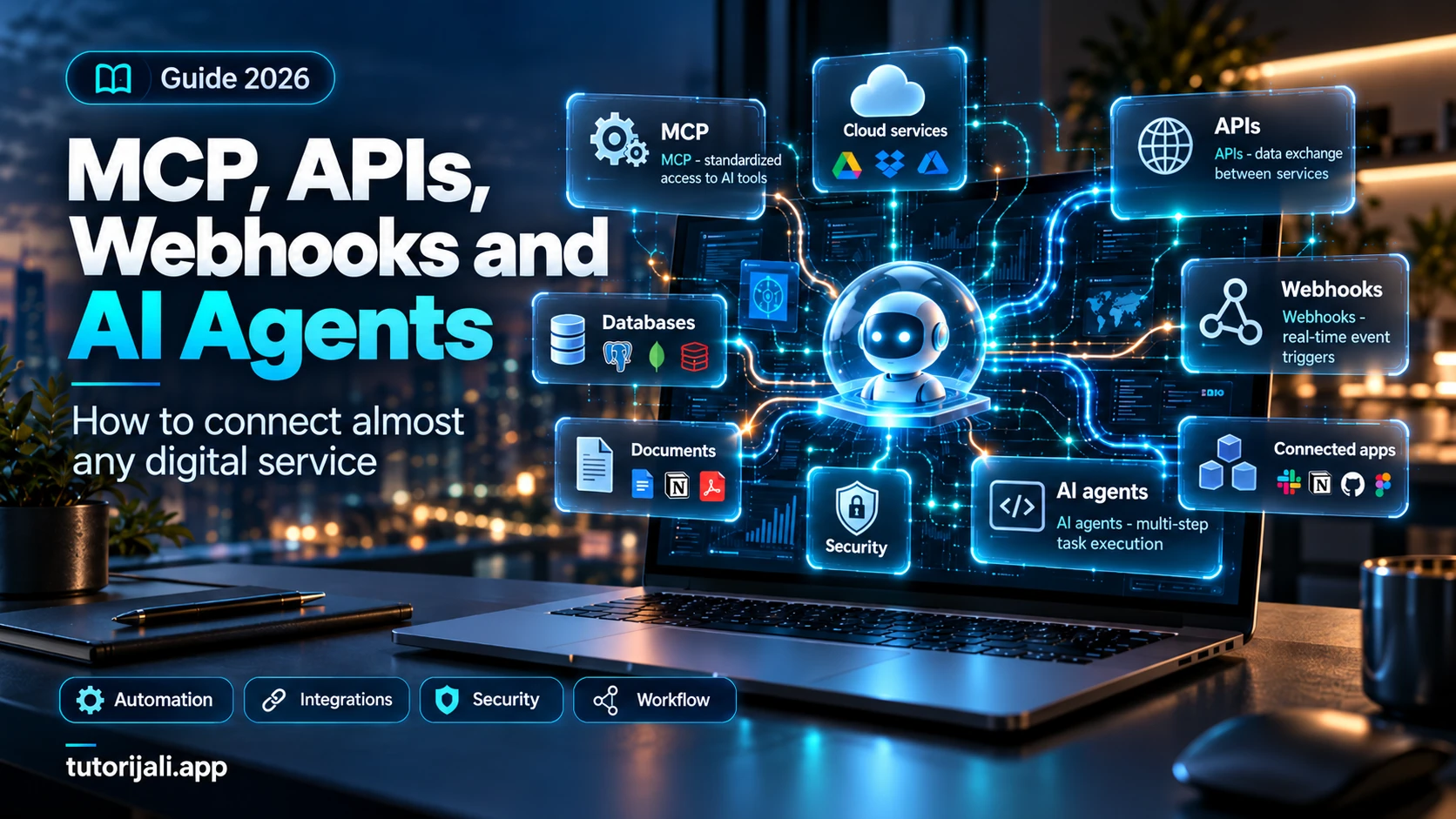
MCP, APIs, Webhooks and AI Agents: How to Connect Almost Any Digital Service in 2026
A complete practical guide to MCP, APIs, webhooks, and AI agents: compare the technologies, build n8n workflows and a Python MCP server, receive webhooks securely, explore 25 integration ideas, and review a production checklist.
Share your thoughts, questions, or tips about this article.