A practical guide to download managers, torrents, P2P, Usenet, debrid services, direct download sources, and tools for checking file safety.

Category: Networks, servers, and cloud | Updated: September 21, 2026.
Topic: A guide to download managers, torrents, P2P protocols, Usenet, debrid services, and download safety
Author: Zoran Knežević | Format: Comprehensive technical guide
Review date: September 21, 2026.
Introduction: What downloading data actually involves
In everyday use, downloading data from the internet often means clicking a button in a web browser. Behind that simple action is a wide range of network protocols, transfer models, and topologies that determine a file's speed, reliability, and integrity.
Standard download methods include:
- HTTP and HTTPS: Client-server protocols in which a web browser sends a
GETrequest and a remote server delivers content as a stream of bytes. - FTP and SFTP: Specialized file-transfer protocols. SFTP uses an SSH tunnel for encryption and secure access to remote servers.
- Segmented (parallel) downloading: A technique that splits one file into logical chunks. The client opens multiple simultaneous TCP connections using
Rangeheaders to work around congestion and per-connection speed limits. - Download manager: A dedicated application that manages queues, resumes interrupted sessions when the server supports it, schedules network traffic, and communicates with a web browser.
- File host (one-click hoster / cyberlocker): A service that stores files on centralized cloud servers and offers direct access, either free or paid.
- Open directory: A web or server location where directories and files can be browsed without navigating a conventional application.
- P2P (peer-to-peer): A distributed network in which computers exchange data directly with other participants instead of relying on one central storage server.
- BitTorrent: An efficient P2P protocol that splits data into hundreds of small pieces, verifies them with cryptographic hashes, and distributes the workload among users in a swarm.
- Magnet link: A cryptographic URI that primarily contains a torrent identifier, known as the info hash. Additional parameters may include the name, trackers, and other information.
- Usenet and NZB: A decades-old global network of distributed discussion groups (newsgroups) that supports high-bandwidth binary transfers through specialized servers and XML index files (
.nzb). - IRC and XDCC: A chat network where bots share files through direct DCC (Direct Client-to-Client) transfers initiated with text commands.
- Remote downloader and seedbox: A high-bandwidth remote server or virtual machine that downloads files for you and stores them on cloud storage for later transfer.
- Debrid and multihost services: Intermediary services that maintain accounts with supported file hosts and cache popular torrents on their own servers, then deliver content as a direct HTTPS link. Availability depends on the service, host, and subscription plan.
Important note: BitTorrent, P2P, Usenet, IRC, download managers, debrid services, and the other technologies covered in this guide have legitimate technical uses. Some public indexes and services may also contain or link to copyrighted material. Download only content you are authorized to access, and check the rules that apply in your country. With unofficial sources, watch for malware, fake download buttons, modified installers, and deceptive mirror domains.
Overview: Which tools should you use for each task?
The table below summarizes recommended tools for common needs:
| Need | Recommendation | Why |
|---|---|---|
| A standard large HTTP file | AB Download Manager / FDM / Gopeed | Resume support, segmented downloads, and queues |
| Many links and file hosts | JDownloader | Automated link handling, clipboard monitoring, and modular add-ons |
| Terminal or server environment | aria2 | Low resource use, multi-protocol support, and RPC automation |
| Desktop and torrenting in one app | Gopeed / Varia / FDM | Multiple protocols (HTTP, HTTPS, magnet, BitTorrent) in one interface |
| Traditional BitTorrent | qBittorrent | Stable, ad-free open-source client with advanced filters |
| Headless torrent server | Transmission / rTorrent | Low resource use, WebUI, and headless operation on home servers and NAS devices |
| Usenet | SABnzbd / NZBGet | Specialized NZB processing, PAR2 repair, and automatic extraction |
| Remote torrenting | TorBox / Seedr / webtor | Downloads run on a remote cloud server without using your local network |
| Open directories / Soulseek | Nicotine+ | P2P transfer of music and files over the Soulseek protocol |
| IRC / XDCC | IRC client + XDCC search | Direct file transfers through bots on IRC channels |
Software sources
The origin of an installer affects the security and integrity of your system. The software ecosystem includes several kinds of sources:
- Official project website: The primary and most recommended source. The author or development team signs the software with a digital certificate.
- Community software directories: Catalogs where the community reviews, documents, and tracks software without modifying its binaries.
- Software alternatives: Sites for finding replacements for commercial or proprietary products, often based on similar workflows.
- Repacks and modified sources: Packages repackaged by third parties to automate installation, remove dependencies, or customize software. They carry elevated security risks.
- Forums and communities: Places where users share recommendations, scripts, and links to hosted files.
- Mirrors and download directories: Independent servers that store copies of original installers to distribute traffic or archive older versions.
Software alternatives and search
These indexes can help you find alternatives to a particular tool:
- Adobe Alternatives - A maintained index of free and open alternatives to Adobe's commercial design, video editing, and audio software.
- Virgil Software Search - A search engine for finding software projects and repositories. A Virgil Search Mirror is also available, and the source code is on Virgil GitHub.
- Software CSE - A custom Google search engine focused on software portals and knowledge bases.
- AlternativeTo - A well-known platform for finding software alternatives based on user recommendations for Windows, Linux, macOS, and the web.
- European Alternatives - A directory of software services and tools developed in Europe, with a focus on data privacy and regulatory compliance.
Unofficial and modified software sources
⚠ Unofficial source: These services host or link to modified, unpacked, or community-made installers. Modified software carries a substantially higher risk of embedded malicious code, unwanted processes, and instability. Do not confuse these installers with official releases from the software publisher, and do not use them in business or production environments.
| Source | Resource type | Access notes |
|---|---|---|
| CracksURL | Repacks and software portal | See CracksURL How-to-Download, the Telegram channel, and the Telegram Mirror |
| LRepacks | Repacked installers | Windows installers with silent-install options |
| Soft98 | Regional software portal | Large archive of desktop software and tools |
| Mobilism | Community forum | Discussions and apps for mobile and desktop platforms |
| Nsane Forums | Technology forum | Discussions about software releases and beta versions |
| DownloadHa | Software archive | Collection of programs, operating systems, and utility tools |
| Moum | Software directory | Catalog of desktop apps and utilities |
| RetroSystemRevival | Retro software blog | Archived packages for older versions of Windows and DOS |
| Libreware | Telegram channel | Information about portable software and utilities |
| ZXPInstaller | Installation utility | Open tool for installing ZXP extensions and add-ons |
FOSS: Free and open-source software
Open-source software (FOSS, or Free and Open Source Software) offers transparency because public source code enables independent audits, public bug reports, and the ability to compile the software yourself.
When downloading open-source software, follow these steps:
- Check the project's official website or its official GitHub, GitLab, or Codeberg organization.
- Download executable packages from the repository's official Releases page.
- Compare the published hash, such as SHA-256, with the value provided by the developers.
- Verify the author's PGP digital signature whenever one is available.
Open-source software catalogs and repositories
- Awesome Open Source - Searchable database of thousands of categorized open-source projects.
- definitive-opensource - Structured list of notable open-source tools.
- Awesome Useful Projects - Practical open-source projects for everyday use.
- Awesome OSS Alternatives - Runa Capital's catalog of open alternatives to commercial SaaS products.
- new(releases) - Tracks new versions of open-source projects. Its repository is on newreleasesio GitHub.
- Is It Really FOSS - Analyzes the actual licenses used by software. The source code is on the Codeberg repository.
- SourceForge - A long-running historical open-source repository.
- OSSSoftware - Database of vetted open-source software with technical descriptions.
- Fossies - Source-code archive for Linux, Unix, and Windows software.
- Gadgeteer Open Source Software - Catalog of open tools for desktop and server use.
- FossHub - Download hub with direct links to popular open-source software.
- OSS Gallery - Gallery of open projects. Its repository is on dubinc/oss-gallery GitHub.
- Opensource Builders - Catalog of open alternatives to commercial platforms. Its repository is on opensource.builders GitHub.
- OpenAlternative - Easy-to-browse guide to modern open-source tools.
- opensourcealternative.to - Searchable collection of open-source alternatives to proprietary apps.
- Awesome CLI Apps - A spreadsheet-format database of command-line tools that is easy to search.
- CLI Club - Community and directory focused on terminal apps. Its source code is on cli-club GitHub.
- FOSS Wikipedia portal - Detailed encyclopedia classification of open-source software by category and license.
Freeware and portable software
Freeware differs from open-source software because it is free to use, but the author usually does not publish its source code.
Portable apps are designed to run without a conventional installation. Many keep their settings alongside the app, but that does not guarantee they will leave no registry entries, cache files, or other system data. They are still easier to carry between devices because they can run directly from an external drive or USB stick.
Freeware indexes and catalogs
- Awesome Free Software / Awesome Free Apps - Curated collection of free desktop and mobile apps.
- Windows Ultimate Collection - XDA Developers guide to free Windows system utilities.
- Free Lunch - List of free software packages for a range of purposes.
- Awesome Python Applications - Catalog of standalone applications written in Python.
- FluentStore - Open desktop app store for Windows.
- DanStore - Web interface for searching packages in the Microsoft Store ecosystem.
- Microsoft Store RG - Generates direct download links for
.appxand.msixbundlepackages from Microsoft servers. - StoreWeb - Alternative web browser for the Microsoft Store catalog. Source code is on StoreDev GitHub.
Classic freeware directories
These portals have a long history of testing, cataloging, and archiving free software:
- MajorGeeks - Long-running portal for system tools, drivers, and hardware diagnostics.
- Softpedia - Large software index with technical reviews and malware-free checks.
- Realityripple - Catalog of independent utilities.
- OlderGeeks - Archive of free programs without third-party ads.
- FilePuma - Fast directory of popular program releases.
- FileEagle - Free app catalog organized by platform.
- LO4D - Windows software database with technical specifications and security reviews.
- SoftwareOK - Compact, free utilities by Nenad Hrg, including Q-Dir and DesktopOK.
- GRC Freeware - Steve Gibson's diagnostic and security tools, including Never10 and ShieldsUP!
- Uwe Sieber - Specialized tools for managing USB devices and drives in Windows.
- Software Informer - Database for tracking installed software updates.
Portable apps
- PortableApps - Widely used platform for portable apps, with its own menu and app updater.
- PortableFreeware - Tests how portable apps are and where they store configuration data.
- Portapps - Open project that packages desktop programs for portable use.
- PortableAppZ - Archive of apps configured to run without installation.
Windows system utilities
- NirSoft - Extensive collection of small, free utilities by Nir Sofer for network analysis, password recovery, and system inspection.
- Windows-Utilities - Collection of practical tools for Windows administration.
- OS Vault - Directory of utilities and scripts.
- WinTools - Lightweight system programs for optimization and cleanup.
- Suckless - Development philosophy focused on minimalist, efficient software without unnecessary code.
Legacy and retro software
⚠ Check the content and copyright status: The legal status of older software, often called abandonware, is frequently unclear. A program being old or no longer sold commercially does not automatically mean its copyright has expired.
- VETUSWARE - Large archive of historical software for DOS, Windows 3.1x, Windows 95, and early systems.
- OldVersion - Archive of earlier program releases for cases where newer versions lose compatibility or change their requirements.
- Vintage Software Collection - Large collection of historical software on the Internet Archive. Usage rules and copyright status may vary from item to item.
- SCiZE's Classic Warez - Historical records of early computer releases and the demoscene.
- Commodore Software - Catalog of programs and games for Commodore 64 and Amiga systems.
Open directories and P2P file sharing
An open directory is a web or server location where directories and files can be browsed without navigating a conventional application. Implementations and access methods vary. Many appear as simple HTML folder listings that provide direct HTTP GET access to exposed files.
Open directory search and monitoring
- r/OpenDirectories - Subreddit dedicated to finding and documenting publicly exposed server directories. There is also a Telegram channel and an indexing profile, ODScanner.
- EyeDex - Search engine for finding content inside open directories.
- ODCrawler - Aggregator and search engine for indexed servers. Its repository is odcrawler-discovery GitHub.
- mmnt - Database of indexed FTP and HTTP servers with direct access.
The Soulseek and Nicotine+ ecosystem
Soulseek is a decentralized P2P protocol developed primarily for sharing rare music, audio recordings, and independent releases. Participants search other users' shared folders and download files directly from their computers.
- Nicotine+ - Modern open-source client with a graphical interface for the Soulseek network. Its repository is nicotine-plus GitHub. It supports UPnP port mapping, geo-filters, and search.
- Soulseek - Website for the original Soulseek network and client.
- Slsk-Upload-Stats-Tracker - Script for tracking transfer statistics on Soulseek.
- slskd server - Standalone headless Soulseek daemon in a Docker container, with a WebUI.
- sldl batch downloader - Command-line tool for batch downloading from Soulseek.
eMule and RetroShare
- eMule - Classic P2P client based on the eDonkey2000 and Kademlia networks. A modern repository is available at irwir/eMule GitHub.
- RetroShare - Platform for encrypted P2P communication and file sharing among connected friends without central servers.
FTP search engines
- Mamont - Index of public FTP servers.
- Search-22 FTP Search - Collection of search engines for FTP and network storage.
Open directory tools and demoscene archives
The demoscene is an international computer subculture focused on creating audiovisual demonstrations, or demos, that test hardware capabilities in real time. Demoscene archives are an important record of digital computer art.
- OpenDirectoryDownloader - Open-source tool for indexing and downloading open directories, with statistical reports.
- DemoZoo - Database of demoscene productions with download links.
- Pouet - Well-known demoscene portal with tens of thousands of demo releases.
- Curio - Search engine for demoscene archives.
- scene.org - Archive of demoscene material and freely available productions.
- CD.TextFiles - Historical archive of shareware and freeware CD-ROM releases.
- Defacto2 - Historical archive dedicated to the early computer scene, NFO files, and graphic art.
Direct downloads (DDL)
⚠ Take extra care with executable files: These portals link to content hosted on external file-hosting services such as Rapidgator, DDownload, Mega, and 1Fichier. Be especially careful with
.exeand.msifiles, password-protected archives, fake download buttons, and ads that imitate links. Use an ad blocker and check the file extension before opening anything.
Direct downloads (DDL, or Direct Download Links) transfer files from centralized servers over standard HTTP or HTTPS.
Traditional direct downloads do not use a P2P swarm, so other downloaders generally do not see your IP address as a peer. However, the website or file-host server, CDN, and network intermediaries may still have access to connection metadata and your IP address. Free access often also comes with speed limits imposed by the hosting provider.
Archive and community repositories
- Internet Archive - Digital library of books, movies, software, music, and preserved web pages through the Wayback Machine.
- r/DataHoarder - Community focused on preserving and storing digital data.
- Archive Team - Volunteer group that archives data from services before they shut down. Discussions take place on r/Archiveteam.
DDL portals and release indexes
- MaxRelease - Portal with direct links to software and media releases.
- SCNLOG - Database of published releases with links to file hosts.
- SceneSource - Release information portal, also available through the SceneSource Mirror.
- WorldSRC - Catalog of download links.
- AditHD - Portal focused on high-definition formats.
- wJungle - DDL content index with storage options.
- Novanon - Portal linking to cloud storage.
- ReleaseBB - Release index with an extensive database. Alternative domains and mirrors include rlsbb.to, rlsbb.cc, and rlsbb.in. It also offers the ReleaseBB TV Show Tracker and RLSBB PreDB log.
- Psycho downloads - DDL directory with links to hosting services.
- Merlin Warez - Index of software download links.
- 1DDL - Portal with direct links to popular file hosts.
- WarezLoad - Portal for sharing software and tools.
- Katz DDL - Continuation of a former link index.
- TehParadox - Community forum for discussion and link sharing.
- downTURK - Index with a large collection of graphics resources and software.
- SoftArchive / SAnet - Long-running DDL portal. It uses several official mirrors for availability: sanet.lc, sanet.st, sanet.sb, softarchive.is, soft.ac, and sanet.ws. The official domain status is tracked at sastatus.com.
Search engines for download sources
Search engines focused on download sources index file-hosting services, public folders, and network directories.
Keep in mind that a specialized search engine only indexes content hosted on external servers. It does not guarantee the safety, integrity, or legality of a file at the destination.
- Download CSE - Custom Google search engine configured for DDL and archive sites.
- Download CSE 2 - Alternative custom search configuration for finding downloads.
- 4Shared - Search engine and file storage service with search for user documents and media.
- File Host Search - CSE aggregator that searches multiple storage services at once.
- Linktury (DDLSpot) - Search engine for direct links and data storage.
- MediafireTrend - Search engine for files shared on MediaFire.
- WarezOmen - Search aggregator for software packages.
- XDCC.EU - Search engine for packages shared by XDCC bots on IRC networks.
Download managers
A download manager is specialized software designed to organize and simplify data transfers over the internet. Compared with the basic features of a web browser, it can offer:
- Segmented downloads: A file is split into multiple parts and downloaded in parallel over separate TCP connections. This can improve speed when the server or network route limits an individual connection.
- Resume interrupted downloads: If a connection drops and the server supports resuming, the download continues from where it stopped.
- Queues and scheduler: Automate the order and timing of downloads.
- Browser integration: Extensions intercept links and send them to the application automatically.
- Cookies and authentication: Transfer signed-in browser sessions so the manager can download from protected accounts.
- Clipboard monitoring: Detect copied links in the clipboard.
- Multiple protocols: Manage HTTP, HTTPS, FTP, SFTP, and, in some tools, BitTorrent transfers.
Leading download managers
AB Download Manager
AB Download Manager is a modern open-source application written in Kotlin and Compose Multiplatform. It has versions for Windows, Linux, macOS, and Android, with a clean interface, segmented downloads, and browser integration.
- AB Download Manager Firefox add-on
- AB Download Manager Chrome extension
- AB Download Manager GitHub repository
- Browser Integration source code
JDownloader
JDownloader is one of the best-known tools for batch downloading from hundreds of file-hosting services. Written in Java, it supports link detection through LinkGrabber, CAPTCHA handling, archive extraction, and remote control through the MyJDownloader service.
- Interface themes: Material Darker for JDownloader and the Dracula theme.
- Setup guide: JDownloader 2 Debloat guide.
Internet Download Manager (IDM)
Internet Download Manager is a long-established commercial Windows program known for its stability and dynamic file segmentation.
- IDM Integration Module for Firefox
- IDM Integration Module for Chrome
- Note: IDM is commercial software that requires a license. Avoid untrusted patches, which may contain malware.
Gopeed
Gopeed is a fast, open-source downloader written in Go with a Flutter interface. It supports HTTP(S), BitTorrent, magnet links, and ed2k. It is available for desktop and mobile platforms, with a CLI mode, REST API, WebUI, and extension system.
Free Download Manager (FDM)
Free Download Manager is a popular choice for users who want an HTTP download manager and an integrated BitTorrent client in one interface.
- FDM Firefox add-on
- FDM Chrome extension
- Elephant YTDL add-on for downloading media.
aria2 and aria2-next
aria2 is a lightweight command-line utility that supports HTTP/HTTPS, FTP, SFTP, BitTorrent, and Metalink. It suits scripts, servers, and automation because it uses minimal system resources and can be controlled through its built-in JSON-RPC / XML-RPC interface.
- aria2-next - Fork with updated components.
- DownloadBot - Telegram bot for managing aria2 downloads.
- webui-aria2 - Web frontend for managing the aria2 service.
- AriaNg - Modern web interface for aria2 that does not require server-side dependencies.
Other download managers
- Rayburst - Open-source cross-platform download manager for Windows, Linux, and macOS.
- imFile - Open-source graphical download manager with support for torrents, HTTP, and FTP.
- Persepolis - Graphical interface for aria2, written in Python and Qt, suitable for Linux and Windows.
- pyLoad - Python download manager for home servers and NAS systems, controlled through a WebUI. pyLoad Core runs as a cross-platform service on desktop and server systems. The Android app controls a remote instance rather than acting as a standalone local engine.
- ArrowDL - Mature download manager for Windows and Linux. A macOS version is not available yet. Add-ons: Firefox and Chrome.
- Varia - Clean download manager that uses aria2 and yt-dlp to download files and videos. Official packages are available for Linux and Windows. macOS builds for Intel and Apple Silicon are experimental. Integration add-ons: Firefox and Chrome.
- Surge - TUI and CLI download manager for terminal users, with a companion Firefox add-on.
- DownThemAll - Well-known browser extension for batch downloading links and images from a web page. Available for Firefox and Chrome.
- HTTP Downloader - Compact Windows downloader written in C++ without bulky libraries. It supports HTTP(S), FTP(S), SFTP, and parallel connections. Source code is on the GitHub repository, with a Firefox add-on.
Download manager comparison
| Tool | Open source | Windows | Linux | macOS | Android | HTTP(S) | Torrent | Browser extension | CLI / WebUI |
|---|---|---|---|---|---|---|---|---|---|
| AB Download Manager | Yes | Yes | Yes | Yes | Yes | Yes | No | Yes | No |
| JDownloader 2 | Yes (GPL) | Yes | Yes | Yes | No | Yes | No | Yes | WebUI (MyJDownloader) |
| Internet Download Manager (IDM) | No | Yes | No | No | No | Yes | No | Yes | No |
| Gopeed | Yes | Yes | Yes | Yes | Yes | Yes | Yes | Yes | CLI and WebUI |
| Free Download Manager (FDM) | No | Yes | Yes | Yes | Yes | Yes | Yes | Yes | No |
| Rayburst | Yes | Yes | Yes | Yes | No | Yes | No | No | No |
| imFile | Yes | Yes | Yes | Yes | No | Yes | Yes | Yes | No |
| aria2 | Yes | Yes | Yes | Yes | Yes (Termux) | Yes | Yes | Via add-ons | CLI and JSON-RPC |
| Persepolis | Yes | Yes | Yes | Yes | No | Yes | No | Yes | No |
| pyLoad | Yes | Yes | Yes | Yes | Remote client | Yes | No | Yes | CLI and WebUI |
| ArrowDL | Yes | Yes | Yes | No | No | Yes | No | Yes | No |
| Varia | Yes | Yes | Yes | Yes, experimental | No | Yes | Yes | Yes | No |
| Surge | Yes | Yes | Yes | Yes | No | Yes | No | Yes | TUI and CLI |
| DownThemAll | Yes | Yes (browser) | Yes (browser) | Yes (browser) | No | Yes | No | Built in | No |
| HTTP Downloader | Yes | Yes | No | No | No | Yes | No | Yes | No |
Usenet
Usenet is a distributed network for exchanging messages and files that dates back to 1979. Although it was originally created for text discussions, it has also been used to transfer binary files for decades.
Usenet fundamentals
- Usenet: A network of servers that exchange data through NNTP (Network News Transfer Protocol).
- Newsgroup: A hierarchically organized discussion group for a particular topic, such as
alt.binaries.*for files. - Usenet provider: A company that offers access to news servers through a subscription or a traffic plan.
- Retention: How long a provider keeps a posted file on its servers before deleting it. Some providers offer more than 5,000 days of retention.
- NZB file: An XML file containing the message identifiers (
Message-ID) needed to assemble a complete file. - Indexer: A web portal or API service that scans Usenet groups, indexes binary posts, and generates NZB files for searching.
- Usenet downloader: A client program that downloads parts of a file, checks its integrity, and extracts it.
- PAR2 (parity volume): Recovery files that can reconstruct damaged parts of an archive when some blocks are missing.
- SSL / TLS: An encrypted connection, usually on port 563 or 443, between your downloader and provider. TLS protects the contents of communication with the Usenet server, but a network operator can still see that you have an encrypted connection to a particular server, along with basic traffic data such as volume and timing.
Usenet resources and indexers
- Nyuu Usenet Uploaders Wiki - Guide to preparing and posting binary data on Usenet.
- r/usenet - Reddit community for discussing providers, indexers, and configuration.
- Reddit Indexer List - Table and overview of active Usenet indexers.
- r/UsenetInvites - Subreddit for exchanging invitations to private indexers.
- NZBHydra2 - Meta-search engine and proxy that combines searches across multiple Newznab/Torznab sources.
- Treasure Maps - Catalog and guide to the Usenet ecosystem.
- NZBPlanet - Newznab indexer with a large database and API access.
- Orion - Multi-protocol index and meta-search engine.
- Binsearch - Free public search engine for binary Usenet content.
- NZB King - Public search engine with a database of indexed messages.
- NZB Index - Public indexer, also available through the NZB Index NL Mirror.
- Newznab - Web application for running your own Usenet indexer.
- NZBStars - Public indexer with group-based filtering.
- Usenet Crawler - Long-running index.
- GingaDaddy - Specialized Usenet index.
- NZBFinder - Newznab indexer that integrates with automation systems.
- aninzb and AmeNZB - Indexers focused on animated content.
- OldUSe - Historical archive of text discussions from Usenet.
- altHUB - Community indexer.
- Spotweb - Open Usenet indexing system based on the Spotnet protocol.
Additional Usenet guides and references
For a deeper understanding of Usenet history, NNTP architecture, and configuration, see these references:
- Usenet Beginner Guide - Comprehensive introduction to the Usenet hierarchy and downloading.
- New to Usenet Reddit Guide - Getting-started guide for new members of r/usenet.
- Usenet News HOWTO - Classic Linux documentation on newsgroup basics and NNTP.
- Everything You Need to Know About Usenet - Clear guide to providers, retention, and indexers.
- r/usenet Wiki Index - Official index of documentation and technical recommendations.
- Automated Usenet Setup Case Study - Example of service automation and integration with Plex, SABnzbd, and Sonarr. General copyright rules still apply.
Providers and infrastructure
When choosing a provider, consider using different backbones so you have an alternative source if a file is incomplete on one server:
- Reddit Provider List - Provider table organized by backbone.
- Reddit Provider Deals - List of current Usenet subscription offers.
- Usenet Deals Tracker - Overview of current market offers.
- Usenet Tree Map - Diagram of provider ownership and backbones.
Usenet download clients
- SABnzbd - Popular open-source Usenet client. It runs as a service with a WebUI and supports automatic downloading, verification, PAR2 repair, and extraction.
- NZBGet - Efficient Usenet downloader written in C++. Its low resource use makes it suitable for NAS devices and routers. Source code is on nzbgetcom GitHub.
- Usenet File Hashes Gist - Technical documentation about hashes and content identification on Usenet.
BitTorrent vs. Usenet
| Criterion | BitTorrent | Usenet |
|---|---|---|
| Transfer topology | P2P, from other users' computers | Client-server, from provider servers |
| Download speed | Depends on the number of seeders and their upload capacity | With a good provider, enough parallel connections, and a suitable network route, Usenet can make very good use of your available connection speed. Results still depend on the provider, server, plan, and connection. |
| IP visibility | Public within the swarm. All participants can see your IP address. | Unlike a public BitTorrent swarm, the user does not connect directly to many other peers. The Usenet provider and the network infrastructure still have access to some connection metadata. |
| Reliance on others | Older files may become unavailable if there are no seeders | A file is available for as long as the provider retains it |
| Cost | Usually free | Usually requires a paid provider and indexer account |
| Upload requirement (ratio) | Sharing is expected, especially on private trackers | No sharing is required. The model is download-only. |
Debrid, multihost, and remote downloads
Debrid services, also known as multihost services, act as intermediaries between users and supported file-hosting platforms or BitTorrent networks.
How a debrid service works
- Multihost subscription: The service pays for accounts with supported file hosts. Users pay the debrid service for the ability to generate direct links within the service and account limits.
- Cached torrents: When you submit a magnet link, the service checks whether the content has already been downloaded to its storage. If it has been cached, the download can start immediately over HTTPS, subject to server and connection capacity, without P2P traffic on your local network.
- Protocol conversion: The full P2P transfer runs on remote cloud infrastructure, while you receive the file as a regular HTTPS stream or archive.
Comparison and leading debrid services
- Debrid Comparison - Table comparing supported hosts, limits, and debrid features. Its repository is on fynks GitHub.
- TorBox - Debrid service supporting Usenet, torrents, and direct downloads. Clients and community resources include:
- Real-Debrid - Long-running debrid service with a large cache of torrents and support for leading file hosts.
- Unchained Android client - Open mobile app for managing a Real-Debrid account.
- rdt-client - Docker service that emulates qBittorrent while downloading through Real-Debrid in the background.
- TorrentDownloaderRD - Client for automating DDL downloads.
- Nullbeat - TorBox-based tool and service associated with Hi-Res audio and CD FLAC content.
- Debridr - Tool for quickly converting links from supported hosts.
Tools and debrid managers
- TeraBox download tools: Scripts and services for generating direct links from TeraBox:
- Multi-OCH Helper - Userscript that detects supported file-host links on web pages and replaces them with debrid links.
- Debrid Media Manager - Web interface for searching, organizing, and managing cached libraries on debrid services.
- Debrid Vault - Instance for organizing debrid accounts. Discussion is available on its Discord server.
IRC and XDCC
IRC (Internet Relay Chat) is a text communication protocol created in 1988. In addition to chat, it has supported DCC (Direct Client-to-Client) for decades, which allows two clients to transfer files directly without sending the file contents through the central IRC server.
XDCC is a mechanism for distributing files automatically through bots on IRC networks, using DCC transfers. Specialized bots stay in channels, offer lists of packages (packs), and send files to users who enter the appropriate command, for example /msg BotName xdcc send #1.
Why this model still exists
- No sharing requirement: Downloads come directly from a bot on a high-bandwidth server.
- A distinct traffic model: IRC/XDCC uses a different communication and distribution model from ordinary web downloads. How networks and filters treat it depends on their specific policies.
- Low resource use: Packages can be downloaded directly from a terminal on modest hardware.
IRC guides and resources
- Awesome IRC - List of IRC clients, libraries, servers, and bots.
- NetSplit - Statistics portal tracking IRC networks, channels, and user counts.
- IRC client comparison on Wikipedia - Technical table of features, platforms, and DCC support.
- Libera Chat Guides - Instructions for registering a nickname (NickServ), SASL authentication, and CertFP certificates.
- AnonOps New Blood - Introductory manual for using IRC and communicating safely.
- Wikipedia IRC Tutorial - Practical instructions for getting started on IRC networks.
Recommended IRC clients
- AdiIRC - Customizable Windows client with support for multithreaded DCC transfers and scripting.
- KVIrc - Cross-platform client written in C++ and Qt, with a graphical interface.
- Halloy - Minimalist open-source IRC client written in Rust.
- Konversation - Stable IRC client for KDE on Linux. Source code is on the KDE Invent repository.
- Convos - Web-based IRC client. Its repository is convos-chat GitHub.
- The Lounge - Self-hosted Node.js IRC client that maintains persistent network connections and lets you connect from a browser. Source code is on thelounge GitHub.
Active IRC networks
- Libera Chat - Large network for free software, open-source projects, and engineering communities.
- tilde.chat - Community for command-line and retro-computing enthusiasts.
- AnonOps - Independent network with strict encryption rules.
- Rizon - Long-running network known for multimedia communities and XDCC bots.
- UnrealIRCd - Open-source software for configuring your own IRC server.
BitTorrent: How the protocol works in practice
BitTorrent is a P2P (peer-to-peer) network protocol designed to distribute large amounts of data efficiently without overloading a central server.
Anatomy of a BitTorrent transfer
- .torrent file: A
.torrentfile contains BitTorrent metadata used to identify and verify content. It may also include tracker addresses. - Magnet link: A magnet link primarily carries the torrent identifier, or info hash. Additional parameters may include the name, trackers, and other information.
- Info hash: An identifier derived from torrent metadata. The way it is generated also depends on the BitTorrent protocol version.
- Tracker: A server that coordinates transfers and keeps track of the IP addresses and ports of users downloading or sharing a particular torrent.
- DHT (Distributed Hash Table): A decentralized system in which clients store information about file availability, allowing torrents to work without central trackers.
- PEX (Peer Exchange): A mechanism that lets connected peers exchange lists of other known peers in the same swarm.
- Swarm: All computers currently participating in the exchange of a particular torrent.
- Peer: A computer participating in a swarm transfer.
- Seeder: A peer with a complete copy of the torrent that continues to share it with others.
- Leecher: A peer downloading a file while also sharing the pieces it has already received.
- Piece: A file is split into thousands of equal-sized blocks, usually 512 KB to 16 MB. Clients can download different pieces in random order from available seeders and leechers. The number of sources depends on the swarm.
- Hash verification: The BitTorrent client checks downloaded pieces against their hashes and can download invalid pieces again.
- Ratio: The amount of data uploaded divided by the amount downloaded.
- Seed time: How long a user keeps a torrent active for sharing after the download finishes.
- Public vs. private tracker: Public trackers accept requests from all users and are listed on open websites. Private trackers require an account, track members' ratios, and often disable DHT and PEX for better control.
- WebTorrent: Technology that runs the BitTorrent protocol directly in a web browser over WebRTC, without installing a desktop client.
- Port forwarding, NAT, and UPnP: Opening the relevant TCP/UDP port on a router or VPN allows the client to accept incoming connections. This connectable status can make it easier to communicate with more peers in a swarm.
Visual flow of a BitTorrent transfer
┌────────────────────────┐
│  Magnet / .torrent     │
└───────────┬────────────┘
            │
            ▼
┌────────────────────────┐         ┌────────────────────────┐
│ Tracker                │ ◄─────► │ DHT / PEX network      │
│ Central coordination   │         │ Decentralized database │
└───────────┬────────────┘         └───────────┬────────────┘
            │                                  │
            └────────────────┬─────────────────┘
                             │
                             ▼
┌───────────────────────────────────────────────────────────┐
│                    PEER DISCOVERY                         │
│    Finding active IP addresses and ports in the swarm     │
└────────────────────────────┬──────────────────────────────┘
                             │
                             ▼
┌───────────────────────────────────────────────────────────┐
│                PARALLEL PIECE DOWNLOADING                 │
│   Peer A (Piece 1, 4) │ Peer B (Piece 2, 5) │ Peer C (3)  │
└────────────────────────────┬──────────────────────────────┘
                             │
                             ▼
┌───────────────────────────────────────────────────────────┐
│                 CRYPTOGRAPHIC HASH CHECK                  │
│     Each piece is checked before it is written to disk    │
└────────────────────────────┬──────────────────────────────┘
                             │
                             ▼
┌───────────────────────────────────────────────────────────┐
│                     COMPLETE FILE                         │
│       Client becomes a seeder and continues sharing       │
└───────────────────────────────────────────────────────────┘
Public torrent sites
⚠ Check the content and copyright status: Public torrent indexes link to both freely distributed material and copyrighted content. The BitTorrent protocol itself is a neutral data-transfer technology and does not determine the legal status of a file. Follow the laws in your country and avoid unverified executable files.
- RuTracker - Well-organized torrent index with a forum structure. It contains millions of topics with verified hashes, discographies, and specialized software. A mirror is available at rutracker.net, along with the RuTracker Wiki and Forum Rules.
- RuTracker Proxy - Open-source proxy/helper project related to accessing RuTracker infrastructure.
- m0nkrus - Unofficial source of repackaged digital-content software. Mentioned only as a technical reference in catalogs. Do not use unauthorized licenses.
- 1337x - Popular public index with an active community and moderator badges for verified uploaders.
- Official mirrors: x1337x.cc, 1337x.st, x1337x.ws, and x1337x.eu.
- Domain status is tracked at 1337x-status.org.
- Community tools: Telegram Search Bot, 1337imdb script, Steam hover script, Display Magnets userscript, and Timestamp fix.
- RARBG Dump - Public archive database from the former RARBG portal. It serves as a historical catalog, not the original service.
- LimeTorrents - Simple, easy-to-browse public index with verified torrents.
- Rutor - Fast public index with no required registration. A mirror is available at rutor.info.
- TR4KER - Newer-generation alternative public index.
- UZTracker - Regional index with a mirror at uztracker.ru.
- NNM-Club - Forum-based index focused on software and audio releases.
- Torrenting.com - Semi-private index that opens registration from time to time.
- Knaben.info - Aggregator and search engine focused on verified magnet links.
Torrent aggregators and search
Understanding the terms helps when searching for files:
- Tracker: Server that coordinates transfers and exchanges IP addresses of peers in a swarm.
- Index: Website that organizes and displays torrent descriptions, comments, and links.
- Aggregator: Search engine that queries multiple indexes at once and combines the results.
- DHT crawler: Automated bot that queries the global DHT network and indexes discovered info hashes independently of individual websites.
- Meta-search: Search engine that combines results from several other search services.
Aggregators and DHT search engines
- ExT - Aggregator with a clean interface, search at search.extto.com, and a proxy at extranet.torrentbay.st.
- Knaben - Easy-to-browse aggregator that filters fake entries.
- DaMagNet - DHT crawler that searches magnet links directly through the distributed hash table.
- BT4G - DHT search engine with filters by file size and type.
- FileMood - Search aggregator with defined categories.
- TorrentProject - Search engine with a large indexed torrent database. A mirror is available at torrentproject2.net.
- TorrentQuest - Meta-search engine that combines data from multiple sources.
- ExtraTorrent St - Continuation of the ExtraTorrent brand, with a database of releases.
- Cleanbay - Proxy and search interface without intrusive ads.
- Torrents-CSV - Open torrent database in a clean CSV format with no user tracking. Its repository is on the Codeberg server.
- The Black Hole Bay - Aggregator and community, with discussions on its Discord server.
- snowfl - Minimalist meta-search engine that uses public APIs.
- Torlock - Index that encourages the community to report fake torrents.
- uIndex - Universal index.
- Torrent CSE 1 and Torrent CSE 2 - Custom Google searches configured for selected indexes.
- 0Mag - Magnet-link aggregator with a mirror at 16mag.net.
- Magnetissimo - Open-source Elixir web app for running your own aggregator.
- Telegram search bots: TorrentSearchRoBot and TorrentHuntBot let you search for torrents from within Telegram.
- Torrentinim - Torrent client and scraper written in Nim.
- BitMagnet - Self-hosted BitTorrent index and DHT crawler that can run in Docker, with built-in content classification and a WebUI.
Torrent clients
Your choice of torrent client determines how much control you have over network traffic and resource use.
The qBittorrent ecosystem
qBittorrent is a popular open-source BitTorrent client built with C++ and Qt. It has no ads or unwanted extras.
- Supports DHT, PEX, magnet links, private trackers, sequential downloading for watching videos while they download, categories, tags, search, RSS, and WebUI.
- A key feature for stability and privacy is Interface Binding, which restricts the client to your VPN's virtual network adapter.
- qBittorrent GitHub repository
- Alternative website
- qBittorrent Enhanced Edition - Modified version with additional filtering options for leechers and IP ranges.
Other leading clients
- Deluge - Modular open-source Python client. It offers a plugin system (Deluge Plugins) and integration with a Telegram bot.
- Transmission - Frequently chosen minimalist client with low memory use on Linux and macOS. It is included by default on many NAS devices.
- rTorrent - Optimized C++ CLI client for server environments and large libraries.
- ruTorrent - Web interface for rTorrent that resembles a traditional desktop layout.
- Flood - Modern Node.js web interface that can serve as a frontend for rTorrent, Transmission, or qBittorrent. Its repository is jesec/flood GitHub.
- Remote adder tools: Browser extensions that send a torrent from the web to your remote server in one click: torrent-control and Remote Torrent Adder.
- Tixati - Standalone client for Windows, Linux, and Android with detailed transfer and packet diagnostics.
- BiglyBT - Open-source successor to the Azureus / Vuze project, with extensive technical options and I2P support.
- LIII BitTorrent Client - Simple open-source Windows client.
- WizTorrent - Desktop client focused on core features.
- rqbit - Fast BitTorrent client written in Rust.
- PikaTorrent - Compact open-source client. Its repository is G-Ray/pikatorrent GitHub.
- distribyted - Project that mounts torrents as a local disk through a FUSE driver. Its repository is distribyted GitHub.
- Fragments - Clean BitTorrent client for the GNOME desktop on Linux.
- bitflu - Lightweight Perl torrent client for routers and embedded devices.
- KTorrent - Client for the KDE desktop. Its source code is on the KDE repository.
- Rats Search - P2P search engine and client based on DHT searches.
- I2P Torrent guide - Explains how BitTorrent works inside the anonymizing I2P network.
- Seedbox basics: A seedbox is a dedicated remote server, such as a VPS or physical server, with a fast network connection and a torrent client. It can provide stable operation and help maintain ratio requirements on private trackers. See r/Seedboxes and the Seedbox Guide portal.
Torrent client comparison
| Client | Open source | Windows | Linux | macOS | WebUI | Features and best use |
|---|---|---|---|---|---|---|
| qBittorrent | Yes | Yes | Yes | Yes | Yes | Common desktop and server choice, with interface binding |
| Transmission | Yes | Yes | Yes | Yes | Yes | Low resource use, suitable for NAS and Docker |
| Deluge | Yes | Yes | Yes | Yes | Yes | Modular client with a plugin system |
| rTorrent | Yes | No | Yes | Yes | Yes (ruTorrent/Flood) | High performance for seedboxes and large torrent libraries |
| Tixati | No | Yes | Yes | No | Yes | Detailed network packet and peer diagnostics |
| BiglyBT | Yes | Yes | Yes | Yes | Yes | Advanced features, I2P support, and swarm merging |
| rqbit | Yes | Yes | Yes | Yes | Yes | Rust implementation with a modern WebUI |
| Fragments | Yes | No | Yes | No | No | Good integration with modern Linux desktops |
| KTorrent | Yes | No | Yes | No | Yes | Client integrated with KDE services |
The qBittorrent ecosystem
Thanks to its open architecture, qBittorrent has a large ecosystem of plugins, themes, and management tools:
Search plugins and interface themes
- qBittorrent Search Plugins - Collection of Python plugins for searching public and private trackers directly from the client.
- List of known themes - Collection of styles for customizing the app.
- Popular qBittorrent themes:
Alternative WebUI interfaces
The standard qBittorrent WebUI is functional but has a traditional look. These projects replace it with more modern interfaces:
- List of known alternate WebUIs - Directory of alternative WebUI projects.
- VueTorrent - Popular, modern-looking alternative WebUI built with Vue.js. It has a responsive mobile layout, keyboard shortcuts, and a modern layout. An online VueTorrent demo is also available.
- qui - Fast web interface developed by the autobrr team. Its repository is autobrr/qui GitHub.
- qBitMF - Alternative interface focused on managing media libraries.
- iQbit - WebUI optimized for phone and tablet screens.
Automation and management tools
- qbit_manage - Library maintenance script for automatic tagging, removing inactive trackers, categorizing, and cleanup.
- qBitController - Open mobile app for remote control of qBittorrent instances.
- LinuxServer Docker qBittorrent - Standardized Docker container for running qBittorrent on home servers.
- arch-qbittorrentvpn - Docker container that integrates qBittorrent with an OpenVPN/WireGuard client and a kill switch that blocks traffic if the VPN disconnects.
- Quantum - Utility for automatically updating qBittorrent's forwarded port when using Proton VPN.
Remote torrenting
Remote torrenting moves the torrent download process from your local computer to a remote cloud server.
How the options differ
- Local torrent client (qBittorrent/Transmission): Downloads directly to your local drive using your home connection. Peers in the swarm can see your IP address unless you use a VPN.
- Remote torrent downloader (web service): A cloud service downloads the torrent on its own servers, then gives you a direct HTTP link or a video player for streaming.
- Seedbox: A remote Linux server, either a VPS or a dedicated machine, running a torrent client around the clock.
- Debrid cache: A service that keeps popular torrents on its own storage and lets you download them directly.
Remote torrenting services and tools
- TorBox - Service for downloading torrents and Usenet archives to cloud servers.
- Seedr - Well-known web downloader that can cache torrents and provide direct downloads, with a Telegram bot. An unofficial SeedrAPI Python wrapper is also available.
- Torrent to Google Drive Downloader - Open Google Colab notebook that downloads a torrent to Google Drive using temporary resources. Treat it as a practical one-time transfer tool, not permanent storage.
- WebTor - Service for playing torrent videos directly in a browser. It offers an Embed SDK library and a self-hosting guide.
- magnet.diy - Web tool for checking and converting magnet links.
- SonicBit - Cloud torrent client with options for transferring files to cloud drives.
- Multi-Up Torrent Upload - Service that downloads a torrent to a remote server and distributes it across supported free file hosts.
Private trackers
Private trackers are closed BitTorrent communities that require an account. Access is granted through an invitation from an existing member, an interview, or occasional open sign-ups.
Basic rules for private trackers
- Ratio requirement: Users must maintain a specified upload-to-download ratio, often above 0.6 to 1.0.
- Seed time: Requirement to keep sharing a downloaded file for a minimum period, such as 72 hours, regardless of ratio.
- Hit and Run (HnR): A violation that occurs when a user downloads a file and stops sharing before the required time has passed. Repeated HnRs may lead to penalties or account closure.
- Bonus points: Reward system that grants virtual points for time spent seeding. Points can later be exchanged for upload credit or used to clear HnR warnings.
- Cross-seeding: Sharing the same downloaded file on multiple trackers where identical content is available, earning upload credit without downloading it again.
Resources for navigating private trackers
- Private Trackers General - Guide to private tracker rules and etiquette.
- r/TrackersInfo Official Recruitments - Directory of official recruitment threads where members can apply to join other communities.
- Invite Route Graph - Diagram of common invitation paths between communities.
- OpenSignup - Tracks when private trackers temporarily open registration. Also available through a Telegram channel.
- TrackerHub - Database of private tracker status and rules.
- Tracker Pathways - Guide to progression routes within private communities.
- r/trackers - Reddit forum for discussing private tracker news and rules.
- r/OpenSignups and r/OpenedSignups - Subreddits for announcements about open registrations.
- Private Tracker Spreadsheet - Spreadsheet with information about private community rules and categories.
- cross-seed - Open-source automation tool that finds matching releases on other trackers for cross-seeding. Its repository is cross-seed GitHub.
- Upload-Assistant - Command-line tool for preparing and uploading torrents to private trackers.
Tracker lists, scene databases, and torrent tools
Public tracker lists
Additional public trackers can help some public torrents find peers, but they do not guarantee higher speeds. Do not manually add public trackers to private torrents, as this may violate the private tracker's rules. These projects maintain public tracker lists:
- ngosang TrackersList - Automatically updated list of public trackers. Its repository is on ngosang GitHub.
- TrackersList.com - Collection of tested trackers. Source code is on XIU2 GitHub.
- newTrackon - Service that tests the response time and availability of public trackers.
Scene resources and pre-release databases
The warez scene is an organized network of independent groups that release digital material according to technical standards. PreDB databases are for checking release names, publication times, and NFO documentation. They are not trackers and do not host files for download.
- Scene Related Links - Catalog of scene links and information.
- Milkie - Release information portal, with a community on its Discord server.
- SCNLOG - Database and log of new releases.
- PreDB search engines:
Convert between torrent and magnet formats
- Convert a .torrent file to a magnet link:
- T2M Web Converter - Converter that runs locally in the browser. Source code is on nutbread GitHub.
- FossTorrents T2M
- Torrent Kitty - Magnet-link generator with mirrors at torrentkitty.net and torrentkitty.lol.
- Convert a magnet link to a .torrent file:
- Magnet2Torrent - Retrieves metadata from the DHT network and lets you download a
.torrentfile.
- Magnet2Torrent - Retrieves metadata from the DHT network and lets you download a
Network tools and torrent maintenance
- Port forwarding guide - Technical instructions for configuring ports on routers and VPN services.
- PeerBanHelper - Utility that helps block unwanted or misbehaving peers in a swarm.
- Torrent cache services: Archives that store
.torrentfiles by info hash: - Torrent metadata checks:
- InfoTorrent - Swarm availability overview.
- TorrentTags - Torrent metadata.
- Magnet-link generators and automation:
- Magnet Link Generator
- magnet2list - Extracts trackers from magnet links.
- OpenWebTorrent - Web client for playing torrents in a browser.
- autodl-irssi - Irssi script that monitors tracker IRC announce channels. An example of notification configuration is available in this Gist.
- PrivTracker - Private tracker link generator. Source code is on meehow GitHub.
Create and edit torrent files
- Torrent creators:
- mkbrr - CLI torrent generator written in Go. Its repository is autobrr/mkbrr GitHub.
- Torf GUI - Graphical interface for creating torrents.
- DotTorrentGUI - Torrent file generator with configurable piece size.
- Torrent Creator - Online torrent generator in the browser. Source code is on Kimbatt GitHub.
- Torrent editors:
- Torrent Parts - Browser-based torrent file editor for inspecting fields and file trees. Its repository is leoherzog GitHub.
- Torrent File Editor - Qt desktop app for editing metadata and tracker lists. Source code is on torrent-file-editor GitHub.
- Community and monitoring:
- r/torrents - Reddit community for protocol-related topics.
- IKnowWhatYouDownload - Public service that records torrent activity associated with public IP addresses. Results may be incomplete or inaccurate due to dynamic addresses, shared NAT ranges, and proxies, so they are not reliable evidence of an individual's activity.
BitTorrent privacy
The BitTorrent protocol requires your computer to communicate directly with other computers in a swarm. In a standard public swarm, your public IP address is visible to the other participants in the same transfer.
What different parties can see
- Other peers in the swarm: Your public IP address, port, and the percentage of file pieces you have.
- Tracker: Your IP address, port, the info hash of the file you are downloading, the amount of data transferred, and the client software you use.
- DHT nodes: Your IP address and the hashes you announce to the table.
- Your internet service provider (ISP): Without a VPN, it can see that you are using multiple P2P connections on characteristic ports and may identify BitTorrent traffic through packet analysis, unless protocol encryption is used.
- VPN provider: When you use a VPN, your ISP sees an encrypted tunnel to the VPN server. The VPN provider still processes your network traffic, so choosing a trustworthy provider with a clear data-retention policy matters.
Key privacy protections
- VPN (Virtual Private Network): Routes traffic through an encrypted tunnel so external servers see the VPN server's IP address.
- Kill switch: Blocks network traffic if the VPN tunnel unexpectedly drops, reducing the risk of traffic leaving through your regular home connection.
- Interface binding: A practical measure in clients such as qBittorrent. In settings (
Settings -> Advanced -> Network interface), select only your VPN's virtual network adapter, such astun0,wg0, or the WireGuard adapter. Binding the torrent client to a specific VPN interface significantly reduces the risk of P2P traffic continuing over another interface if the VPN disconnects, provided it is configured correctly. - Proxy (SOCKS5): Can be configured inside the client, but unlike a full VPN tunnel, it usually does not encrypt all traffic and may leak DNS or UDP packets if configured incorrectly.
- VPN port forwarding: Port forwarding can improve inbound connectivity and allow connections to more peers. This may improve performance in some swarms, but it does not guarantee higher speed.
Note: No technical solution provides absolute anonymity without responsible behavior and regular maintenance of security settings.
Legitimate uses of the BitTorrent protocol
BitTorrent is a technically neutral data-transfer protocol. In engineering practice, it is a reliable way to distribute large legal packages efficiently:
- Ubuntu Alternative Downloads - Canonical officially offers BitTorrent downloads for Ubuntu installation ISO images, enabling reliable transfers of large files and distributing load away from its primary infrastructure.
- Debian BitTorrent Images - The Debian project maintains official torrents for downloading installation DVD packages.
Ubuntu and Debian are clear examples of BitTorrent's legitimate technical use as a neutral, efficient protocol for distributing open-source software.
Downloaded file safety
Files downloaded from the internet should be checked carefully before they are opened or installed.
VirusTotal and antivirus engine checks
VirusTotal analyzes submitted files and URLs with multiple antivirus engines and security databases.
How to interpret the results:
- Zero detections: A good sign, but not a guarantee that the file is safe. A new or targeted piece of malware may not yet have a signature in the databases.
- A small number of detections (1 to 3): These may be false positives, but the count alone is not enough to dismiss the result. Check which engines flagged it, the detection names, file behavior, origin, digital signature, and other available indicators.
- Compare reputation signals: Check VirusTotal's Community, Details, and Behavior tabs for process activity, system changes, and network requests.
Risk tactics on download sites
- Fake download buttons: Ads may imitate download buttons and lead to unrelated pages. In supported browsers, uBlock Origin is a useful, well-established way to reduce exposure to aggressive ads and fake download buttons.
- Automatic redirects: Some pages send users through multiple domains before a download begins.
- Bundled installers: Installers may offer additional software or promotional tools alongside the program you selected.
- Mirror impersonation and typosquatting: Domains may imitate the names of well-known apps to distribute modified versions.
- Show file extensions in Windows: Windows hides extensions for known file types by default, so
document.pdf.exemay appear to bedocument.pdf. To show extensions in File Explorer, select View -> Show -> File name extensions. - Digital signatures: Open Properties -> Digital Signatures to check the publisher's signature. A valid signature can confirm the signer's identity and the integrity of signed code since it was signed. It does not, by itself, prove that a program is safe or benign.
- Isolated environments (sandbox and VM): Consider testing unknown programs in an isolated environment such as Windows Sandbox or a virtual machine.
- Triage - Online sandbox for dynamic analysis of suspicious files and URLs. It can provide additional behavioral analysis, but do not submit confidential or private files to public analysis services. It is not a replacement for local protection.
Hash checks (file integrity)
A cryptographic hash is a fixed-length digital fingerprint of a file. Changing even one byte produces a completely different SHA-256 hash.
Commands for calculating a SHA-256 hash:
- Windows (PowerShell):
powershell
Get-FileHash .\file.iso -Algorithm SHA256 - Linux:
bash
sha256sum file.iso - macOS:
bash
shasum -a 256 file.iso
How to interpret a hash: If the SHA-256 value you calculate locally matches a value published by the publisher through a trusted channel, this provides strong cryptographic evidence that your local file matches the file represented by that hash. A hash does not prove that the original file itself is safe, and it is not sufficient if the source of the expected hash has also been compromised.
Recommended tool combinations by scenario
The right tools depend on your operating system and how you work:
Simple and reliable Windows setup
For users who want straightforward everyday downloads:
- Download manager: AB Download Manager or Free Download Manager (FDM).
- Torrent client: qBittorrent.
- Browser protection: uBlock Origin in a supported browser.
- Security: Scan suspicious files with VirusTotal and use PowerShell
Get-FileHashfor larger installers.
Power-user setup
For working with many links and automation:
- Download manager: JDownloader 2 with automatic extraction configured.
- Torrent client: qBittorrent with search plugins enabled and its network interface bound to the VPN adapter.
- Automation: aria2 for downloading direct links from the command line.
- Remote access: MyJDownloader and qBittorrent WebUI.
Open-source setup
Focused on open-source software:
- Download manager: Gopeed or HTTP Downloader.
- Torrent client: qBittorrent or Transmission.
- P2P music and archives: Nicotine+ for the Soulseek network.
Server, NAS, and home lab
For home servers and network storage:
- Torrent service: qBittorrent-nox or Transmission in a Docker container.
- Web interface: VueTorrent or Flood for access from local devices.
- Download service: aria2 with the AriaNg interface, or pyLoad.
- Automation: cross-seed and qbit_manage for organization.
Usenet setup
For users with Usenet access:
- Provider: Subscribe to a primary Usenet provider, with an optional block account on a different backbone.
- Indexers: Combine public and dedicated Newznab indexers.
- Downloader: SABnzbd or NZBGet with PAR2 verification and extraction configured.
Remote downloads and cloud
For users with a slow connection or specific network conditions:
- Cloud service: TorBox or Real-Debrid to handle torrents and DDL links on remote servers.
- Web client: Debrid Media Manager to browse and organize the library.
- Final transfer: Download completed files through an HTTPS link in a download manager.
Comprehensive glossary
- HTTP (Hypertext Transfer Protocol): Protocol for transferring web pages and files over the internet.
- HTTPS: Encrypted version of HTTP, protected by TLS.
- FTP (File Transfer Protocol): Protocol for transferring files between a client and a server.
- SFTP (SSH File Transfer Protocol): File-transfer protocol that uses SSH encryption to protect data and commands.
- DDL (Direct Download Link): Direct link to a file on a central server, allowing a download without an intermediary.
- P2P (peer-to-peer): Network architecture in which computers communicate and share resources with one another.
- BitTorrent: Distributed P2P protocol for exchanging files by splitting them into smaller pieces.
- Torrent: Metadata file with a
.torrentextension that contains information about a file's structure and may include tracker addresses. - Magnet link: Text URI that primarily identifies a file through its info hash, and may also include names, trackers, and other parameters.
- Info hash: Identifier derived from torrent metadata. Its format depends on the BitTorrent protocol version.
- DHT (Distributed Hash Table): Decentralized database of peers that allows torrents to work without a central tracker.
- PEX (Peer Exchange): Mechanism through which clients in the same swarm exchange information about other known peers.
- Tracker: Server that tracks participants in a BitTorrent swarm and helps them connect.
- Indexer: Website or service that catalogs and lets you search for torrents or Usenet NZB files.
- Aggregator: Search engine that queries multiple indexes at once and combines the results.
- Peer: Participant in a P2P network who downloads and shares data.
- Seed (seeder): Peer with a complete copy of a torrent who continues to distribute it to others.
- Leecher: User who is still downloading pieces of a file while sharing the pieces already received.
- Swarm: All users currently participating in the exchange of the same torrent.
- Ratio: The amount of data uploaded divided by the amount downloaded (upload / download).
- Seedbox: Remote server with high bandwidth, used for downloading and sharing torrents.
- Usenet: Global distributed system of discussion and binary groups that operates over NNTP.
- NZB: XML file format containing instructions for assembling binary Usenet messages into a complete file.
- Debrid: Service that intermediates downloads, caches torrents, and generates direct links for supported hosts within the service and account limits.
- Multihost: Service that combines access to multiple independent file-hosting platforms under one account.
- XDCC: Mechanism for automated file distribution through bots on IRC networks, based on DCC transfers.
- WebUI: User interface available in a web browser for managing an application remotely.
- CLI (Command Line Interface): Interface for controlling a program with text commands.
- Checksum: Value compared with an expected value from a trusted source to check a file's integrity.
- SHA-256: Cryptographic hash algorithm that generates a fixed 256-bit file fingerprint.
- Mirror: Alternate location or copy of the same service or content, used for availability, load distribution, geographic distribution, or backup access.
- Repack: Modified and repackaged software installer.
- Portable app: Program designed to run without conventional installation and often to keep most of its data alongside the application.
Frequently asked questions
What is a download manager?
A download manager is a dedicated program that optimizes internet downloads. It splits files into multiple parts, downloads them simultaneously, resumes interrupted transfers when the server allows it, and organizes download queues.
Does a download manager really make downloads faster?
Segmented downloads and parallel connections can improve speed when the server, network route, and service allow it. A download manager cannot bypass limits imposed by the server, your internet connection, or the host.
How does segmented downloading work?
The program sends HTTP requests with a Range header, such as Range: bytes=0-1000000, asking the server for specific file segments. Each segment is downloaded over a separate connection and joined into the original file when complete.
Why can a download sometimes not be resumed?
Resuming depends on whether the remote server supports the Accept-Ranges header. If the server uses one-time streams or requires a new session, the transfer must start over.
What is the difference between JDownloader and a traditional download manager?
A traditional manager is optimized for standard HTTP/FTP links. JDownloader has plugins for file hosts, detects links, handles CAPTCHA forms, and automatically extracts multipart archives.
What is BitTorrent?
BitTorrent is a P2P protocol that lets users exchange pieces of files directly with one another instead of downloading everything from one central server.
Is BitTorrent itself illegal?
No. BitTorrent is a technical data-transfer protocol. The legal status depends on the content, its license or permission for sharing and downloading, how it is used, and the rules in the relevant jurisdiction. The protocol itself is not synonymous with unauthorized file sharing.
What is a magnet link?
A magnet link is a text link containing a torrent's cryptographic info hash. The client uses it to find other users through the DHT network without first downloading a .torrent file.
Do I need a .torrent file if I have a magnet link?
No. The magnet link contains an identifier that the client uses to retrieve metadata directly from other peers in the swarm and start the transfer.
What does seed mean?
A seed, or seeder, is a BitTorrent user with a complete copy of a torrent who keeps it active so others can download it.
What is a tracker?
A tracker is a server that coordinates a transfer. It does not store the file itself. It records who is downloading and sharing a torrent and helps peers connect to one another.
What is DHT?
DHT (Distributed Hash Table) is a decentralized system that lets BitTorrent clients find one another without requiring a central tracker.
What is the difference between a torrent site, a tracker, and an aggregator?
A torrent site provides descriptions and torrent links. A tracker is a network server that connects peers in a swarm. An aggregator queries multiple indexes at once and combines their results.
Can other torrent users see my IP address?
Yes. In a standard BitTorrent swarm, your public IP address is visible to other computers participating in that torrent transfer unless you use a VPN.
What is a seedbox?
A seedbox is a rented server in a data center with a fast network connection, used for continuous downloading and seeding.
What is Usenet?
Usenet is a distributed discussion network that predates the web. Today it is also used to transfer binary files from specialized servers over NNTP.
What is an NZB?
NZB is an XML file format containing the list of Usenet messages a client needs to assemble a requested binary file.
What is the difference between Usenet and BitTorrent?
Usenet is a client-server system where files are downloaded from a provider's servers over TLS, with no required sharing or upload. BitTorrent is a P2P system that exchanges data with other users in a swarm.
What is debrid?
Debrid is an intermediary service that supports downloads from file hosts and caches popular torrents on its own servers, within the limits of the service and account.
What is Soulseek?
Soulseek is an independent P2P network primarily used to share rare music and audio directly between users.
What is an open directory?
An open directory is a web or server location where directories and files can be browsed without a conventional app, providing direct HTTP access to files.
What is XDCC?
XDCC is a mechanism for automated file distribution through bots on IRC networks, based on DCC transfers.
How do I check SHA-256?
On Windows, run Get-FileHash file.ext -Algorithm SHA256 in PowerShell. On Linux, use sha256sum file.ext. On macOS, use shasum -a 256 file.ext.
Does VirusTotal guarantee a file is safe?
No. Zero detections means the antivirus engines do not have a known signature for that file, but new or modified malware may go undetected.
Is open-source software automatically safe?
Public source code makes independent review possible, but it does not guarantee that a community has actively audited the code. Prefer actively maintained software with a good reputation.
Conclusion
The download ecosystem in 2026 offers a wide range of specialized tools. The main technical takeaway is that no single tool can handle every task.
Each technology has its place:
- Web browser is enough for small, routine document downloads.
- Download managers (AB Download Manager, FDM) add reliability, segmentation, and resume support for larger HTTP and FTP transfers.
- JDownloader 2 simplifies working with link packages, debrid services, and file hosts.
- aria2 is a practical choice for scripts, servers, NAS devices, and command-line workflows.
- qBittorrent, Transmission, and rTorrent cover P2P transfers, from desktop use to headless and seedbox setups.
- SABnzbd and NZBGet support Usenet downloads with automatic archive repair through PAR2 files.
- Nicotine+ provides access to the Soulseek network for sharing music.
- Seedboxes and debrid services move P2P traffic from your local connection to dedicated server infrastructure.
Understanding the protocols, choosing software with a good reputation, and regularly checking file integrity helps balance performance, reliability, and system security.

n8n in Production in 2026: Docker, PostgreSQL, a Self-Hosted AI Stack, and 10 Real-World Automations
A production engineering guide to self-hosted n8n in 2026, from architecture and PostgreSQL configuration to security, backups, a local AI stack, and 10 operational workflows.

Decision Models in 2026: Jev, Laya, and New AI Primitives for Faster Software Decisions
Learn how decision models such as Jev and Laya make fast, typed choices for software systems, where to use them, how to calibrate confidence, and how to build safe production workflows.

1,300+ Developer Tools and Resources for 2026: The Complete Directory
A comprehensive directory of 965+ tools and services with more than 1,374 direct links covering AI coding, IDEs, GitHub, APIs, databases, Docker, CLI, frontend, hosting, cybersecurity, and machine learning.

Google and DeepMind AI Models in 2026: Gemini 3.8, Gemma 4, Veo, Nano Banana, Robotics, Genie, and Alpha Systems
A technical overview of Google and Google DeepMind AI models in 2026, from Gemini 3.8 Flash and Live, Nano Banana 2 and Veo 3.1, to open Gemma 4 models, robotics, and Alpha science systems.

How to Set Up a VPN on a Router in Serbia: From Choosing Equipment to Leak Testing
Connect a VPN router behind mts, Yettel, A1, SBB, or another ISP. Choose the right setup, configure WireGuard or OpenVPN, and check for DNS and IPv6 leaks.
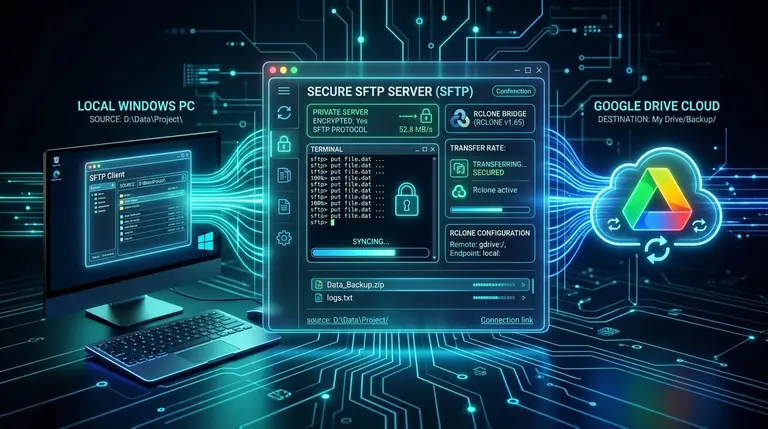
Turn Google Drive into a Private SFTP Server with Rclone on Windows
Use Rclone to expose a dedicated Google Drive folder through SFTP on Windows, with OAuth setup, WinSCP, VFS cache choices, transfer tests, and security guidance.
Share your thoughts, questions, or tips about this article.