Use search operators and built-in tools to narrow results and find information more efficiently.
Google Search can be a powerful tool when you know how to narrow a query. Here are useful operators, search techniques, and built-in features.

✅ A. Basic operators for everyday use
- Search for an exact phrase:
"exact phrase", for example"useful Twitter services". - Exclude a word:
-word, for examplejaguar -car. - Search for alternatives:
term1 OR term2orterm1 | term2. - Group conditions:
(A OR B) C, for example(InDesign OR Quark) book layout. - Use a wildcard:
"some * phrase". - Search a number range:
number..number, for exampleSSD 512..2048 NVMe. - Search by price:
$numberor€number, for examplelaptop $800.
✅ B. Search a site, domain, or URL
- Search within a site:
site:domain.com term, for examplesite:wikipedia.org technology. - Search within a section:
site:domain.com/path term. - Search a top-level domain:
site:.rs termto focus on Serbian domains. - Exclude a site:
-site:domain.com term, for exampleNVIDIA driver -site:reddit.com. - Find related sites:
related:domain.com, for examplerelated:amazon.com.
✅ C. Filter by title, text, or URL
- A word in the page title:
intitle:word term. - Several title words:
allintitle:word1 word2. - A word in the URL:
inurl:word term, useful for pages such as/login,/docs, or/download. - Several URL words:
allinurl:word1 word2. - A phrase in the page text:
intext:phrase term. - Several words in the page text:
allintext:word1 word2. - Words near each other:
A AROUND(3) B. - A word in link anchor text:
inanchor:word.
✅ D. Find documents and files
- Search for a file type:
filetype:pdf term, or use types such as docx, pptx, or xlsx. - Alternative file extension filter:
ext:pdf term.
✅ E. Search by date
- Results after a date:
term after:YYYY-MM-DD. - Results before a date:
term before:YYYY-MM-DD.
✅ F. Quick cache
- Cached page:
cache:URL, if the feature is available.
✅ G. Google Images
- Search for exact image dimensions:
imagesize:1200x800 term. - Search by image source URL:
src:image_URL.
🛠️ Use Google as a tool
- Calculations: Enter an expression such as
2+2*78-3.14. - Conversions:
100 euros to RSDor20 feet to meters. - Sunrise and sunset:
sunrise [city]orsunset [city]. - Definitions:
define:algorithm. - Weather and stocks: Try
weather:Belgradeorstocks:NVDA. - Maps:
map:Timișoara. - Movies:
movie:Oppenheimer. - Timer:
timer 10 minutes. - Metronome:
metronome. - Random results:
flip a coin,roll a die, orrandom number 1-100. - Colors:
color pickerorrgb to hex.
😂 Easter eggs
- Classics:
do a barrel roll,askew,google in 1998,Pac-Man,solitaire, andsnake. - Nerd jokes:
recursionandthe answer to life the universe and everything. - Pop culture: Try
The Last of UsorWizard of Ozand look for interactive results.
🚀 2026 pro tip: search alongside AI Google may show AI-generated summaries for some queries. If the classic result list is available, select the Web filter to focus on web links. You can also use follow-up questions in AI search features to explore a topic, then verify important claims against the linked sources.
No-Code Automation: Let AI Do the Work for You
Connect services such as Gmail, Sheets, X, and Notion to automate everyday tasks without writing code.

How to Free Up Space in Gmail, Google Photos, and Drive
Clear Gmail, Google Photos, and Drive without deleting important data, with steps for finding large files and emptying trash.
Price Tracking Tools: Let Bots Watch Prices for You
Track prices on Amazon and other websites with tools such as CamelCamelCamel, Keepa, Visualping, and Distill.io.

Emergency SOS: Apps and Phone Settings
Prepare your phone for emergencies with built-in safety features, first-aid references, location sharing, and support services.

200 Digital Tips Everyone Should Know in 2026
Practical tips for Android, iPhone, Windows, Chrome, Google, photos, PDFs, Gmail, cloud storage, and privacy, with clear steps and limitations.
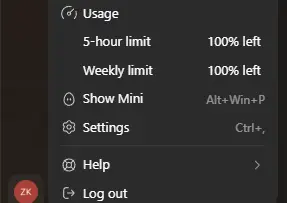
My ChatGPT Subscription Expired and My Codex Limits Reset
My subscription renewal failed on the 23rd. After it expired and I renewed, the Codex Usage page showed 100% remaining. Here is what I observed and why it is not a guaranteed trick.
Share your thoughts, questions, or tips about this article.